
Why Your Side Project Needs a Vibe Check Before Launch
Users remember how your app feels more than what it does—here's how to nail the first 30 seconds
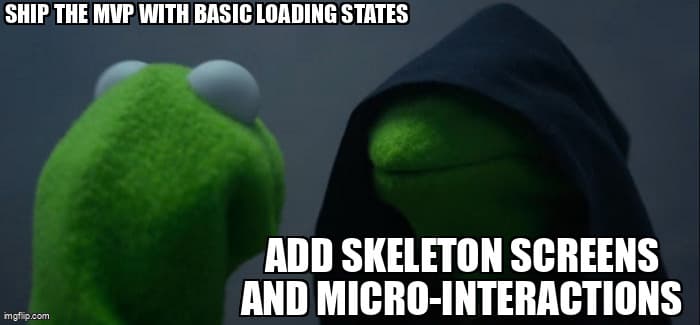
You've shipped your side project. The features work. The bugs are squashed. But when you share the link with your first users, something feels... off. They sign up, click around for 20 seconds, and bounce. No error messages. No obvious issues. They just don't vibe with it.
As a solopreneur building without a design team, you're facing a harsh truth: your app's success isn't determined by your feature list. It's determined by the feeling users get in those critical first 30 seconds. And right now? Your app might be giving them the wrong vibe.
The Three Vibe Killers Destroying Your First Impression
Before we talk solutions, let's diagnose the problem. There are three silent engagement killers that make users feel like your app is unpolished, even when everything technically works:
1. The Blank Screen of Death
Your API takes 2 seconds to respond. For those 2 seconds, users see a white rectangle where their data should be. No feedback. No indication anything is happening. Just... nothing. That's not a loading problem—it's a trust problem. Users are already wondering if they should close the tab.
2. The Sad Empty State
New user lands on your dashboard. They see "No items found" in 12px gray text. No illustration. No helpful copy. No clear next step. It feels abandoned, like walking into a store where no one greets you. They just created an account—this should be the most exciting moment, not the most deflating.
3. The Janky Interaction
User clicks "Save". Button just sits there. Half a second later, a success message appears. In that gap, they've already clicked twice more, creating duplicate entries. Or they click "Delete" and the item vanishes instantly with a jarring flash. No confirmation. No smooth transition. It feels broken even when it works.
Quick Win #1: Skeleton Screens That Set Expectations
Replace every blank loading state with a skeleton screen. These aren't just pretty placeholders—they're psychological contracts with your users. They say "something is coming, and here's what it'll look like."
Here's a production-ready React implementation you can drop into your codebase today:
// components/SkeletonCard.tsx
export function SkeletonCard() {
  return (
    <div className="animate-pulse rounded-lg border border-gray-700 bg-gray-800 p-6">
      {/* Header */}
      <div className="mb-4 flex items-center gap-3">
        <div className="h-10 w-10 rounded-full bg-gray-700" />
        <div className="flex-1">
          <div className="mb-2 h-4 w-1/3 rounded bg-gray-700" />
          <div className="h-3 w-1/4 rounded bg-gray-700" />
        </div>
      </div>

      {/* Content lines */}
      <div className="space-y-3">
        <div className="h-3 w-full rounded bg-gray-700" />
        <div className="h-3 w-5/6 rounded bg-gray-700" />
        <div className="h-3 w-4/6 rounded bg-gray-700" />
      </div>

      {/* Footer actions */}
      <div className="mt-6 flex gap-2">
        <div className="h-8 w-20 rounded bg-gray-700" />
        <div className="h-8 w-20 rounded bg-gray-700" />
      </div>
    </div>
  );
}

// Usage in your page
export default function DashboardPage() {
  const { data, isLoading } = useQuery(['items'], fetchItems);

  if (isLoading) {
    return (
      <div className="grid gap-4 md:grid-cols-2 lg:grid-cols-3">
        {Array.from({ length: 6 }).map((_, i) => (
          <SkeletonCard key={i} />
        ))}
      </div>
    );
  }

  return <ItemGrid items={data} />;
}
The magic is in the details: the skeleton matches your actual card layout, uses subtle animation, and renders multiple cards to fill the expected grid. Users immediately understand "my content is loading" instead of wondering "is this broken?"
Quick Win #2: Optimistic UI That Feels Instant
Stop waiting for the server to confirm every action. Update the UI immediately, then handle the API call in the background. This single pattern makes your app feel 10x faster without changing a single line of backend code.
// hooks/useOptimisticMutation.ts
import { useMutation, useQueryClient } from '@tanstack/react-query';

export function useOptimisticToggle(queryKey: string[]) {
  const queryClient = useQueryClient();

  return useMutation({
    mutationFn: async (itemId: string) => {
      return await api.toggleItem(itemId);
    },

    // Update UI immediately
    onMutate: async (itemId) => {
      await queryClient.cancelQueries(queryKey);

      const previous = queryClient.getQueryData(queryKey);

      queryClient.setQueryData(queryKey, (old: Item[]) =>
        old.map(item =>
          item.id === itemId
            ? { ...item, completed: !item.completed }
            : item
        )
      );

      return { previous };
    },

    // Rollback on error
    onError: (err, variables, context) => {
      queryClient.setQueryData(queryKey, context.previous);
      toast.error('Failed to update. Please try again.');
    },

    // Sync with server response
    onSettled: () => {
      queryClient.invalidateQueries(queryKey);
    },
  });
}

// Usage in component
export function TodoItem({ item }) {
  const toggleMutation = useOptimisticToggle(['todos']);

  return (
    <button
      onClick={() => toggleMutation.mutate(item.id)}
      className="flex items-center gap-3"
    >
      <div className={cn(
        "h-5 w-5 rounded border-2 transition-all",
        item.completed
          ? "border-green-500 bg-green-500"
          : "border-gray-400"
      )}>
        {item.completed && <Check className="h-4 w-4 text-white" />}
      </div>
      <span className={item.completed ? "line-through opacity-60" : ""}>
        {item.text}
      </span>
    </button>
  );
}
This pattern handles three critical cases: instant UI feedback, graceful error recovery, and eventual consistency with the server. Users click, see immediate response, and the app handles the complexity behind the scenes.
Quick Win #3: Micro-Interactions That Add Personality
Micro-interactions are the difference between "works fine" and "feels delightful". These tiny moments of animation and feedback cost minimal dev time but create maximum emotional impact.
- Button press states: Add a subtle scale transform on click. Users feel the physical "press" even on a screen.
- Success confirmations: Don't just show a checkmark—animate it in with a slight bounce. Dopamine hit delivered.
- Delete confirmations: Fade items out over 200ms instead of instant removal. Gives users a split second to realize "oh wait, wrong item" before it's gone.
- Hover states: Lift cards slightly on hover with a shadow transition. Makes interfaces feel tangible instead of flat.
Here's a utility class system you can add to your Tailwind config for consistent micro-interactions:
// tailwind.config.js
module.exports = {
  theme: {
    extend: {
      animation: {
        'scale-in': 'scaleIn 0.2s ease-out',
        'slide-up': 'slideUp 0.3s ease-out',
        'fade-in': 'fadeIn 0.2s ease-in',
      },
      keyframes: {
        scaleIn: {
          '0%': { transform: 'scale(0.95)', opacity: '0' },
          '100%': { transform: 'scale(1)', opacity: '1' },
        },
        slideUp: {
          '0%': { transform: 'translateY(10px)', opacity: '0' },
          '100%': { transform: 'translateY(0)', opacity: '1' },
        },
        fadeIn: {
          '0%': { opacity: '0' },
          '100%': { opacity: '1' },
        },
      },
    },
  },
};

// Button component with interaction states
export function Button({ children, ...props }) {
  return (
    <button
      className={cn(
        "rounded-lg px-4 py-2 font-medium",
        "bg-blue-600 text-white",
        "transition-all duration-150",
        // Hover state
        "hover:bg-blue-700 hover:shadow-lg hover:-translate-y-0.5",
        // Active state (the "press")
        "active:translate-y-0 active:shadow-none",
        // Focus state for accessibility
        "focus:outline-none focus:ring-2 focus:ring-blue-500 focus:ring-offset-2"
      )}
      {...props}
    >
      {children}
    </button>
  );
}
The Psychology of Feel: Why This Actually Matters
Here's the uncomfortable truth: users won't remember your feature list. They'll remember how your app made them feel. Psychological research on user experience shows three critical principles:
- Peak-End Rule: Users judge experiences based on the most intense moment and the final moment. That first 30 seconds is often both. Nail the vibe early, and users will forgive minor issues later.
- Perceived Performance > Actual Performance: An app that loads in 3 seconds with great skeleton screens feels faster than one that loads in 2 seconds with blank loading states. User perception is your reality.
- Microinteraction Memory: Users can't articulate why they like an app, but they'll say "it just feels right." Those micro-interactions create subconscious positive associations that drive retention.
This isn't about being trendy or following design fads. This is about respecting the psychological reality of how humans evaluate software. Your competitors with worse features but better vibes will win users. Every time.
Your Vibe Check Audit Checklist
Before you launch (or relaunch) your next feature, run through this checklist. If you can't check every box, you're shipping vibe killers:
- Every loading state has a skeleton screen or spinner (no blank screens)
- Empty states have helpful copy, illustrations, and clear CTAs
- User actions feel instant (optimistic UI for mutations)
- Buttons have hover, active, and focus states
- Deletes have confirmation and fade-out animations
- Success actions have satisfying feedback (checkmarks, toasts, haptics)
- Page transitions don't flash or jump
- Form validation is inline and helpful (not just "error" in red)
- Mobile interactions have proper touch targets (44x44px minimum)
- Keyboard navigation works everywhere (accessibility = good vibes for all)
Ship the Vibe
You don't need a design team to ship apps that feel great. You need to understand that "feel" is an engineering problem, not just a design problem. Skeleton screens, optimistic UI, and micro-interactions are code patterns you can implement today with copy-paste examples.
The solopreneurs winning right now aren't the ones with the most features. They're the ones who understand that users remember feelings, not feature lists. Give your side project a vibe check before launch. Your retention metrics will thank you.
Now go make something that feels right.
Want to improve your app experience?
Desplega helps engineering teams in Barcelona, Madrid, Valencia, and across Spain build polished, user-friendly applications. Contact us to discuss your UX challenges.
Contact UsRelated Posts
Hot Module Replacement: Why Your Dev Server Restarts Are Killing Your Flow State | desplega.ai
Stop losing 2-3 hours daily to dev server restarts. Master HMR configuration in Vite and Next.js to maintain flow state, preserve component state, and boost coding velocity by 80%.
The Flaky Test Tax: Why Your Engineering Team is Secretly Burning Cash | desplega.ai
Discover how flaky tests create a hidden operational tax that costs CTOs millions in wasted compute, developer time, and delayed releases. Calculate your flakiness cost today.
The QA Death Spiral: When Your Test Suite Becomes Your Product | desplega.ai
An executive guide to recognizing when quality initiatives consume engineering capacity. Learn to identify test suite bloat, balance coverage vs velocity, and implement pragmatic quality gates.