
Hot Module Replacement: Why Your Dev Server Restarts Are Killing Your Flow State
Stop losing 2-3 hours daily to context switching. Master HMR to code in the zone.
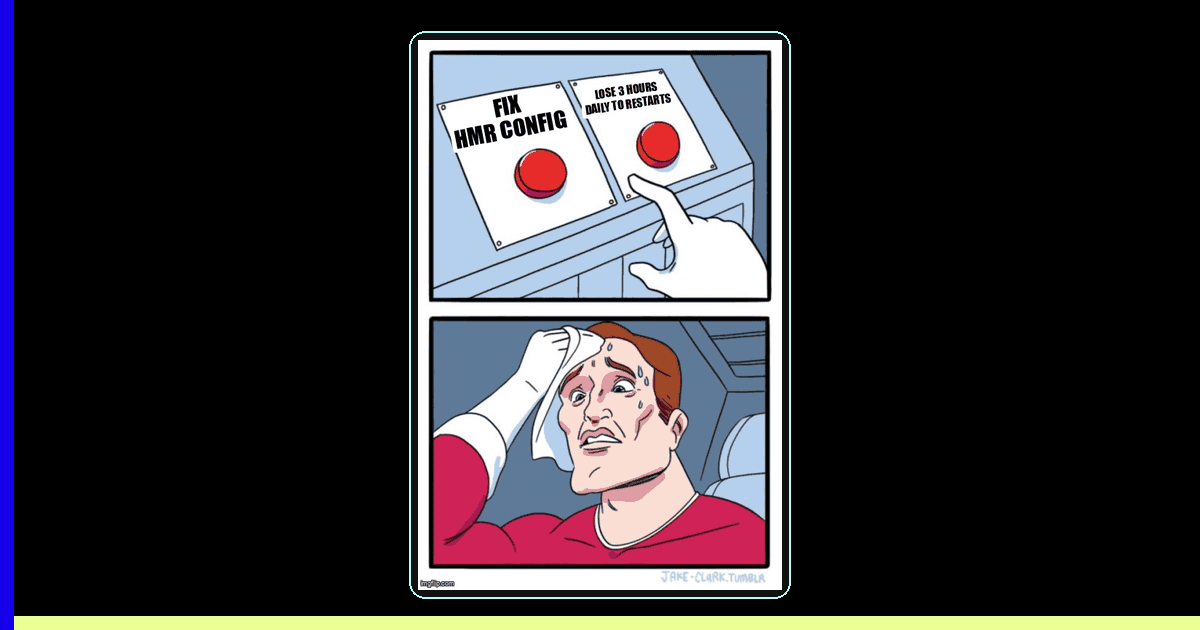
You're deep in the zone. The code is flowing. You've just cracked a gnarly state management problem and you're about to wire up the UI when—BAM—your dev server restarts. Again. You lose your form state, your scroll position, and worst of all, that precious mental model you'd been building for the last 20 minutes.
If you're a solopreneur or indie dev building with modern frameworks, you're probably losing 2-3 hours per day to this context-switching tax. The culprit? Misconfigured Hot Module Replacement (HMR). When HMR breaks, your dev server falls back to full page reloads, destroying your flow state and killing your velocity.
Here's the good news: With the right HMR configuration, you can reduce restart frequency by 80% and preserve component state during development. Let's fix your setup.
What Is HMR and Why Should You Care?
Hot Module Replacement is the technology that lets your browser update code without a full page reload. When you edit a React component, HMR swaps out just that module while preserving application state. No restart. No lost data. Just instant feedback.
The difference between good HMR and broken HMR is the difference between:
- Flow state coding: Making 10 edits in 2 minutes with instant visual feedback
- Context-switching hell: Waiting 5-10 seconds per change, re-navigating to your test page, re-filling forms, re-creating state
Modern frameworks like Vite and Next.js ship with HMR enabled by default, but they can't save you from common mistakes that break it. Let's audit your setup.
The 4 Silent HMR Killers (And How to Fix Them)
1. Dynamic Imports Without Proper Boundaries
Dynamic imports are great for code splitting, but they confuse HMR if not wrapped properly. When HMR can't trace the module graph, it gives up and does a full reload.
❌ Breaks HMR
// components/Dashboard.tsx
const DynamicChart = dynamic(() => import('./Chart'), {
  loading: () => <Spinner />,
});

export default function Dashboard() {
  const [data, setData] = useState(expensiveData);
  // Edit this component → full page reload → data lost
  return <DynamicChart data={data} />;
}
✅ Preserves HMR
// components/Dashboard.tsx
import dynamic from 'next/dynamic';

const DynamicChart = dynamic(() => import('./Chart'), {
  loading: () => <Spinner />,
  ssr: false, // Critical for HMR stability
});

export default function Dashboard() {
  const [data, setData] = useState(expensiveData);
  // Edit this component → instant HMR → state preserved
  return <DynamicChart data={data} />;
}

// Ensure Chart.tsx accepts HMR
if (import.meta.hot) {
  import.meta.hot.accept();
}
2. Circular Dependencies
HMR traverses your module graph to figure out what needs updating. Circular imports create infinite loops that force full reloads.
// ❌ This kills HMR
// utils/formatters.ts
import { API_CONFIG } from './api';

// utils/api.ts
import { formatDate } from './formatters';

// Fix: Break the cycle with a third file
// utils/constants.ts
export const API_CONFIG = { ... };

// utils/formatters.ts
import { API_CONFIG } from './constants';

// utils/api.ts
import { formatDate } from './formatters';
import { API_CONFIG } from './constants';
Use a tool like madge to detect circular dependencies:
npx madge --circular --extensions ts,tsx src/3. CSS-in-JS Without HMR Support
Not all CSS-in-JS libraries play nice with HMR. Emotion and Styled Components work great, but some older libraries force full reloads on style changes.
Vite + Emotion HMR Config
// vite.config.ts
import { defineConfig } from 'vite';
import react from '@vitejs/plugin-react';

export default defineConfig({
  plugins: [
    react({
      jsxImportSource: '@emotion/react',
      babel: {
        plugins: ['@emotion/babel-plugin'],
      },
    }),
  ],
  server: {
    hmr: {
      overlay: true, // Show errors without reload
    },
  },
});
4. Missing Error Boundaries
When HMR encounters a runtime error, it should show you the error overlay—not reload the page. Error boundaries catch React errors and keep HMR working.
// components/ErrorBoundary.tsx
'use client';

import { Component, ReactNode } from 'react';

export class ErrorBoundary extends Component<
  { children: ReactNode },
  { hasError: boolean }
> {
  constructor(props: { children: ReactNode }) {
    super(props);
    this.state = { hasError: false };
  }

  static getDerivedStateFromError() {
    return { hasError: true };
  }

  componentDidCatch(error: Error, errorInfo: any) {
    console.error('Caught by boundary:', error, errorInfo);
  }

  render() {
    if (this.state.hasError) {
      return <div>Something went wrong. Check console.</div>;
    }
    return this.props.children;
  }
}

// Wrap your app
export default function RootLayout({ children }: { children: ReactNode }) {
  return (
    <html>
      <body>
        <ErrorBoundary>{children}</ErrorBoundary>
      </body>
    </html>
  );
}
Advanced HMR: Preserving State Across Edits
Basic HMR replaces your component but loses its state. React Fast Refresh (built into Next.js and Vite) goes further: it preserves state during edits if you follow the rules.
Fast Refresh Rules
- Export React components as named or default exports (not as variables)
- Don't mix components with non-React exports in the same file
- Use hooks correctly (Fast Refresh resets state if hooks change order)
❌ Loses State on Edit
// Bad: Component and constant in same file
export const API_URL = 'https://api.example.com';

export default function Form() {
  const [email, setEmail] = useState('');
  // Edit this → email value is lost
  return <input value={email} onChange={e => setEmail(e.target.value)} />;
}
✅ Preserves State on Edit
// Good: Component only, constant in separate file
import { API_URL } from './constants';

export default function Form() {
  const [email, setEmail] = useState('');
  // Edit this → email value is preserved!
  return <input value={email} onChange={e => setEmail(e.target.value)} />;
}
Using HMR Hooks for Custom Preservation
Sometimes you need to preserve state that Fast Refresh can't handle automatically (like scroll position or temporary UI flags). Use HMR hooks:
// components/LongList.tsx
import { useEffect, useRef } from 'react';

export default function LongList() {
  const scrollRef = useRef<HTMLDivElement>(null);

  useEffect(() => {
    // Preserve scroll position across HMR
    if (import.meta.hot) {
      import.meta.hot.dispose((data) => {
        data.scrollTop = scrollRef.current?.scrollTop;
      });

      const data = import.meta.hot.data;
      if (data?.scrollTop && scrollRef.current) {
        scrollRef.current.scrollTop = data.scrollTop;
      }
    }
  }, []);

  return (
    <div ref={scrollRef} className="overflow-y-auto h-screen">
      {/* Long list content */}
    </div>
  );
}
Production-Ready HMR Configuration
Here's a battle-tested Vite config that maximizes HMR reliability for React apps:
// vite.config.ts
import { defineConfig } from 'vite';
import react from '@vitejs/plugin-react';
import path from 'path';

export default defineConfig({
  plugins: [
    react({
      // Fast Refresh for instant state preservation
      fastRefresh: true,
      // Babel config for emotion/styled-components
      babel: {
        plugins: [
          ['@emotion/babel-plugin', { sourceMap: true }],
        ],
      },
    }),
  ],

  resolve: {
    alias: {
      '@': path.resolve(__dirname, './src'),
    },
  },

  server: {
    hmr: {
      // Show errors in overlay, don't reload
      overlay: true,
      // Optional: custom HMR port if default conflicts
      // port: 24678,
    },
    // Faster HMR with explicit watched paths
    watch: {
      usePolling: false, // Disable if on slow disk
      ignored: ['**/node_modules/**', '**/.git/**'],
    },
  },

  optimizeDeps: {
    // Pre-bundle these for faster HMR
    include: [
      'react',
      'react-dom',
      'react-router-dom',
    ],
  },
});
For Next.js apps, the equivalent config lives in next.config.js:
// next.config.js
module.exports = {
  reactStrictMode: true,

  // Fast Refresh config
  experimental: {
    // Enable SWC for faster builds and HMR
    swcMinify: true,
  },

  // Optimize HMR performance
  webpack: (config, { dev, isServer }) => {
    if (dev && !isServer) {
      // Reduce HMR overhead
      config.watchOptions = {
        poll: false,
        aggregateTimeout: 300,
      };
    }
    return config;
  },
};
Debugging HMR When It Breaks
Even with perfect config, HMR occasionally fails. Here's your debugging checklist:
Step 1: Check the Browser Console
HMR failures show warnings like [HMR] Cannot apply update. Need to do a full reload!
Look for the module that triggered the failure. It's usually the file you just edited.
Step 2: Verify Your Component Export Style
// ❌ Breaks Fast Refresh
const MyComponent = () => <div>Hello</div>;
export default MyComponent;

// ✅ Works with Fast Refresh
export default function MyComponent() {
  return <div>Hello</div>;
}
Step 3: Check for Side Effects
Side effects at module scope (like console.log outside components) force full reloads:
// ❌ Forces reload
console.log('Module loaded');

export default function MyComponent() {
  return <div>Hello</div>;
}

// ✅ Doesn't break HMR
export default function MyComponent() {
  console.log('Component rendered'); // Side effect inside component is fine
  return <div>Hello</div>;
}
Measuring Your HMR Improvement
After fixing your HMR setup, measure the improvement. You should see:
- 80%+ reduction in full page reloads during a typical dev session
- Sub-second update time from save to browser update (usually 100-300ms)
- Preserved component state on 95%+ of edits (form inputs, scroll position, etc.)
Track this in your Vite/Next.js terminal output. Before optimization, you'll see lines like:
page reload src/components/Dashboard.tsxAfter optimization, you'll see:
hmr update /src/components/Dashboard.tsx (127ms)Key Takeaways
- Fix the 4 silent HMR killers - Dynamic imports, circular dependencies, CSS-in-JS issues, and missing error boundaries break HMR and force full reloads
- Follow Fast Refresh rules - Export components properly, separate constants into dedicated files, and avoid module-scope side effects to preserve state across edits
- Use HMR hooks for custom preservation - Preserve scroll position, form state, and temporary UI flags with
import.meta.hot.disposeandimport.meta.hot.data - Optimize your config - Enable Fast Refresh, configure error overlays, and pre-bundle dependencies in Vite/Next.js config for maximum HMR reliability
Properly configured HMR is the difference between flow state coding and context-switching hell. Spend 30 minutes fixing your setup today, and you'll save 2-3 hours every day you code. That's the vibe.
Ready to level up your development workflow?
Desplega.ai helps solo developers and small teams ship faster with professional-grade tooling. From vibe coding to production deployments, we bridge the gap between rapid prototyping and scalable software.
Get Expert GuidanceRelated Posts
When I Reject v0 Code: Pattern-Matching Rules for Safer UI Generation
A practical v0 review gate for safer generated React UI: AST checks, Playwright smoke tests, accessibility rules, and rejection signals.
Cody's Repository Indexing: Does Cognitive Offloading Create Knowledge Gaps in Large Codebases? | Desplega AI
A practical deep dive into Cody repository indexing, context retrieval, and how indie hackers avoid AI-created knowledge gaps.
The Flaky Test Tax: Why Your Engineering Team is Secretly Burning Cash | desplega.ai
Discover how flaky tests create a hidden operational tax that costs CTOs millions in wasted compute, developer time, and delayed releases. Calculate your flakiness cost today.