
Bolt.new to Claude Code: Keep Your Vibe, Add Professional Git Workflow
A weekend migration guide for makers who want version control without losing velocity
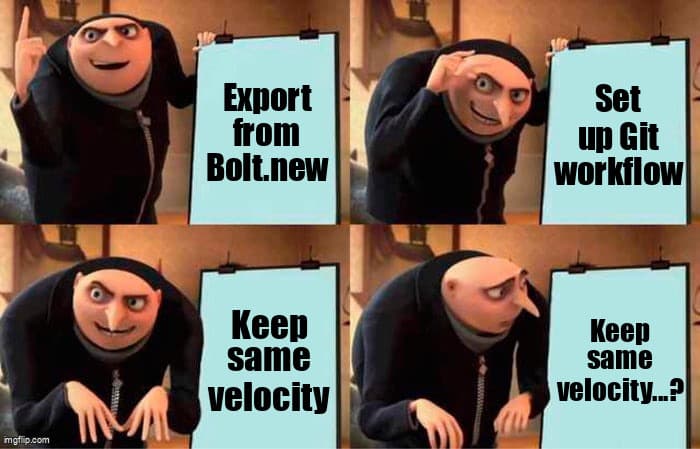
You've Mastered Rapid Prototyping
You've been shipping with Bolt.new. You love the speed—describe what you want, watch it build, iterate instantly. No setup, no config files, just pure creation velocity. That's not "toy coding." That's understanding the fastest path from idea to validation.
But you've probably hit moments where you wished you could:
- Roll back to yesterday's version without recreating from memory
- Try a risky refactor without fear of losing working code
- Share your project with collaborators who can see the full history
- Deploy to your own infrastructure instead of Bolt's hosting
- Work offline or when Bolt's servers are slow
Claude Code gives you all of this while keeping the AI-assisted workflow you love. This isn't about abandoning your approach—it's about adding capabilities that unlock the next level.
Before/After: What Changes (and What Doesn't)
What Stays the Same:
- Conversational AI coding—still your primary interface
- Instant preview and iteration speed
- No need to memorize syntax or framework docs
- Full-stack projects from a single prompt
What You Gain:
- Git version control—branch, merge, revert, time-travel through your code
- Local development—work offline, use your own editor alongside Claude
- Professional deployment—Vercel, Netlify, Railway, or your own servers
- Team collaboration—share repos, review changes, contribute together
- Integration ecosystem—connect to databases, APIs, CI/CD pipelines
Prerequisites: What to Have Ready
Time estimate: 2-4 hours for first migration (subsequent projects: 30 minutes)
Required:
- Active Bolt.new project you want to migrate
- Claude Pro subscription (for Claude Code access)
- GitHub account (free tier works fine)
- Basic terminal comfort (you'll copy-paste commands, not write them)
Optional but Recommended:
- Vercel or Netlify account (for deployment)
- VS Code installed (for viewing files alongside Claude)
Step-by-Step Migration Guide
Step 1: Export Your Bolt.new Project
In Bolt.new, click the download icon or use the "Export Project" option. This gives you a ZIP file with all your code.
Unzip it to a folder on your computer:
# macOS/Linux
unzip bolt-project.zip -d ~/projects/my-app

# Windows (PowerShell)
Expand-Archive bolt-project.zip -DestinationPath C:\projects\my-app
Step 2: Initialize Git Repository
Open terminal and navigate to your project folder:
cd ~/projects/my-app
git init
git add .
git commit -m "Initial commit from Bolt.new"
Congrats! You just created your first git commit. This snapshot captures your entire Bolt project at this moment.
Step 3: Push to GitHub
Go to github.com and create a new repository (keep it private if you want). Then connect your local folder:
git remote add origin https://github.com/yourusername/my-app.git
git branch -M main
git push -u origin main
Your code is now backed up in the cloud and ready for collaboration.
Step 4: Open in Claude Code
Launch Claude Code (available through claude.ai for Pro users) and open your project folder. Claude can now see all your files and git history.
Try your first AI-assisted git workflow:
You: "Create a new branch called 'add-dark-mode' and update the theme colors to support dark mode"Claude will create the branch, make the changes, and commit them—just like Bolt, but now with full version control.
Step 5: Set Up Deployment
Connect your GitHub repo to Vercel or Netlify:
- Go to vercel.com or netlify.com and sign in with GitHub
- Click "Import Project" and select your repo
- Vercel/Netlify auto-detects your framework (Next.js, Vite, etc.)
- Click Deploy—done in 2 minutes
Now every push to your main branch automatically deploys. Same speed as Bolt, but with your own domain and deployment settings.
Skill Bridge: Mapping Bolt Concepts to Git Workflows
| Bolt.new Workflow | Claude Code + Git Equivalent |
|---|---|
| Starting a new project | git init + first commit |
| Saving your progress | git commit -m "description" |
| Trying a risky change | git checkout -b experiment |
| Undoing a mistake | git reset --hard HEAD~1 |
| Sharing with others | git push origin main |
| Deploying live | Push to main → Vercel auto-deploys |
Workflow Comparison: Building a Feature
In Bolt.new:
1. Describe feature to Bolt
2. Review generated code
3. Iterate until satisfied
4. Hope nothing breaks existing features
5. (No easy way to undo if it does)
In Claude Code + Git:
1. Ask Claude: "Create branch 'add-payment-flow' and implement Stripe checkout"
2. Claude creates branch, writes code, commits changes
3. Review changes in VS Code (or Claude's built-in diff viewer)
4. Iterate with Claude until satisfied
5. Merge to main: git merge add-payment-flow
6. If something breaks: git revert <commit> (instant rollback)
Same AI-assisted speed, but with a safety net and collaboration features.
Troubleshooting Common Migration Issues
Issue: "Dependencies won't install"
Bolt.new sometimes uses custom package versions. After migrating, run:
rm -rf node_modules package-lock.json
npm install
This rebuilds your dependencies from scratch for your local environment.
Issue: "Environment variables missing"
Bolt managed these automatically. You now need a .env.local file:
NEXT_PUBLIC_API_URL=https://api.yoursite.com
DATABASE_URL=your-database-connection-string
Add .env.local to your .gitignore to keep secrets out of version control. Add the same variables to your Vercel/Netlify dashboard for production.
Issue: "Build fails on Vercel but worked in Bolt"
Check your Node.js version. Bolt might use a different version than Vercel's default. Add to package.json:
"engines": {
  "node": "18.x"
}
Advanced Workflows You Unlocked
Once you're comfortable with the basics, these workflows become possible:
Feature Branches
# Work on multiple features simultaneously
git checkout -b redesign-homepage
# ... make changes ...
git checkout -b add-analytics
# ... make changes ...
# Merge when ready, in any order
Pull Request Workflow
Push your branch to GitHub, create a Pull Request, and get feedback from collaborators before merging. Claude can even help you write PR descriptions.
Time-Travel Debugging
# Something broke? Find when it worked:
git log --oneline
git checkout abc123  # Go back to working version
# Figure out what changed, fix it, commit
Real Migration Example: Task Manager App
Sarah built a task manager in Bolt.new over a weekend. It worked great, but she wanted to:
- Add a database (Bolt's preview database was limited)
- Invite a friend to collaborate
- Deploy to her own domain
Migration timeline:
- Saturday 2 PM: Exported Bolt project, initialized git (15 minutes)
- Saturday 3 PM: Pushed to GitHub, opened in Claude Code (20 minutes)
- Saturday 4 PM: Asked Claude to add Supabase database integration (30 minutes)
- Saturday 5 PM: Deployed to Vercel with custom domain (15 minutes)
- Sunday morning: Friend cloned repo, submitted first PR with bug fix
Total active time: 90 minutes. She kept all her Bolt progress and gained professional infrastructure.
Why This Matters for Your Growth
Bolt.new taught you the most important skill: translating ideas into working software through conversation. That's not beginner work—that's the future of development.
Claude Code + Git adds the infrastructure that lets you:
- Scale your projects beyond prototype limits
- Collaborate professionally with other developers
- Recover from mistakes without rebuilding from scratch
- Control your deployment and infrastructure costs
- Build a portfolio on GitHub that showcases your work
You're not leaving vibe coding behind—you're adding professional tools to your already strong foundation.
Next Steps
This weekend:
- Pick your simplest Bolt project and migrate it following this guide
- Make one change using git branches
- Deploy to Vercel and share your custom domain
Next month:
- Invite someone to collaborate on a project via GitHub
- Try using VS Code alongside Claude for more complex edits
- Experiment with CI/CD pipelines (automated tests on every push)
Resources:
- GitHub's Hello World guide (15-minute git primer)
- Vercel deployment docs (deployment options)
- Claude Code documentation (AI workflow patterns)
You've Already Leveled Up
The hardest part of development isn't git commands or deployment configs—it's knowing what to build and how to describe it. You've already mastered that with Bolt.new.
This migration just gives you the infrastructure to take those skills further. Same velocity, more capabilities, full control.
Welcome to the next level. You earned it.
Ready to Level Up Your Development Workflow?
Desplega helps teams in Barcelona, Madrid, Valencia, Spain and beyond transition from rapid prototyping to professional development workflows. We help solopreneurs and indie hackers ship faster while building scalable infrastructure.
Contact UsRelated Posts
Hot Module Replacement: Why Your Dev Server Restarts Are Killing Your Flow State | desplega.ai
Stop losing 2-3 hours daily to dev server restarts. Master HMR configuration in Vite and Next.js to maintain flow state, preserve component state, and boost coding velocity by 80%.
The Flaky Test Tax: Why Your Engineering Team is Secretly Burning Cash | desplega.ai
Discover how flaky tests create a hidden operational tax that costs CTOs millions in wasted compute, developer time, and delayed releases. Calculate your flakiness cost today.
The QA Death Spiral: When Your Test Suite Becomes Your Product | desplega.ai
An executive guide to recognizing when quality initiatives consume engineering capacity. Learn to identify test suite bloat, balance coverage vs velocity, and implement pragmatic quality gates.