
Visual Regression Testing: Catching UI Bugs Before Your Users Do
A practical guide to implementing visual testing with Percy, Chromatic, and native Playwright screenshot comparison
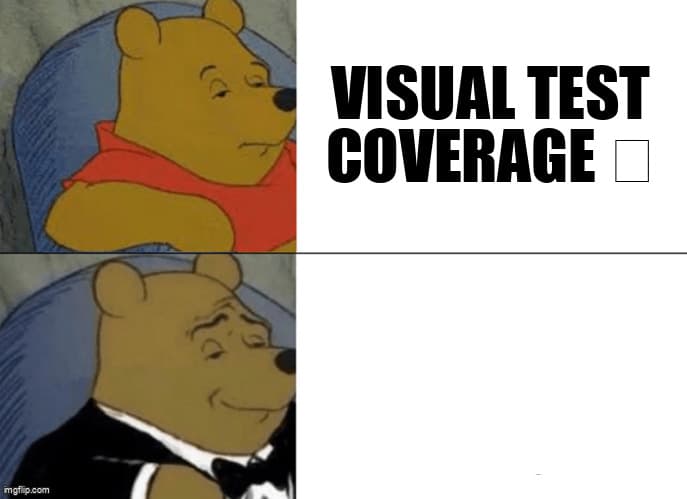
You've built a comprehensive functional test suite. Your tests verify that buttons click, forms submit, and data flows correctly. Then a CSS refactor ships, and suddenly your navbar overlaps the content, a modal is cut off on mobile, or a critical call-to-action button has vanished. Your functional tests? All green.
This is the gap that visual regression testing fills. While functional tests verify behavior, visual tests verify appearance. They catch the CSS bugs, layout shifts, and rendering inconsistencies that slip through traditional automation.
When Visual Tests Add Value
Visual regression testing isn't a replacement for functional testing—it's a complement. Understanding when to use each is crucial for building an efficient test suite.
Use visual regression tests for:
- CSS changes and style refactors that might break layouts
- Component library updates where styling could regress
- Cross-browser rendering differences (font rendering, flexbox quirks)
- Responsive design breakpoints and mobile layouts
- Complex UI states that are hard to assert programmatically (tooltips, animations, overlays)
- Design system compliance across pages
Stick with functional tests for:
- Business logic and data validation
- Form submissions and API interactions
- Navigation flows and routing
- Authentication and authorization
- Dynamic content that changes frequently (timestamps, user-specific data)
Three Approaches to Visual Testing
Let's explore three practical approaches, from managed services to native solutions.
1. Percy: Managed Visual Testing Platform
Percy (by BrowserStack) is a managed service that handles screenshot capture, baseline management, and visual diff generation. It integrates seamlessly with existing test frameworks.
Setup with Playwright:
npm install --save-dev @percy/cli @percy/playwright

// playwright.config.ts
import { defineConfig } from '@playwright/test';

export default defineConfig({
  use: {
    baseURL: 'http://localhost:3000',
    screenshot: 'only-on-failure',
  },
});

// tests/visual/homepage.spec.ts
import { test } from '@playwright/test';
import percySnapshot from '@percy/playwright';

test.describe('Homepage Visual Tests', () => {
  test('should match homepage layout', async ({ page }) => {
    await page.goto('/');
    await page.waitForLoadState('networkidle');

    // Percy captures and compares
    await percySnapshot(page, 'Homepage - Desktop');
  });

  test('should match mobile layout', async ({ page }) => {
    await page.setViewportSize({ width: 375, height: 667 });
    await page.goto('/');
    await page.waitForLoadState('networkidle');

    await percySnapshot(page, 'Homepage - Mobile');
  });

  test('should match modal state', async ({ page }) => {
    await page.goto('/');
    await page.click('[data-testid="open-modal"]');
    await page.waitForSelector('[data-testid="modal"]');

    await percySnapshot(page, 'Homepage - Modal Open');
  });
});
Key benefits:
- Automatic baseline management and diff generation
- Visual review UI for approving changes
- Cross-browser testing (Chrome, Firefox, Edge, Safari)
- Responsive testing across multiple viewport sizes
- CI/CD integration with status checks
Trade-offs: Cost scales with screenshots (starts free, then paid tiers), requires external service dependency, introduces latency to test runs.
2. Chromatic: Storybook-Native Visual Testing
Chromatic is purpose-built for Storybook, making it ideal if you're already using Storybook for component documentation. It automatically captures visual snapshots of every story.
npm install --save-dev chromatic

// .storybook/main.ts
import type { StorybookConfig } from '@storybook/react-vite';

const config: StorybookConfig = {
  stories: ['../src/**/*.stories.@(ts|tsx)'],
  addons: ['@storybook/addon-essentials'],
  framework: '@storybook/react-vite',
};

export default config;

// src/components/Button.stories.tsx
import type { Meta, StoryObj } from '@storybook/react';
import { Button } from './Button';

const meta: Meta<typeof Button> = {
  component: Button,
  parameters: {
    // Chromatic configuration per story
    chromatic: {
      // Pause animations for consistent snapshots
      pauseAnimationAtEnd: true,
      // Delay capture to wait for lazy-loaded content
      delay: 300,
    },
  },
};

export default meta;
type Story = StoryObj<typeof Button>;

export const Primary: Story = {
  args: {
    variant: 'primary',
    children: 'Click me',
  },
};

export const Disabled: Story = {
  args: {
    variant: 'primary',
    disabled: true,
    children: 'Disabled',
  },
};

// Run visual tests
// npx chromatic --project-token=<your-token>
Key benefits:
- Zero configuration if you already use Storybook
- Component-level visual testing in isolation
- Automatic baselines for every story variation
- UI review workflow for design and engineering collaboration
- TurboSnap feature only tests affected components
Trade-offs: Requires Storybook setup, tests components in isolation (not full pages), cost scales with snapshots.
3. Native Playwright Screenshot Comparison
For teams wanting full control without external dependencies, Playwright's built-in screenshot comparison provides a powerful, free alternative.
// playwright.config.ts
import { defineConfig } from '@playwright/test';

export default defineConfig({
  expect: {
    toHaveScreenshot: {
      // Maximum pixel difference threshold
      maxDiffPixels: 100,
      // Animation handling
      animations: 'disabled',
      // Anti-aliasing can cause cross-platform diffs
      // Set to 'disabled' for consistent results
      scale: 'css',
    },
  },
  use: {
    baseURL: 'http://localhost:3000',
  },
});

// tests/visual/dashboard.spec.ts
import { test, expect } from '@playwright/test';

test.describe('Dashboard Visual Regression', () => {
  test('should match dashboard layout', async ({ page }) => {
    await page.goto('/dashboard');

    // Wait for dynamic content to load
    await page.waitForSelector('[data-testid="chart-loaded"]');

    // Hide dynamic elements (timestamps, live data)
    await page.evaluate(() => {
      document.querySelectorAll('[data-timestamp]').forEach(el => {
        (el as HTMLElement).style.visibility = 'hidden';
      });
    });

    // Full page screenshot comparison
    await expect(page).toHaveScreenshot('dashboard-full.png');
  });

  test('should match sidebar states', async ({ page }) => {
    await page.goto('/dashboard');

    // Collapsed state
    const sidebar = page.locator('[data-testid="sidebar"]');
    await expect(sidebar).toHaveScreenshot('sidebar-collapsed.png');

    // Expanded state
    await page.click('[data-testid="expand-sidebar"]');
    await expect(sidebar).toHaveScreenshot('sidebar-expanded.png');
  });

  test('should match across breakpoints', async ({ page }) => {
    const viewports = [
      { width: 375, height: 667, name: 'mobile' },
      { width: 768, height: 1024, name: 'tablet' },
      { width: 1920, height: 1080, name: 'desktop' },
    ];

    for (const viewport of viewports) {
      await page.setViewportSize({
        width: viewport.width,
        height: viewport.height
      });
      await page.goto('/dashboard');
      await page.waitForLoadState('networkidle');

      await expect(page).toHaveScreenshot(
        `dashboard-${viewport.name}.png`
      );
    }
  });
});
First run generates baseline screenshots in tests/visual/dashboard.spec.ts-snapshots/. Subsequent runs compare against these baselines.
Key benefits:
- No external dependencies or costs
- Full control over diff thresholds and comparison logic
- Screenshots stored in your repository
- Works offline and in air-gapped environments
- Fast execution (no external API calls)
Trade-offs: Manual baseline management, no visual review UI, requires careful handling of cross-platform rendering differences.
Baseline Management Best Practices
The quality of your visual testing depends heavily on how you manage baselines. Poor baseline management leads to constant false positives and lost trust in your test suite.
1. Handle Expected Visual Changes
When you intentionally change designs, you need a process for updating baselines without introducing regressions.
// With Percy/Chromatic:
// 1. Open visual review UI
// 2. Review diffs for intentional changes
// 3. Approve new baselines
// 4. Auto-reject unexpected changes

// With native Playwright:
// Update baselines for specific tests
npx playwright test --update-snapshots tests/visual/dashboard.spec.ts

// Update all baselines (use with caution)
npx playwright test --update-snapshots

// Better: Use git workflow
// 1. Create feature branch
// 2. Update snapshots: npx playwright test --update-snapshots
// 3. Review diff in git: git diff tests/**/*.png
// 4. Commit only intentional changes
// 5. CI fails if new diffs appear
2. Isolate Dynamic Content
Dynamic content (timestamps, user names, API data) causes false positives. Mask or stabilize it before capturing.
// Mock dynamic data
test('should match user profile', async ({ page }) => {
  // Intercept API calls with stable data
  await page.route('**/api/user', route => {
    route.fulfill({
      status: 200,
      body: JSON.stringify({
        name: 'Test User',
        email: 'test@example.com',
        createdAt: '2026-01-01T00:00:00Z', // Fixed timestamp
      }),
    });
  });

  await page.goto('/profile');
  await expect(page).toHaveScreenshot();
});

// Hide dynamic elements with CSS
test('should match dashboard without timestamps', async ({ page }) => {
  await page.goto('/dashboard');

  // Hide elements with dynamic content
  await page.addStyleTag({
    content: `
      [data-timestamp],
      .live-indicator,
      .random-id {
        visibility: hidden !important;
      }
    `,
  });

  await expect(page).toHaveScreenshot();
});

// Use Percy's ignore regions
await percySnapshot(page, 'Dashboard', {
  percyCSS: `
    [data-timestamp] { visibility: hidden; }
  `,
});
3. Set Appropriate Diff Thresholds
Perfect pixel matching is often impossible due to font rendering, anti-aliasing, and browser differences. Configure thresholds that catch real issues without noise.
// playwright.config.ts - Global thresholds
export default defineConfig({
  expect: {
    toHaveScreenshot: {
      // Allow minor anti-aliasing differences
      maxDiffPixelRatio: 0.01, // 1% of pixels can differ
      threshold: 0.2, // Pixel color difference threshold (0-1)
    },
  },
});

// Per-test override for complex UIs
await expect(page).toHaveScreenshot({
  maxDiffPixels: 500, // Absolute pixel count
  threshold: 0.3,
});

// Percy configuration
await percySnapshot(page, 'Dashboard', {
  // Percy's default threshold is 0.1%
  // Adjust for specific pages
  percyCSS: `/* hide flaky elements */`,
});
Optimizing Visual Test Performance
Visual tests are slower than functional tests because they require rendering and screenshot capture. Here's how to keep them fast.
1. Parallelize Strategically
// playwright.config.ts
export default defineConfig({
  // Run visual tests in parallel
  fullyParallel: true,
  workers: process.env.CI ? 4 : undefined,

  // Separate visual tests from functional tests
  projects: [
    {
      name: 'functional',
      testMatch: /.*\.spec\.ts/,
      testIgnore: /.*\.visual\.spec\.ts/,
    },
    {
      name: 'visual',
      testMatch: /.*\.visual\.spec\.ts/,
      // Visual tests can use more retries
      retries: 2,
    },
  ],
});

// Run only visual tests
npx playwright test --project=visual
2. Test Smart, Not Everything
You don't need visual tests for every page. Focus on high-impact areas.
- Priority 1: Landing pages, checkout flows, dashboards
- Priority 2: Shared components (headers, footers, modals)
- Priority 3: Critical user journeys
- Skip: Admin pages, internal tools, rarely viewed pages
3. Use Component Screenshots Over Full Pages
// Instead of full page (slow, noisy)
await expect(page).toHaveScreenshot();

// Target specific components (fast, focused)
const header = page.locator('header');
await expect(header).toHaveScreenshot('header.png');

const modal = page.locator('[data-testid="modal"]');
await expect(modal).toHaveScreenshot('modal.png');

// Chromatic does this automatically with Storybook
// Each story is a targeted component test
Avoiding False Positives
False positives erode trust. Teams start ignoring visual test failures, defeating the purpose. Here's how to maintain signal.
- Wait for stability: Use
waitForLoadState('networkidle')before capturing - Disable animations: Set
animations: 'disabled'in Playwright config - Freeze time: Mock Date.now() for consistent timestamps
- Stabilize fonts: Ensure web fonts load before capture with
page.waitForLoadState('domcontentloaded') - Consistent viewport: Always set explicit viewport sizes
- Run baselines on CI: Generate baselines in CI environment to match production rendering
Choosing Your Approach
Which visual testing approach fits your team?
Choose Percy if:
- You need cross-browser testing without maintaining infrastructure
- You want a managed service with visual review UI
- Budget allows for per-screenshot pricing
- You test full user journeys and page flows
Choose Chromatic if:
- You already use Storybook extensively
- You want design/engineering collaboration workflows
- Component-level testing is your primary need
- You value zero-config visual testing
Choose native Playwright if:
- You want zero external dependencies
- Cost is a primary constraint
- You need full control over comparison logic
- You're comfortable managing baselines in git
- You primarily test on a single browser/platform
Start Small, Scale Smart
Don't try to add visual testing everywhere at once. Start with these steps:
- Identify your top 5 UI-critical pages - Landing page, checkout, dashboard, etc.
- Start with native Playwright - Prove value before committing to a paid service
- Add visual tests to existing E2E tests - Append
await expect(page).toHaveScreenshot()to critical test steps - Tune thresholds based on real failures - Start strict, loosen if too many false positives
- Expand coverage gradually - Add new visual tests when CSS-related bugs reach production
Visual regression testing won't catch every bug, but it fills a critical gap that functional tests miss. The best test suite combines both: functional tests for behavior, visual tests for appearance.
Your users see your UI before they interact with it. Make sure your tests do too.
Ready to catch UI bugs before your users do?
Desplega helps teams in Barcelona, Madrid, Valencia, Spain and across Europe implement comprehensive visual regression testing. Contact us to build a test suite that catches CSS bugs, layout shifts, and cross-browser issues.
Contact UsRelated Posts
Hot Module Replacement: Why Your Dev Server Restarts Are Killing Your Flow State | desplega.ai
Stop losing 2-3 hours daily to dev server restarts. Master HMR configuration in Vite and Next.js to maintain flow state, preserve component state, and boost coding velocity by 80%.
The Flaky Test Tax: Why Your Engineering Team is Secretly Burning Cash | desplega.ai
Discover how flaky tests create a hidden operational tax that costs CTOs millions in wasted compute, developer time, and delayed releases. Calculate your flakiness cost today.
The QA Death Spiral: When Your Test Suite Becomes Your Product | desplega.ai
An executive guide to recognizing when quality initiatives consume engineering capacity. Learn to identify test suite bloat, balance coverage vs velocity, and implement pragmatic quality gates.