
API Contract Testing: The Safety Net Your E2E Tests Are Missing
Catch integration failures early, keep your test suite fast, and sleep better at night
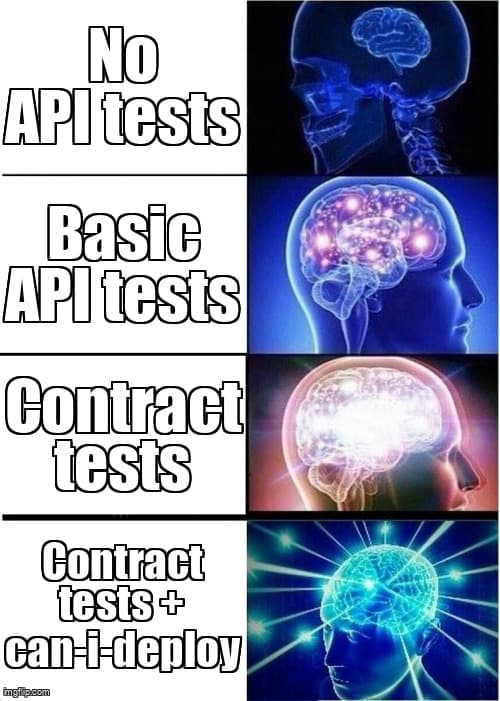
You've just deployed your frontend to production. Your end-to-end tests passed. Your CI pipeline is green. Then Slack lights up: "Users can't load their dashboards." The backend team changed a response field from userId to user_id two hours ago. Your E2E tests? Still passing because they mock the API responses.
This scenario happens more often than teams admit. The gap between unit tests and end-to-end tests is where integration bugs breed. API contract testing fills that gap, verifying that services agree on their communication interface before code reaches production.
What Makes Contract Testing Different
Traditional API testing validates that your backend returns expected responses for given requests. Contract testing validates that the consumer's expectations match the provider's implementation. This subtle shift in perspective prevents an entire class of integration failures.
Here's the key difference:
- API Testing: "Does the API work correctly?"
- Contract Testing: "Does the API work the way consumers expect?"
Contract tests run fast because they don't need full environments or UI rendering. They catch breaking changes during development, not during deployment. And they document integration requirements as executable specifications.
When Contract Testing Provides Maximum Value
Contract testing shines in specific architectural patterns. Recognize these scenarios in your codebase:
- Microservices architectures where multiple teams own different services that communicate via APIs
- Frontend-backend separation with different deployment schedules or independent teams
- Third-party integrations where you consume external APIs and need to catch breaking changes early
- Mobile apps that can't force users to update immediately when backend APIs change
- Versioned APIs where you need to maintain backward compatibility across multiple consumer versions
Contract testing adds less value when you have a monolithic architecture with tightly coupled frontend and backend deployed together, or when your team owns and deploys all layers of the stack simultaneously.
Implementing Contract Tests with Pact
Pact pioneered consumer-driven contract testing and remains the most mature framework. The workflow involves two distinct test phases: consumer tests that generate contracts, and provider tests that verify those contracts.
Here's a consumer test written with Pact for a JavaScript frontend:
// consumer/tests/user-api.contract.test.js
import { PactV3, MatchersV3 } from '@pact-foundation/pact';

const { eachLike, iso8601DateTime } = MatchersV3;

const provider = new PactV3({
  consumer: 'DashboardUI',
  provider: 'UserAPI',
});

describe('User API Contract', () => {
  it('retrieves user profile data', () => {
    provider
      .given('user 12345 exists')
      .uponReceiving('a request for user profile')
      .withRequest({
        method: 'GET',
        path: '/api/users/12345',
        headers: {
          Authorization: 'Bearer token123',
        },
      })
      .willRespondWith({
        status: 200,
        headers: { 'Content-Type': 'application/json' },
        body: {
          userId: '12345',
          email: 'user@example.com',
          profile: {
            firstName: 'Jane',
            lastName: 'Developer',
            createdAt: iso8601DateTime(),
          },
          permissions: eachLike({
            resource: 'dashboard',
            actions: ['read', 'write'],
          }),
        },
      });

    return provider.executeTest(async (mockServer) => {
      const api = new UserAPIClient(mockServer.url);
      const user = await api.getUserProfile('12345', 'token123');

      expect(user.userId).toBe('12345');
      expect(user.email).toBe('user@example.com');
      expect(user.profile.firstName).toBe('Jane');
      expect(user.permissions).toHaveLength(1);
    });
  });
});
This consumer test generates a contract file that documents the exact API interaction the frontend expects. The contract then gets verified against the actual backend implementation:
// provider/tests/user-api.contract.test.js
import { Verifier } from '@pact-foundation/pact';
import path from 'path';
import { startServer, stopServer } from '../server';

describe('User API Provider', () => {
  let server;

  before(async () => {
    server = await startServer(3001);
  });

  after(async () => {
    await stopServer(server);
  });

  it('validates contracts from consumers', () => {
    return new Verifier({
      provider: 'UserAPI',
      providerBaseUrl: 'http://localhost:3001',

      // State handlers set up test data
      stateHandlers: {
        'user 12345 exists': async () => {
          await seedDatabase({
            users: [{
              id: '12345',
              email: 'user@example.com',
              firstName: 'Jane',
              lastName: 'Developer',
            }],
          });
        },
      },

      // Fetch contracts from Pact Broker
      pactBrokerUrl: process.env.PACT_BROKER_URL,
      pactBrokerToken: process.env.PACT_BROKER_TOKEN,

      // Or load from local files during development
      // pactUrls: [path.resolve(__dirname, '../../pacts')],

      publishVerificationResult: true,
      providerVersion: process.env.GIT_COMMIT,
    }).verifyProvider();
  });
});
The provider test starts your actual API server, sets up required test data using state handlers, and replays each consumer request to verify the real responses match expectations. When contracts break, you know immediately which consumer will be affected.
Contract Testing with Postman
If your team already uses Postman for API testing, you can implement contract testing without adding new tools. Postman Collections become living contracts when combined with the right testing patterns.
Create a contract collection that defines expected API behavior:
// UserAPI.postman_collection.json (simplified)
{
  "info": {
    "name": "UserAPI Contract",
    "schema": "https://schema.getpostman.com/json/collection/v2.1.0/"
  },
  "item": [
    {
      "name": "Get User Profile",
      "request": {
        "method": "GET",
        "url": "{{baseUrl}}/api/users/{{userId}}",
        "header": [
          {
            "key": "Authorization",
            "value": "Bearer {{authToken}}"
          }
        ]
      },
      "event": [
        {
          "listen": "test",
          "script": {
            "exec": [
              "pm.test('Status is 200', () => {",
              "  pm.response.to.have.status(200);",
              "});",
              "",
              "const schema = {",
              "  type: 'object',",
              "  required: ['userId', 'email', 'profile', 'permissions'],",
              "  properties: {",
              "    userId: { type: 'string' },",
              "    email: { type: 'string', format: 'email' },",
              "    profile: {",
              "      type: 'object',",
              "      required: ['firstName', 'lastName', 'createdAt'],",
              "      properties: {",
              "        firstName: { type: 'string' },",
              "        lastName: { type: 'string' },",
              "        createdAt: { type: 'string', format: 'date-time' }",
              "      }",
              "    },",
              "    permissions: {",
              "      type: 'array',",
              "      items: {",
              "        type: 'object',",
              "        required: ['resource', 'actions'],",
              "        properties: {",
              "          resource: { type: 'string' },",
              "          actions: { type: 'array', items: { type: 'string' } }",
              "        }",
              "      }",
              "    }",
              "  }",
              "};",
              "",
              "pm.test('Response matches schema', () => {",
              "  pm.response.to.have.jsonSchema(schema);",
              "});"
            ]
          }
        }
      ]
    }
  ]
}
Run these contract tests in CI using Newman, Postman's command-line runner:
# .github/workflows/contract-tests.yml
name: API Contract Tests

on:
  pull_request:
    paths:
      - 'src/api/**'
      - 'contracts/**'

jobs:
  verify-contracts:
    runs-on: ubuntu-latest
    steps:
      - uses: actions/checkout@v3

      - name: Start API server
        run: |
          npm install
          npm run start:test &
          npx wait-on http://localhost:3001/health

      - name: Install Newman
        run: npm install -g newman

      - name: Run contract tests
        run: |
          newman run contracts/UserAPI.postman_collection.json \
            --environment contracts/test.postman_environment.json \
            --reporters cli,json \
            --reporter-json-export contract-results.json

      - name: Upload results
        if: always()
        uses: actions/upload-artifact@v3
        with:
          name: contract-test-results
          path: contract-results.json
The Postman approach works well for teams not ready to adopt Pact, but lacks some advanced features like consumer-driven workflows and contract versioning through a broker.
Integrating Contract Tests into CI/CD
Contract tests fail fast when integrated correctly into your deployment pipeline. The key is running them at the right stages without blocking every commit.
Here's an effective CI/CD strategy:
- Consumer commits: Run consumer tests and publish contracts to a broker. Don't verify against provider yet—consumers define needs independently.
- Provider commits: Verify all published contracts from consumers against the current provider code. Fail the build if any consumer contract breaks.
- Consumer deployment: Only deploy if provider has verified the consumer's contracts. Use "can-i-deploy" checks to prevent deploying incompatible versions.
- Provider deployment: Deploy freely once provider tests pass. Consumer protection happens through contract verification, not integration tests.
Using Pact Broker's "can-i-deploy" tool prevents incompatible deployments:
# Consumer deployment pipeline
- name: Check deployment compatibility
  run: |
    npx pact-broker can-i-deploy \
      --pacticipant DashboardUI \
      --version ${GIT_COMMIT} \
      --to-environment production \
      --broker-base-url ${PACT_BROKER_URL} \
      --broker-token ${PACT_BROKER_TOKEN}

- name: Deploy to production
  if: success()
  run: npm run deploy:prod

- name: Record deployment
  run: |
    npx pact-broker record-deployment \
      --pacticipant DashboardUI \
      --version ${GIT_COMMIT} \
      --environment production
This approach catches breaking changes during development while keeping CI fast. Contract tests typically run in seconds, not minutes like full E2E suites.
Common Pitfalls and How to Avoid Them
Teams new to contract testing often stumble over the same issues. Here's what to watch for:
Over-specifying contracts: Don't verify every field in every response. Only test what the consumer actually uses. If your frontend never reads the metadata.internalId field, don't include it in the contract. Over-specification creates fragile tests that break when unrelated fields change.
// Bad: Testing everything
.willRespondWith({
  body: {
    userId: '12345',
    email: 'user@example.com',
    internalId: 'abc-def',           // Frontend doesn't use this
    legacyAccountNumber: '789',      // Frontend doesn't use this
    metadata: { ... },                // Frontend doesn't use this
  }
})

// Good: Testing only what's consumed
.willRespondWith({
  body: {
    userId: '12345',
    email: 'user@example.com',
    profile: {
      firstName: string,
      lastName: string,
    }
  }
})
Treating contracts as integration tests: Contract tests verify message formats, not business logic. Don't test edge cases, error handling flows, or complex scenarios in contract tests. Those belong in provider-side integration tests.
Skipping the Pact Broker: Sharing contract files manually through git repositories creates version management nightmares. Use a Pact Broker (hosted or self-hosted) to manage contract versions, track verifications, and enable can-i-deploy checks.
Forgetting about state management: Provider verification needs test data. Use state handlers to set up required database records, but keep them simple. Complex state setup indicates your test might be too broad.
When to Combine Contract Tests with Other Testing Strategies
Contract testing doesn't replace your existing test pyramid—it strengthens it. Here's how different test types complement each other:
- Unit tests verify individual component logic. Keep them fast and isolated.
- Contract tests verify service integration points. Run them on every commit to both consumer and provider.
- Integration tests verify business workflows and edge cases. Run them on the provider side to test complex scenarios contract tests skip.
- E2E tests verify critical user journeys through the full stack. Run them sparingly—contract tests should catch most integration issues before E2E tests run.
Teams with effective contract testing often reduce E2E test counts by 60-70% while increasing overall confidence. E2E tests remain valuable for verifying authentication flows, complex multi-service workflows, and UI rendering, but you no longer need them to catch basic integration failures.
Getting Started with Contract Testing
Adopting contract testing across an entire organization takes time. Start small and prove value before expanding:
- Week 1: Choose one critical API integration between frontend and backend. Write consumer contract tests for the 3-5 most important endpoints.
- Week 2: Implement provider verification tests. Set up a Pact Broker (Pactflow offers a free tier, or self-host the open-source version).
- Week 3: Integrate contract tests into CI pipelines for both consumer and provider. Configure can-i-deploy checks.
- Week 4: Monitor for caught issues. When contract tests catch a breaking change before deployment, document the incident and share with your team.
After demonstrating value on one integration, expand to other service boundaries. Focus on areas where teams deploy independently or where integration issues have caused production incidents.
The Safety Net Your Pipeline Needs
Contract testing fills the gap between fast unit tests and slow end-to-end tests. It catches integration failures early, documents service expectations as executable code, and enables teams to deploy independently with confidence.
The investment pays off quickly—teams typically see ROI within the first month as contract tests catch issues that would have reached production. Your E2E tests run faster because they no longer need to verify basic integration scenarios. Your deployments become safer because you know service boundaries remain compatible.
Start with one critical integration. Write contracts for the endpoints that break most often. Prove the value to your team. Then expand systematically across your service boundaries. The safety net is worth building.
Ready to strengthen your test automation?
Desplega.ai helps QA teams build robust test automation frameworks with contract testing, CI/CD integration, and modern testing practices. Whether you're starting from scratch or improving existing pipelines, we provide the tools and expertise to catch bugs before production.
Start Your Testing TransformationRelated Posts
Hot Module Replacement: Why Your Dev Server Restarts Are Killing Your Flow State | desplega.ai
Stop losing 2-3 hours daily to dev server restarts. Master HMR configuration in Vite and Next.js to maintain flow state, preserve component state, and boost coding velocity by 80%.
The Flaky Test Tax: Why Your Engineering Team is Secretly Burning Cash | desplega.ai
Discover how flaky tests create a hidden operational tax that costs CTOs millions in wasted compute, developer time, and delayed releases. Calculate your flakiness cost today.
The QA Death Spiral: When Your Test Suite Becomes Your Product | desplega.ai
An executive guide to recognizing when quality initiatives consume engineering capacity. Learn to identify test suite bloat, balance coverage vs velocity, and implement pragmatic quality gates.