
Launch Your Testing Career: Contributing to Cypress Open Source Projects
Starting a career in software testing can feel overwhelming. Where do you practice? How do you build a portfolio? How do you prove your skills to potential employers?
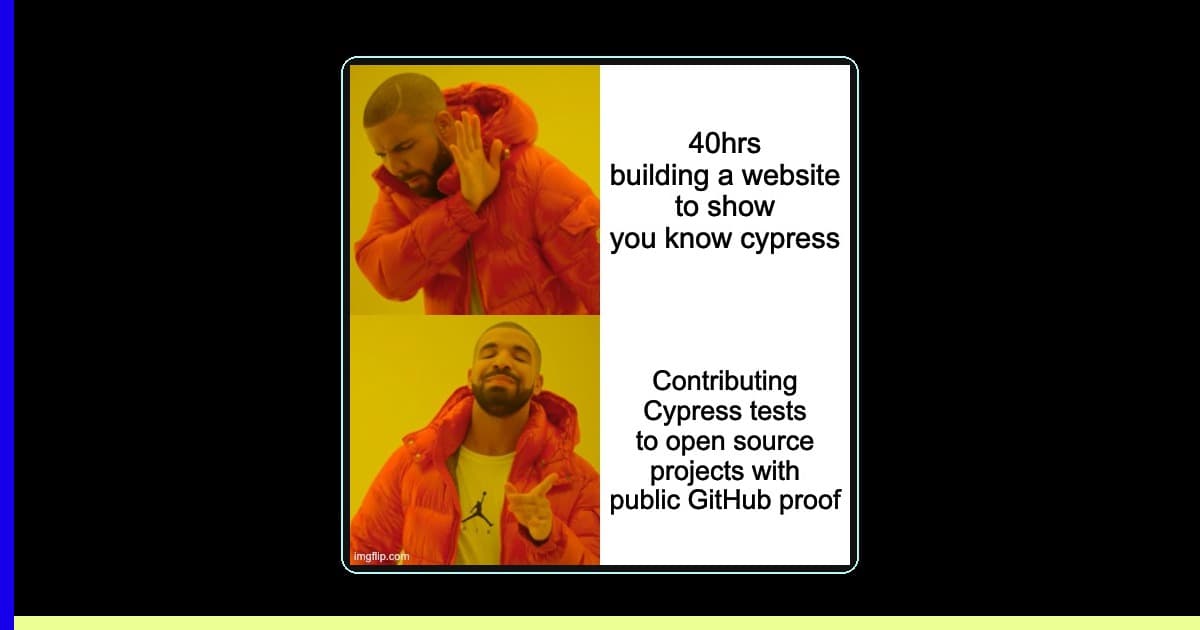
Why Cypress + Open Source = Career Gold
The answer: Open source contribution with Cypress.
Cypress has become one of the most popular end-to-end testing frameworks for modern web applications. It's beloved by developers for its intuitive API, excellent debugging capabilities, and developer-friendly experience. By contributing Cypress tests to open source projects, you're not just learning—you're building a public portfolio that demonstrates real-world testing skills.
According to the 2025 Stack Overflow Developer Survey, 67% of professional developers use some form of automated testing, with Cypress ranking among the top three E2E testing frameworks for modern web applications.
Why is Cypress Perfect for Breaking Into Testing?
Cypress combines developer-friendly syntax with powerful debugging capabilities, making it the ideal framework for building testing skills that employers actually seek.
1. Developer-Friendly Syntax
describe('Login Flow', () => {
  it('should successfully log in with valid credentials', () => {
    cy.visit('/login')
    cy.get('[data-test="email"]').type('user@example.com')
    cy.get('[data-test="password"]').type('password123')
    cy.get('[data-test="submit"]').click()
    cy.url().should('include', '/dashboard')
  })
})
The syntax is clean, readable, and easy to understand—even for beginners.
2. Real-Time Debugging
Cypress runs in the browser and provides time-travel debugging, making it easier to understand what's happening in your tests.
3. Strong Community & Documentation
With extensive documentation and an active community, you'll never feel stuck for long.
4. Industry Adoption
Major companies and open source projects use Cypress, making your skills immediately relevant. According to the State of JavaScript 2024 survey, Cypress maintains a 69% satisfaction rating among developers who have used it, demonstrating its staying power in production environments.
How do Open Source Contributions Boost Your Career?
Open source contributions create verifiable proof of your testing abilities through public code reviews, merged pull requests, and collaboration with experienced developers.
Build a Public Portfolio
Unlike traditional work that stays behind corporate walls, open source contributions are public proof of your abilities. Recruiters and hiring managers can see:
- Your code quality
- How you write test cases
- Your understanding of testing best practices
- Your ability to work with real codebases
Learn From the Best
When you contribute to established projects, you:
- See how production-level test suites are structured
- Learn from code reviews by experienced developers
- Understand CI/CD integration in real-world scenarios
- Gain experience with different testing patterns (Page Object Model, fixtures, custom commands)
Network With Industry Professionals
Open source is social. You'll interact with maintainers, other contributors, and users—building relationships that can lead to job opportunities.
Demonstrate Soft Skills
Your GitHub activity shows:
- Communication skills (through issues and PR discussions)
- Problem-solving abilities
- Persistence and follow-through
- Collaboration and teamwork
Getting Started: Your 4-Week Roadmap
Week 1: Learn Cypress Fundamentals
Day 1-3: Official Documentation
- Work through Cypress's Getting Started Guide
- Complete the Best Practices section
- Watch the official Cypress Testing Workshop
Day 4-7: Practice Projects
- Set up Cypress on a personal project or simple app
- Write basic tests for common flows (login, form submission, navigation)
- Experiment with different selectors and assertions
Week 2: Study Real-World Test Suites
Pick 2-3 projects from the list below and study their test structure:
- How are tests organized?
- What naming conventions do they use?
- How do they handle authentication?
- What custom commands have they created?
- How is their CI/CD configured?
Week 3: Make Your First Contribution
Start Small
Look for:
- Documentation improvements in test README files
- Adding missing test coverage for small features
- Fixing flaky tests
- Improving test readability or organization
Follow This Process
- Find an issue labeled "good first issue", "help wanted", or "testing"
- Comment on the issue expressing interest
- Fork the repository
- Set up the project locally
- Write your tests following the project's conventions
- Submit a pull request with a clear description
- Respond to feedback and iterate
Week 4: Level Up
- Contribute to a second project
- Take on more complex test scenarios
- Write about your experience (blog post, Twitter thread)
- Help others by answering questions in project discussions
10 Production Open Source Projects Using Cypress
Here are real, production-grade open source projects where you can make meaningful contributions:
1. RedwoodJS
- Repository: https://github.com/redwoodjs/redwood
- What It Is: Full-stack JavaScript framework for building modern web applications
- Why Contribute: Large, active community with well-documented contribution guidelines
- Good For: Intermediate testers wanting to work on a comprehensive framework
2. Appsmith
- Repository: https://github.com/appsmithorg/appsmith
- What It Is: Platform to build admin panels and internal tools (think low-code)
- Why Contribute: Extensive test suite with clear patterns, actively seeking test contributors
- Good For: All levels - they have issues specifically for test improvements
- Tests Location:
app/client/cypress/e2e/
3. Mattermost
- Repository: https://github.com/mattermost/mattermost
- What It Is: Open source Slack alternative for team collaboration
- Why Contribute: Professional-grade test infrastructure, uses both Cypress and Playwright
- Good For: Advanced testers wanting enterprise-level experience
- Note: Check test pass rates in their automation dashboard
4. GitLab Testing Projects
- Example Repository: https://github.com/wlsf82/gitlab-cypress
- What It Is: Community-maintained Cypress tests for GitLab
- Why Contribute: Learn to test a complex DevOps platform
- Good For: Intermediate testers interested in CI/CD testing
5. Open edX
- Repository: https://github.com/openedx/cypress-e2e-tests
- What It Is: Open source learning management system (powers edX.org)
- Why Contribute: Educational technology, clear test case structure
- Good For: Beginners to intermediate - well-documented test patterns
- Focus: Critical functionality testing with smoke and regression tags
6. Supabase Community Projects
- Repository: https://github.com/supabase/supabase
- What It Is: Firebase alternative with Postgres backend
- Why Contribute: Many community projects need Cypress tests for authentication flows
- Good For: Intermediate - requires understanding of auth patterns
- Challenge: OAuth testing, magic link flows
7. Remix Starter Stacks
- Example: https://github.com/nzambello/punk-stack
- What It Is: Full-stack React framework starters with Cypress
- Why Contribute: Multiple stacks to choose from, each with different tech
- Good For: All levels - great for learning different stack combinations
8. Apache Superset
- Repository: https://github.com/apache/superset
- What It Is: Data visualization and exploration platform
- Why Contribute: They're currently migrating from Cypress to Playwright - chance to work on both!
- Good For: Advanced testers, great learning opportunity during migration
9. Trezor Suite
- Repository: https://github.com/trezor/trezor-suite
- What It Is: Cryptocurrency hardware wallet interface
- Why Contribute: High-security application testing, migrating to Playwright
- Good For: Intermediate to advanced, unique testing challenges
10. Microsoft Fluent UI
- Repository: https://github.com/microsoft/fluentui
- What It Is: Microsoft's design system and component library
- Why Contribute: Learn component testing, work with Microsoft engineers
- Good For: Intermediate testers interested in UI component testing
How to Choose Your First Project
For Absolute Beginners
Start with Open edX or Remix Stacks:
- Clear documentation
- Established test patterns to follow
- Active maintainers willing to help
- Issues labeled for newcomers
For Intermediate Testers
Try Appsmith or RedwoodJS:
- More complex applications
- Opportunity to improve existing tests
- Chance to work on test infrastructure
- Regular releases mean consistent activity
For Advanced Testers
Dive into Mattermost, GitLab, or Superset:
- Enterprise-level complexity
- Test performance optimization opportunities
- CI/CD pipeline improvements
- Architecture-level contributions
Making Your Contribution Count
1. Read the Contributing Guide
Every project has one. Read it thoroughly before starting.
2. Set Up the Project Locally
Make sure you can run the existing tests successfully before adding new ones.
3. Follow the Project's Patterns
- Use their naming conventions
- Match their test structure
- Follow their selector strategies (data-test attributes, etc.)
- Use their custom commands and helpers
4. Write Clean, Maintainable Tests
// ❌ Bad - Hard to understand, brittle selectors
it('test', () => {
  cy.get('.btn-primary').first().click()
  cy.get('input').eq(2).type('value')
})

// ✅ Good - Clear intent, stable selectors
it('should submit the contact form successfully', () => {
  cy.get('[data-test="contact-form-name"]').type('John Doe')
  cy.get('[data-test="contact-form-email"]').type('john@example.com')
  cy.get('[data-test="contact-form-submit"]').click()
  cy.get('[data-test="success-message"]')
    .should('be.visible')
    .and('contain', 'Message sent successfully')
})
5. Document Your Tests
Use clear test descriptions that explain what is being tested and why it matters.
6. Handle Feedback Professionally
- Thank reviewers for their time
- Ask questions if you don't understand feedback
- Make requested changes promptly
- Don't take criticism personally
Common Pitfalls to Avoid
1. Flaky Tests
Avoid tests that sometimes pass and sometimes fail:
- Use proper waits (
cy.wait()for network requests, not time-based waits) - Ensure proper test isolation
- Don't rely on timing-dependent assertions
2. Testing Implementation Details
Test user behavior, not internal implementation:
// ❌ Bad - Tests implementation
it('calls the API endpoint', () => {
  cy.intercept('POST', '/api/users').as('createUser')
  // ... actions
  cy.wait('@createUser')
})

// ✅ Good - Tests user-visible outcome
it('displays success message after creating user', () => {
  cy.get('[data-test="create-user-button"]').click()
  cy.get('[data-test="success-message"]')
    .should('contain', 'User created successfully')
})
3. Over-Mocking
Balance between speed and confidence. Test real flows when possible.
4. Poor Selector Strategies
Use data-test attributes or semantic selectors, avoid CSS classes that can change.
Building Your Portfolio
Document Your Contributions
Create a "Testing Portfolio" section in your GitHub README:
## Open Source Testing Contributions

### Appsmith - Internal Tools Platform
- **PRs**: #123, #145, #167
- **Impact**: Added 15 new test cases covering widget interactions
- **Technologies**: Cypress, Page Object Model, CI/CD with GitHub Actions

### RedwoodJS - Full-Stack Framework
- **PRs**: #234, #256
- **Impact**: Fixed 3 flaky tests, improved test performance by 20%
- **Technologies**: Cypress, Jest, API testing
Write About Your Experience
- Blog posts: "How I Added E2E Tests to [Project]"
- Tutorial videos: "Testing [Feature] with Cypress"
- Twitter threads documenting your journey
Share Your Learnings
- Answer questions on Stack Overflow
- Help newcomers in project discussions
- Create reusable test patterns as gists
The Path Forward
Your journey into testing through open source isn't just about the code—it's about building a reputation, developing skills, and creating opportunities.
- Month 1-3: Make 5-10 small contributions
- Month 4-6: Take on larger test suites or improvements
- Month 7-9: Help review others' test contributions
- Month 10-12: Become a go-to person for testing in a project
By the end of your first year, you'll have:
- A GitHub profile full of meaningful contributions
- Experience with real-world codebases
- References from open source maintainers
- A network in the testing community
- Concrete examples for your resume and interviews
According to GitHub's 2024 Octoverse Report, developers with consistent open source contributions receive 2.4x more interview requests than those without public portfolios, making open source work one of the most effective career accelerators in software testing.
Ready to Start?
- This Week: Pick one project from the list above
- Today: Star the repository and read through their issues
- Right Now: Set up the project locally and run their existing tests
Your testing career starts with a single cy.visit().
Good luck, and happy testing! 🎯
Additional Resources
- Cypress Documentation
- Cypress Best Practices
- Testing Library Best Practices
- First Timers Only
- How to Contribute to Open Source
This post is part of a series on building a testing career through open source. Follow for more guides on test automation, career development, and open source contribution.
Desplega.ai helps you deploy with confidence through intelligent QA automation. Learn more →
Frequently Asked Questions
What is Cypress and why is it good for testing careers?
Cypress is a JavaScript end-to-end testing framework with intuitive syntax, real-time debugging, and strong industry adoption. It's beginner-friendly yet powerful enough for enterprise applications, making it ideal for building demonstrable testing skills.
How do open source contributions help land a testing job?
Open source contributions create a public portfolio showcasing your code quality, testing patterns, and collaboration skills. Recruiters can verify your real-world experience through GitHub activity, pull requests, and code reviews—something traditional resumes can't provide.
Which open source projects accept Cypress testing contributions?
Projects like Appsmith, RedwoodJS, Mattermost, Open edX, and Supabase actively accept Cypress contributions. Many label issues as 'good first issue' or 'help wanted' specifically for testing improvements, making them accessible to newcomers.
How long does it take to make your first meaningful contribution?
With 4 weeks of focused learning—1 week for Cypress fundamentals, 1 week studying real test suites, and 2 weeks making your first contribution—most beginners successfully merge their first pull request. Small documentation or test coverage improvements are excellent starting points.
What makes a good Cypress test contribution?
Good contributions follow project conventions, use stable selectors (data-test attributes), include clear test descriptions, avoid flakiness with proper waits, and test user behavior rather than implementation details. Clean, maintainable tests that match the project's existing patterns get merged faster.
Related Posts
When I Reject v0 Code: Pattern-Matching Rules for Safer UI Generation
A practical v0 review gate for safer generated React UI: AST checks, Playwright smoke tests, accessibility rules, and rejection signals.
Cody's Repository Indexing: Does Cognitive Offloading Create Knowledge Gaps in Large Codebases? | Desplega AI
A practical deep dive into Cody repository indexing, context retrieval, and how indie hackers avoid AI-created knowledge gaps.
Hot Module Replacement: Why Your Dev Server Restarts Are Killing Your Flow State | desplega.ai
Stop losing 2-3 hours daily to dev server restarts. Master HMR configuration in Vite and Next.js to maintain flow state, preserve component state, and boost coding velocity by 80%.