
Accessibility Testing Automation: Catching WCAG Violations Before They Reach Production
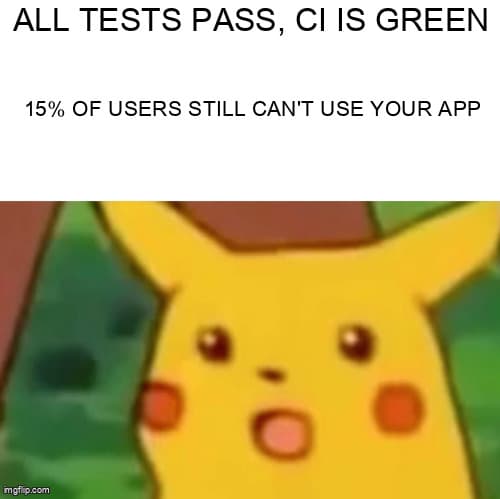
Your tests pass, your builds are green, but 15% of your users can't use your product. Here's how to fix that with axe-core and three lines of code.
Why Accessibility Testing Belongs in Your Automation Suite
Most QA teams treat accessibility as a separate audit—something a consultant does once before launch. That approach fails at scale. According to the WebAIM Million 2025 report, 95.9% of home pages had detectable WCAG failures, with an average of 56.8 errors per page. The problem is not awareness. The problem is that accessibility checks happen too late in the development cycle to be actionable.
Automated accessibility testing changes the economics. When you embed axe-core into your existing Playwright, Cypress, or Selenium suites, every test run catches violations at the point where they are cheapest to fix—before the PR merges. The Deque 2025 State of Accessibility report found that teams with automated a11y gates in CI reduced their WCAG violation count by 68% within six months of adoption.
What you will learn: How to integrate axe-core with Playwright, Cypress, and Selenium. How to build CI pipeline gates that enforce WCAG 2.1 AA compliance. How to write custom accessibility assertions beyond what axe detects automatically. And how to avoid the gotchas that make teams abandon a11y testing within the first month.
How Does axe-core Integration Work Across Testing Frameworks?
Answer Capsule: axe-core injects a JavaScript accessibility engine into the browser context, scans the live DOM against WCAG rules, and returns structured violation data your test can assert on.
The core pattern is identical regardless of framework: navigate to a page, wait for content to stabilize, run axe, assert zero violations. The implementation details differ by framework. Here is a side-by-side comparison of all three.
| Feature | Playwright | Cypress | Selenium |
|---|---|---|---|
| Package | @axe-core/playwright | cypress-axe | @axe-core/webdriverjs |
| Setup complexity | 1 import, no config | 1 import + injectAxe() | 1 import, no config |
| Scan method | new AxeBuilder({ page }).analyze() | cy.checkA11y() | new AxeBuilder(driver).analyze() |
| Scoped scanning | .include(selector) | First arg to checkA11y | .include(selector) |
| Rule filtering | .withTags() / .disableRules() | Options object with runOnly | .withTags() / .disableRules() |
| Re-scan after DOM change | Call .analyze() again | cy.injectAxe() + checkA11y() | Call .analyze() again |
| Avg scan time (mid-size page) | ~200ms | ~300ms | ~350ms |
Playwright + axe-core: Production-Ready Setup
Playwright's axe integration is the most ergonomic of the three. Install the package and you can scan any page in under 10 lines of test code.
// Install: npm install -D @axe-core/playwright
import { test, expect } from '@playwright/test';
import AxeBuilder from '@axe-core/playwright';

test.describe('Accessibility', () => {
  test('homepage meets WCAG 2.1 AA', async ({ page }) => {
    await page.goto('/');

    const results = await new AxeBuilder({ page })
      .withTags(['wcag2a', 'wcag2aa', 'wcag21aa'])
      .exclude('.third-party-widget')
      .analyze();

    expect(results.violations).toEqual([]);
  });

  test('login form is fully accessible', async ({ page }) => {
    await page.goto('/login');
    await page.waitForSelector('[data-testid="login-form"]');

    const results = await new AxeBuilder({ page })
      .include('[data-testid="login-form"]')
      .withTags(['wcag2a', 'wcag2aa'])
      .analyze();

    // Log violations with context for debugging
    if (results.violations.length > 0) {
      console.log('A11y violations:', results.violations.map(v => ({
        id: v.id,
        impact: v.impact,
        description: v.description,
        nodes: v.nodes.length,
      })));
    }

    expect(results.violations).toEqual([]);
  });

  test('dashboard after authentication', async ({ page }) => {
    // Test authenticated pages too
    await page.goto('/login');
    await page.fill('#email', 'test@example.com');
    await page.fill('#password', 'password123');
    await page.click('[data-testid="submit"]');
    await page.waitForURL('/dashboard');

    const results = await new AxeBuilder({ page })
      .withTags(['wcag2a', 'wcag2aa'])
      .analyze();

    const critical = results.violations.filter(
      v => v.impact === 'critical' || v.impact === 'serious'
    );
    expect(critical).toEqual([]);
  });
});
Gotcha: axe-core scans the DOM at a point in time. If your page has lazy-loaded content, modals, or tab panels, you need separate scans after triggering each state. A single scan of the initial page load misses content hidden behind interactions.
Cypress + cypress-axe: Chained Accessibility Checks
Cypress uses the cypress-axe plugin, which wraps axe-core in Cypress-idiomatic commands. The setup requires injecting axe into the page before each scan.
// Install: npm install -D cypress-axe axe-core
// cypress/support/e2e.ts
import 'cypress-axe';

// cypress/e2e/accessibility.cy.ts
describe('Accessibility checks', () => {
  beforeEach(() => {
    cy.visit('/');
    cy.injectAxe(); // Must call before checkA11y
  });

  it('home page passes WCAG 2.1 AA', () => {
    cy.checkA11y(null, {
      runOnly: {
        type: 'tag',
        values: ['wcag2a', 'wcag2aa', 'wcag21aa'],
      },
    });
  });

  it('navigation menu is accessible when open', () => {
    cy.get('[data-testid="menu-toggle"]').click();
    cy.get('[data-testid="nav-menu"]').should('be.visible');

    // Scan only the open menu
    cy.checkA11y('[data-testid="nav-menu"]', {
      runOnly: { type: 'tag', values: ['wcag2a', 'wcag2aa'] },
    });
  });

  it('form validation errors are announced', () => {
    cy.get('[data-testid="submit-btn"]').click();

    // After validation fires, check error messages are accessible
    cy.checkA11y('[data-testid="signup-form"]', {
      rules: {
        'aria-allowed-attr': { enabled: true },
        'color-contrast': { enabled: true },
        'label': { enabled: true },
      },
    });
  });
});
Gotcha: cy.injectAxe() must be called after every cy.visit(). If you navigate to a new page mid-test, axe is no longer injected. Forgetting this produces silent failures—checkA11y passes because axe is not actually running.
Selenium + @axe-core/webdriverjs: Legacy Suites Get A11y Too
Selenium teams are not left out. The @axe-core/webdriverjs package provides a builder API nearly identical to Playwright's version.
// Install: npm install -D @axe-core/webdriverjs selenium-webdriver
import { Builder } from 'selenium-webdriver';
import AxeBuilder from '@axe-core/webdriverjs';

async function runA11yAudit() {
  const driver = await new Builder()
    .forBrowser('chrome')
    .setChromeOptions(
      new (require('selenium-webdriver/chrome').Options)()
        .addArguments('--headless=new')
    )
    .build();

  try {
    await driver.get('https://your-app.com/dashboard');

    const results = await new AxeBuilder(driver)
      .withTags(['wcag2a', 'wcag2aa', 'wcag21aa'])
      .exclude('.cookie-banner')
      .analyze();

    const critical = results.violations.filter(
      v => v.impact === 'critical' || v.impact === 'serious'
    );

    if (critical.length > 0) {
      console.error('Critical a11y violations found:');
      critical.forEach(v => {
        console.error(`  [${v.impact}] ${v.id}: ${v.help}`);
        v.nodes.forEach(n => {
          console.error(`    Target: ${n.target.join(', ')}`);
        });
      });
      throw new Error(`${critical.length} critical a11y violations`);
    }

    console.log('All accessibility checks passed.');
  } finally {
    await driver.quit();
  }
}

runA11yAudit();
Building Smart CI Gates: Failing on Critical Violations Without Blocking Every Build
The biggest mistake teams make with accessibility CI gates is going all-or-nothing. Either every violation blocks the pipeline (and developers disable the check within a week) or nothing blocks (and the report gets ignored). The solution is impact-level filtering.
axe-core assigns four impact levels: critical, serious, moderate, and minor. A practical CI gate blocks on critical and serious while logging moderate and minor as warnings for triage.
# .github/workflows/accessibility.yml
name: Accessibility Gate

on: [pull_request]

jobs:
  a11y:
    runs-on: ubuntu-latest
    steps:
      - uses: actions/checkout@v4
      - uses: actions/setup-node@v4
        with:
          node-version: 20

      - run: npm ci
      - run: npx playwright install --with-deps chromium

      - name: Start application
        run: npm run dev &
        env:
          PORT: 3000

      - name: Wait for app
        run: npx wait-on http://localhost:3000 --timeout 30000

      - name: Run accessibility tests
        run: npx playwright test --project=a11y --reporter=html
        continue-on-error: false

      - name: Upload a11y report
        if: always()
        uses: actions/upload-artifact@v4
        with:
          name: a11y-report
          path: playwright-report/
Create a dedicated Playwright project for accessibility tests so they run independently from your functional suite:
// playwright.config.ts
import { defineConfig } from '@playwright/test';

export default defineConfig({
  projects: [
    {
      name: 'functional',
      testDir: './tests/e2e',
    },
    {
      name: 'a11y',
      testDir: './tests/a11y',
      use: {
        browserName: 'chromium', // A11y tests only need one browser
      },
    },
  ],
});
Accessibility Regression Testing: Catching New Violations in Pull Requests
Baseline comparison is the key to making accessibility testing sustainable. Without it, teams either face hundreds of pre-existing violations on every run or skip the checks entirely. Here is a pattern that tracks violations over time and only fails on regressions:
// utils/a11y-baseline.ts
import fs from 'fs';
import path from 'path';

interface A11yViolation {
  id: string;
  impact: string;
  nodes: number;
}

const BASELINE_PATH = path.join(__dirname, '../a11y-baseline.json');

export function loadBaseline(): A11yViolation[] {
  if (!fs.existsSync(BASELINE_PATH)) return [];
  return JSON.parse(fs.readFileSync(BASELINE_PATH, 'utf-8'));
}

export function findRegressions(
  current: A11yViolation[],
  baseline: A11yViolation[]
): A11yViolation[] {
  const baselineIds = new Set(baseline.map(v => v.id));
  return current.filter(v => !baselineIds.has(v.id));
}

export function updateBaseline(violations: A11yViolation[]): void {
  fs.writeFileSync(BASELINE_PATH, JSON.stringify(violations, null, 2));
}

// Usage in Playwright test:
// const results = await new AxeBuilder({ page }).analyze();
// const current = results.violations.map(v => ({
//   id: v.id, impact: v.impact ?? 'minor', nodes: v.nodes.length
// }));
// const regressions = findRegressions(current, loadBaseline());
// expect(regressions).toEqual([]);
Pro tip: Commit your baseline file to the repository. When a developer fixes a violation, run updateBaseline() to tighten the baseline. This creates a ratchet effect—violation counts can only go down, never up.
What Should You Automate vs. Leave to Human Review?
Answer Capsule: Automate structural checks (labels, roles, contrast, heading order). Leave cognitive and contextual judgments (alt text quality, reading flow, content clarity) to human auditors.
| WCAG Criteria | Automatable? | Tool |
|---|---|---|
| 1.1.1 Non-text Content (alt text exists) | Yes | axe-core |
| 1.1.1 Non-text Content (alt text is meaningful) | No | Manual review |
| 1.4.3 Contrast (Minimum) | Yes | axe-core |
| 2.1.1 Keyboard | Partial | Custom assertions + manual |
| 2.4.6 Headings and Labels | Partial | axe + custom heading check |
| 3.1.1 Language of Page | Yes | axe-core |
| 4.1.2 Name, Role, Value | Yes | axe-core |
Common WCAG Violations in SPAs and How to Test for Them
Single-page applications introduce accessibility challenges that traditional multi-page sites avoid entirely. Client-side routing, dynamic content injection, and focus management are the three areas where SPAs most frequently fail WCAG compliance.
- Focus management after navigation: When a user clicks a link in an SPA, the browser does not reload. Screen readers will not announce the new page unless you programmatically move focus to the main content heading.
- Dynamic live regions: Toast notifications, form validation errors, and loading states must use
aria-liveregions. Without them, screen readers cannot announce changes. - Modal focus trapping: When a dialog opens, keyboard focus must be trapped inside it. When it closes, focus must return to the trigger element.
- Route-change announcements: Use an
aria-live="polite"region that announces the new page title on every route change.
// Testing SPA-specific accessibility in Playwright
import { test, expect } from '@playwright/test';
import AxeBuilder from '@axe-core/playwright';

test('route change announces new page to screen readers', async ({ page }) => {
  await page.goto('/');

  // Navigate via client-side routing
  await page.click('a[href="/dashboard"]');
  await page.waitForURL('/dashboard');

  // Check that an aria-live region contains the page title
  const announcement = await page
    .locator('[aria-live="polite"]')
    .textContent();
  expect(announcement).toContain('Dashboard');

  // Run axe after the route change
  const results = await new AxeBuilder({ page })
    .withTags(['wcag2aa'])
    .analyze();

  expect(results.violations.filter(v => v.impact === 'critical')).toEqual([]);
});

test('modal traps focus and returns it on close', async ({ page }) => {
  await page.goto('/settings');

  const trigger = page.locator('[data-testid="delete-account"]');
  await trigger.click();

  // Verify focus is inside the modal
  const modal = page.locator('[role="dialog"]');
  await expect(modal).toBeVisible();

  const focusInsideModal = await page.evaluate(() =>
    document.activeElement?.closest('[role="dialog"]') !== null
  );
  expect(focusInsideModal).toBe(true);

  // Close modal with Escape
  await page.keyboard.press('Escape');

  // Verify focus returned to trigger
  await expect(trigger).toBeFocused();
});
Troubleshooting Common A11y Test Failures
When your accessibility tests start failing, these are the most common issues and how to resolve them quickly:
| Symptom | Root Cause | Fix |
|---|---|---|
| color-contrast failures on hidden elements | axe scans elements with visibility: hidden that inherit low-contrast colors | Exclude hidden containers or fix their inherited styles |
| Tests pass locally, fail in CI | Page not fully loaded before axe scan; CI is slower | Add waitForSelector or waitForLoadState('networkidle') |
| Hundreds of violations from third-party widgets | Chat widgets, analytics, embedded iframes | Use .exclude('.third-party-container') |
aria-required-parent false positive | Framework renders wrapper divs that break ARIA hierarchy | .disableRules(['aria-required-parent']) after confirming false positive |
| 0 violations but page is clearly inaccessible | Only 57% of WCAG is automatable | Add custom assertions for focus management, heading order, keyboard nav |
Gotcha: Third-party widgets and iframes
axe-core does not scan cross-origin iframes by default. Third-party chat widgets, payment forms, and embedded maps are invisible to your scans. Use .exclude('iframe[src*="third-party.com"]') to explicitly skip them, and document which third-party components need separate manual accessibility review.
Gotcha: Color contrast on dynamic themes
If your app supports dark mode or custom themes, run accessibility tests in each theme. A color-contrast violation might only appear in dark mode where text against a dark background drops below the 4.5:1 ratio. Use Playwright's prefers-color-scheme emulation to test both modes.
Edge Cases Worth Testing
- Empty states: Pages with no data often skip labels or headings. Test empty dashboards, zero search results, and onboarding screens separately.
- Error states: Form validation errors must be associated with their inputs via
aria-describedby. Test form submission with invalid data. - Loading states: Skeleton screens and spinners need
aria-busyandrole="status". - Keyboard-only navigation: Tab through your entire app without a mouse. Every interactive element must be reachable and operable.
- 200% zoom: WCAG requires content to be usable at 200% zoom. Test that no content is clipped or overlapping at this magnification level.
Key Takeaways
- axe-core integrates with Playwright, Cypress, and Selenium in under 15 minutes. There is no excuse to skip automated accessibility testing.
- Automated scans catch approximately 57% of WCAG violations. Supplement with custom assertions for focus traps, heading hierarchy, and interactive state contrast.
- Start your CI gate with critical and serious violations only. Tighten the gate gradually as your baseline improves.
- Use baseline comparison to prevent existing violations from blocking every build while catching regressions in new code.
- SPAs need extra attention: test focus management, live regions, modal trapping, and route-change announcements.
Ready to strengthen your test automation?
Desplega.ai helps QA teams build robust test automation frameworks with built-in accessibility checks, CI pipeline integration, and comprehensive reporting.
Start Your Testing TransformationFrequently Asked Questions
What is the easiest way to add accessibility testing to an existing test suite?
Install @axe-core/playwright, @axe-core/webdriverjs, or cypress-axe depending on your framework. Each provides a single function call that scans the current page and returns WCAG violations with zero config.
Should accessibility tests block the CI pipeline or just warn?
Start by blocking on critical and serious violations only. Use impact-level filtering to let minor and moderate issues through as warnings while your team triages the existing backlog gradually.
How many WCAG rules does axe-core check automatically?
axe-core checks over 90 WCAG 2.1 rules out of the box, covering approximately 57% of WCAG success criteria. Manual testing is still needed for cognitive and contextual requirements.
Can accessibility tests run in headless mode in CI/CD pipelines?
Yes. axe-core analyzes the DOM structure, not rendered pixels, so it works identically in headless and headed modes. All major frameworks support headless CI execution with full axe-core support.
How do I handle accessibility violations in dynamic single-page applications?
Run axe scans after each navigation event and state change, not just on initial load. Focus on testing modal dialogs, route transitions, and dynamically injected content as separate test cases.
Related Posts
Hot Module Replacement: Why Your Dev Server Restarts Are Killing Your Flow State | desplega.ai
Stop losing 2-3 hours daily to dev server restarts. Master HMR configuration in Vite and Next.js to maintain flow state, preserve component state, and boost coding velocity by 80%.
The Flaky Test Tax: Why Your Engineering Team is Secretly Burning Cash | desplega.ai
Discover how flaky tests create a hidden operational tax that costs CTOs millions in wasted compute, developer time, and delayed releases. Calculate your flakiness cost today.
The QA Death Spiral: When Your Test Suite Becomes Your Product | desplega.ai
An executive guide to recognizing when quality initiatives consume engineering capacity. Learn to identify test suite bloat, balance coverage vs velocity, and implement pragmatic quality gates.