
Context Window Management: The Solopreneur's Secret to 10x AI Coding Speed
Why your AI assistant keeps missing the point—and how to fix it with advanced context injection patterns
You're vibing with Claude Code, Cursor, or Windsurf. The AI generates perfect code... for the first three files. Then it starts hallucinating imports, forgetting your database schema, and suggesting patterns you deprecated two weeks ago. Sound familiar?
The problem isn't the AI—it's context window management. While your human brain seamlessly tracks project architecture across dozens of files, AI assistants work with a fixed-size "memory" measured in tokens. Once that window fills up, critical context gets truncated, and output quality plummets. But here's the vibe: solo developers who master context management consistently outcode entire teams.
What Actually Happens Inside the Context Window
Claude Sonnet 4.5 has a 200,000 token context window. Sounds massive, right? But here's the reality check: a typical Next.js project with TypeScript, component library imports, and API routes can burn through 50,000+ tokens just to establish baseline context. Add in conversation history, and you're hitting limits faster than you think.
Token Budget Breakdown (Real Project)
- 30,000 tokens - Type definitions, shared utilities, config files
- 25,000 tokens - Conversation history from current session
- 40,000 tokens - Three component files you're actively editing
- 15,000 tokens - Database schema and API contracts
- 50,000 tokens - AI's response generation (output budget)
- 40,000 tokens - Buffer for context overflow and system prompts
That's 200,000 tokens allocated. Now ask yourself: where's the room for the new feature you're trying to build?
The File Organization Pattern That Changes Everything
The biggest context leak comes from how you organize imports. Every time you import a file, the AI assistant potentially loads that entire file into context. Here's the pattern that elite vibe coders use:
// ❌ Context-Destroying Pattern
// Every file imports massive barrel exports
import {
  Button,
  Input,
  Card,
  Modal,
  Dropdown,
  // ... 30 more components
} from '@/components/ui';

// This single import pulls 50+ component definitions into context
// Claude now "knows" about 50 components when you only need 2

// ✅ Context-Optimized Pattern
// Granular imports, explicit paths
import { Button } from '@/components/ui/button';
import { Card } from '@/components/ui/card';

// Only 2 component definitions loaded
// 10,000 tokens saved instantly
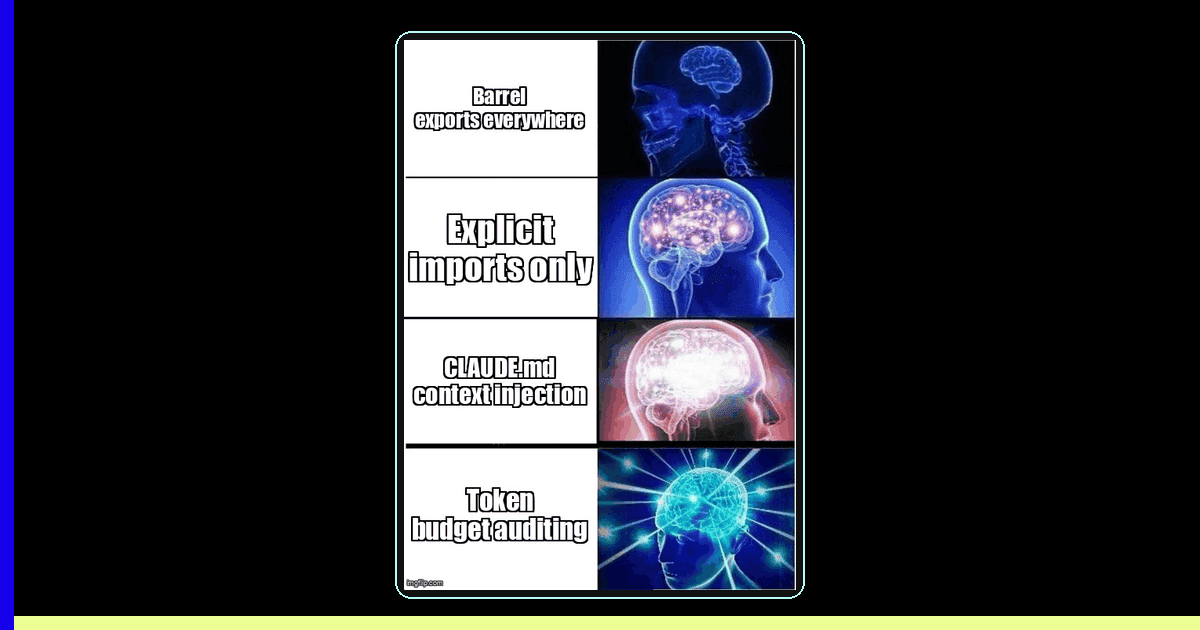
This isn't about performance—it's about keeping the AI's attention on what matters. When you use barrel exports (index.ts files that re-export everything), AI assistants load entire directories into context. Switch to explicit imports, and you control exactly what the AI "sees."
The CLAUDE.md Strategy: Project-Level Context Injection
Here's an advanced technique that feels like magic: create a CLAUDE.md file at your project root. Most AI assistants (Claude Code, Cursor with proper config) automatically load this file into every conversation. It's your chance to inject permanent, high-priority context.
# CLAUDE.md

## Project Architecture
- Next.js 15 App Router (NOT Pages Router)
- Supabase for auth + PostgreSQL database
- Tailwind with custom design system in tailwind.config.ts
- TypeScript strict mode enabled

## Critical Conventions
1. All API routes return { data, error } shape
2. Use server actions for mutations (NOT API routes)
3. Database types auto-generated: npm run db:types
4. Component pattern: shadcn/ui + custom wrappers in @/components/ui

## Files That Must Stay in Sync
- lib/supabase/schema.sql (source of truth)
- lib/types/database.ts (generated from schema)
- components/providers/auth-provider.tsx (auth context)

## Common Pitfalls
- Server Components can't use useState/useEffect
- Always use 'use server' directive in server actions
- RLS policies defined in supabase/migrations/
This 500-token file prevents thousands of tokens wasted on back-and-forth clarifications. The AI immediately knows your stack, conventions, and gotchas. It's like onboarding a new developer—except you only do it once.
When to Split Files vs. When to Embrace Monorepos
Conventional wisdom says "keep files small." But for AI coding, the opposite is often true. Here's why:
The Monorepo Advantage
When you split a feature across 10 files (component, styles, types, tests, utils, hooks, constants, etc.), the AI needs to load all 10 files to understand the feature. That's 10× the token overhead compared to a single 500-line file with everything colocated.
Best practice for AI coding: Keep related code together until a single file exceeds ~800 lines. Then split by feature boundaries, not by type (components/hooks/utils).
// ❌ Context-Fragmented Structure
features/
  user-profile/
    components/
      avatar.tsx
      bio.tsx
      stats.tsx
    hooks/
      use-profile-data.ts
      use-profile-mutations.ts
    types/
      profile.ts
    utils/
      format-profile.ts

// To edit user profile feature, AI loads 7+ files = 15,000+ tokens

// ✅ Context-Efficient Structure
features/
  user-profile.tsx  // 600 lines, everything colocated

// Single file load = 3,000 tokens
// AI sees complete feature context immediately
Real-World Token Budget Management
Elite solopreneurs don't guess—they measure. Here's how to audit your context usage and optimize for speed:
- Use AI assistant debug modes - Claude Code shows token counts in settings. Cursor has a context inspector. Enable these and watch your token burn rate during conversations.
- Strategic file loading - Don't ask "fix the entire app." Ask "fix the login flow" and only open files in
src/features/auth/. The AI can't load files you don't reference. - Clear context between major tasks - When switching from frontend to backend work, start a new conversation. Carrying over 40,000 tokens of React context while debugging SQL queries is pure waste.
- Use .claueignore or .cursorignore - Exclude
node_modules/,.next/,dist/, and generated files. These should never enter context.
Advanced Technique: Context Priming for Complex Refactors
When you're about to do a gnarly refactor—migrating state management, replacing an API, or overhauling authentication—you need a different approach. This is where context priming comes in:
// Step 1: Create a context snapshot
// refactor-plan.md

## Goal
Migrate from Redux to Zustand for state management

## Files in scope (load these first)
- store/redux-store.ts (current implementation)
- lib/zustand-store.ts (new implementation, partial)
- components/user-dashboard.tsx (example consumer)

## Migration pattern
1. Create Zustand store mirroring Redux shape
2. Add compatibility shim for gradual migration
3. Update consumers one feature at a time
4. Remove Redux once all consumers migrated

## Non-negotiables
- Don't break existing auth flow
- Maintain TypeScript strict typing
- Keep bundle size under 200KB
Start your AI conversation by saying: "Read refactor-plan.md and confirm you understand the approach." This front-loads critical context and prevents the AI from suggesting approaches you've already ruled out. It's the difference between 3 hours of back-and-forth vs. 30 minutes of focused execution.
The Production Reality: When Context Management Breaks Down
Even with perfect file organization, you'll hit limits. Here's what actually happens in production and how to handle it:
Scenario: "The AI Forgot My Database Schema"
Why it happens: You're 20 messages deep in a conversation about frontend components. The database schema was loaded at message 3, but it got pushed out of the context window by conversation history.
Fix: Don't say "remember the schema?" (wastes tokens). Instead: "Read lib/supabase/schema.sql again before generating this query." Explicit re-loading is more token-efficient than trying to remind the AI.
Scenario: "Generated Code Has Wrong Imports"
Why it happens: The AI loaded your old file structure from 5 messages ago. You've since moved files, but the AI's context is stale.
Fix: Use explicit paths in your prompts. Instead of "add a button," say "add a Button from @/components/ui/button to the UserProfile component." Specificity prevents hallucination.
Key Takeaways
- Use granular imports, not barrel exports - Save 10,000+ tokens per conversation by importing only what you need.
- Create a CLAUDE.md file - Inject permanent project context that prevents repeated clarifications.
- Colocate related code - Keep features together in single files until they exceed ~800 lines. AI reads complete context faster than scattered files.
- Audit token usage with debug tools - Enable context inspectors in Claude Code/Cursor to see where tokens are going.
- Prime context for complex refactors - Create refactor plan files that front-load critical context and migration patterns.
- Be explicit in prompts - Don't rely on the AI "remembering" things. Re-load files and use specific paths to prevent hallucinations.
Context window management isn't about memorizing token limits—it's about structuring your workspace so AI assistants see exactly what they need, exactly when they need it. Master this, and you'll ship features faster than developers with 10× your team size. That's the vibe.
Ready to level up your development workflow?
Desplega.ai helps solo developers and small teams ship faster with professional-grade tooling. From vibe coding to production deployments, we bridge the gap between rapid prototyping and scalable software.
Get Expert GuidanceRelated Posts
When I Reject v0 Code: Pattern-Matching Rules for Safer UI Generation
A practical v0 review gate for safer generated React UI: AST checks, Playwright smoke tests, accessibility rules, and rejection signals.
Cody's Repository Indexing: Does Cognitive Offloading Create Knowledge Gaps in Large Codebases? | Desplega AI
A practical deep dive into Cody repository indexing, context retrieval, and how indie hackers avoid AI-created knowledge gaps.
Hot Module Replacement: Why Your Dev Server Restarts Are Killing Your Flow State | desplega.ai
Stop losing 2-3 hours daily to dev server restarts. Master HMR configuration in Vite and Next.js to maintain flow state, preserve component state, and boost coding velocity by 80%.