
Configuring Cursor with MCP for a Reliable Local Vibe Coding Workflow
Your AI editor gets dramatically better when it can ask your project small, trusted questions instead of guessing from stale context.
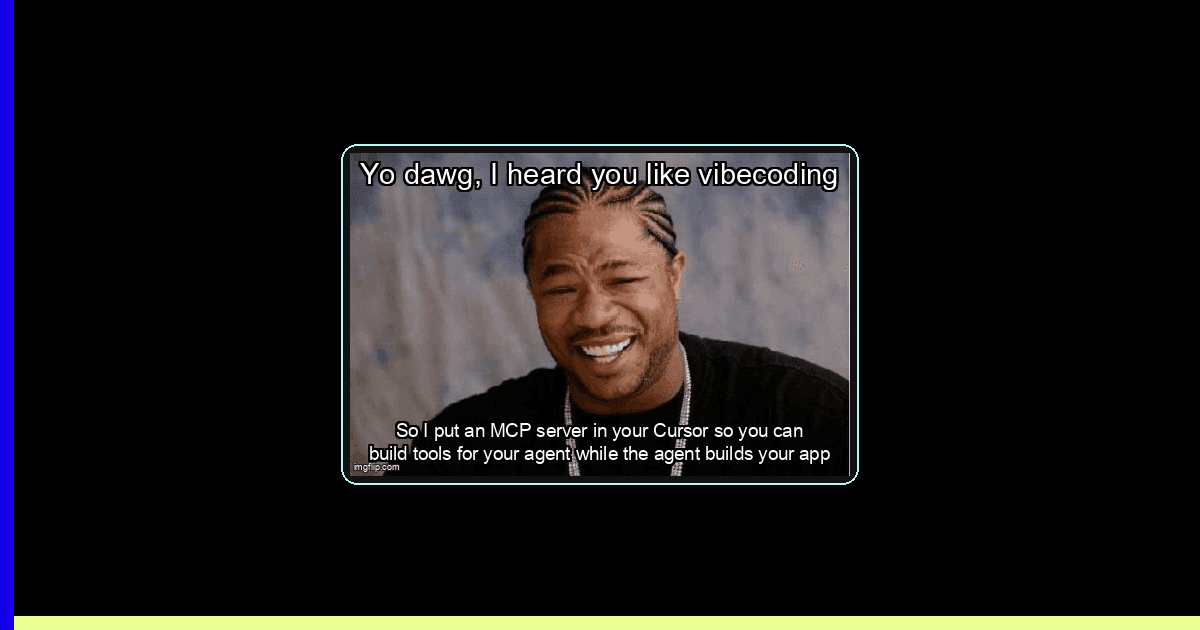
Vibe coding feels magical until your editor confidently edits the wrong file, invents a CLI flag, or rewrites a migration because it only saw half the project. Cursor is already good at conversational coding, but the big unlock for indie hackers is not a hotter prompt. It is local infrastructure: small Model Context Protocol servers that expose the facts your assistant needs before it acts.
MCP matters because it turns your repo into an interface. Instead of pasting docs, copying terminal output, and explaining your conventions for the fifth time, you give Cursor tools that can answer: what scripts exist, which route owns this screen, what changed since main, which env vars are missing, and whether the test command is safe to run. The Model Context Protocol specification describes MCP as an open protocol for connecting LLM applications to external data sources and tools; it uses JSON-RPC 2.0, stateful connections, and capability negotiation between hosts, clients, and servers. Cursor’s MCP docs position it exactly where side project builders need it: connect the editor to external tools and data without turning the editor into an unreviewed production operator.
The market signal is obvious. Stack Overflow’s 2025 Developer Survey says 84% of respondents are using or planning to use AI tools in their development process, and 51% of professional developers use AI tools daily. GitHub’s Octoverse 2025 says developers merged 43.2 million pull requests per month on average in 2025 and that TypeScript became the most used language on GitHub. More code is moving faster. The boring, valuable question is whether your local workflow can keep up without letting the assistant improvise around missing context.
What problem does Cursor plus MCP actually solve?
MCP gives Cursor trusted project tools so it can inspect scripts, docs, logs, and repo state before proposing code changes.
The problem is not that Cursor lacks intelligence. The problem is that your project has living context outside the open buffers: package scripts, private docs, feature flags, generated clients, issue notes, local database state, and one-off setup commands you forgot to write down. When the assistant cannot query those things, it fills gaps with probability. That is how a side project gets a gorgeous PR that fails in CI because the test runner needed a seeded database.
A good MCP setup makes the assistant ask narrower questions. Give it a repo.safeScripts tool, and it can discover whether pnpm test, bun test, or npm run check is the right command. Give it a docs.lookup tool, and it can read your local architecture notes instead of hallucinating a service boundary. Give it a git.changedFiles tool, and it can scope edits to what is actually in flight. This is the same discipline we recommend in our agent CI orchestration guide: make the agent inspect reality before it writes code.
The local architecture: host, client, server, tools
In MCP terms, Cursor is the host application. Inside it, an MCP client connects to your configured servers. Each server exposes capabilities such as resources, prompts, and tools. Tools are model-controlled functions with names and schemas; the official MCP tools spec notes that clients use tools/list to discover available tools and tools/call to invoke them. That means naming and schema quality directly affect how safely the model can use your server.
For vibe coding, start with stdio servers. A stdio MCP server is just a local process Cursor launches and talks to over standard input and output. It is boring in the best way: no public port, no OAuth dance, no cloud dependency while you are hacking on the train from Valencia to Madrid. Remote MCP servers are useful later for shared company systems, but local servers keep the first loop tight and inspectable.
| Approach | Best for | What breaks first | Debug signal |
|---|---|---|---|
| Prompt-only Cursor | Small edits with visible context | Hidden scripts, stale docs, wrong assumptions | Assistant asks you to paste terminal output |
| Local MCP over stdio | Repo tools, docs, safe command discovery | Bad JSON, missing env, schema mismatch | Server starts but tools are absent |
| Remote MCP | Shared SaaS systems and team data | Auth, network, permission boundaries | 401, 403, timeout, or stale token logs |
Production-ready example 1: a safe repo intelligence MCP server
This server exposes two tools Cursor can call before editing: repo_safe_scripts and repo_changed_files. It validates the repo root, handles missing files, times out git commands, and refuses to read outside the project. The edge case is monorepos: it searches for package scripts from the configured root instead of assuming the current file’s directory is the app root.
// mcp/repo-intel-server.ts
import { Server } from '@modelcontextprotocol/sdk/server/index.js'
import { StdioServerTransport } from '@modelcontextprotocol/sdk/server/stdio.js'
import {
  CallToolRequestSchema,
  ListToolsRequestSchema,
} from '@modelcontextprotocol/sdk/types.js'
import { readFile } from 'node:fs/promises'
import { spawn } from 'node:child_process'
import path from 'node:path'

const repoRoot = path.resolve(process.env.REPO_ROOT ?? process.cwd())

function assertInsideRepo(target: string) {
  const resolved = path.resolve(repoRoot, target)
  if (!resolved.startsWith(repoRoot + path.sep) && resolved !== repoRoot) {
    throw new Error('Refusing to read outside REPO_ROOT')
  }
  return resolved
}

async function readPackageJson() {
  try {
    const file = await readFile(assertInsideRepo('package.json'), 'utf8')
    return JSON.parse(file) as { scripts?: Record<string, string> }
  } catch (error) {
    const message = error instanceof Error ? error.message : String(error)
    throw new Error('Cannot read package.json from REPO_ROOT: ' + message)
  }
}

function runGit(args: string[], timeoutMs = 5000): Promise<string> {
  return new Promise((resolve, reject) => {
    const child = spawn('git', args, { cwd: repoRoot, stdio: ['ignore', 'pipe', 'pipe'] })
    const timer = setTimeout(() => {
      child.kill('SIGTERM')
      reject(new Error('git command timed out after ' + timeoutMs + 'ms'))
    }, timeoutMs)

    let stdout = ''
    let stderr = ''
    child.stdout.on('data', chunk => { stdout += String(chunk) })
    child.stderr.on('data', chunk => { stderr += String(chunk) })
    child.on('error', reject)
    child.on('close', code => {
      clearTimeout(timer)
      if (code !== 0) reject(new Error(stderr.trim() || 'git exited with code ' + code))
      else resolve(stdout)
    })
  })
}

const server = new Server(
  { name: 'repo-intel', version: '1.0.0' },
  { capabilities: { tools: {} } }
)

server.setRequestHandler(ListToolsRequestSchema, async () => ({
  tools: [
    {
      name: 'repo_safe_scripts',
      description: 'List package scripts that are safe for Cursor to suggest or run manually.',
      inputSchema: { type: 'object', properties: {}, additionalProperties: false },
    },
    {
      name: 'repo_changed_files',
      description: 'List changed files relative to HEAD, including untracked files.',
      inputSchema: { type: 'object', properties: {}, additionalProperties: false },
    },
  ],
}))

server.setRequestHandler(CallToolRequestSchema, async request => {
  if (request.params.name === 'repo_safe_scripts') {
    const pkg = await readPackageJson()
    const scripts = Object.entries(pkg.scripts ?? {})
      .filter(([name]) => /^(test|lint|typecheck|check|build|format)/.test(name))
      .map(([name, command]) => ({ name, command }))

    return {
      content: [{ type: 'text', text: JSON.stringify({ repoRoot, scripts }, null, 2) }],
    }
  }

  if (request.params.name === 'repo_changed_files') {
    const porcelain = await runGit(['status', '--porcelain=v1'])
    const files = porcelain
      .split('\n')
      .filter(Boolean)
      .map(line => ({ status: line.slice(0, 2).trim(), path: line.slice(3) }))

    return {
      content: [{ type: 'text', text: JSON.stringify({ files }, null, 2) }],
    }
  }

  throw new Error('Unknown tool: ' + request.params.name)
})

await server.connect(new StdioServerTransport())
Why this works: the server exports a tiny contract instead of a giant shell. Cursor can discover the tool names, read descriptions, and pass no arbitrary command input. That removes an entire class of “AI ran the scary thing” failures while still giving the model enough context to choose a sensible plan.
Configure Cursor with project-level MCP
Cursor supports MCP configuration through its MCP settings and project configuration. For repo-specific tools, keep the configuration beside the project so future-you can clone the repo, install dependencies, and get the same assistant affordances. The exact UI can change, so the stable practice is: create a project .cursor/mcp.json, use absolute commands where possible, and keep secrets in environment variables rather than committing them.
{
  "mcpServers": {
    "repo-intel": {
      "command": "node",
      "args": ["./dist/mcp/repo-intel-server.js"],
      "env": {
        "REPO_ROOT": "/Users/you/projects/launchpad"
      }
    }
  }
}
The gotcha: relative paths are resolved from the process Cursor launches, not always from the directory you mentally expect. If your server appears and disappears between restarts, make the command absolute or wrap it in a repo script. On Windows, path separators and shell quoting can create a second failure mode; prefer node plus argument arrays over a single shell string.
Production-ready example 2: a docs lookup server with stale-context guardrails
A local docs tool is the highest ROI MCP server for a solo builder. Put architecture decisions, API contracts, launch notes, and integration quirks in docs/ai, then let Cursor search that folder. This example rejects path traversal, handles empty docs directories, caps result size, and returns file modification times so the assistant can see when context may be stale.
// mcp/docs-lookup-server.ts
import { Server } from '@modelcontextprotocol/sdk/server/index.js'
import { StdioServerTransport } from '@modelcontextprotocol/sdk/server/stdio.js'
import { CallToolRequestSchema, ListToolsRequestSchema } from '@modelcontextprotocol/sdk/types.js'
import { readdir, readFile, stat } from 'node:fs/promises'
import path from 'node:path'

const docsRoot = path.resolve(process.env.DOCS_ROOT ?? 'docs/ai')
const maxBytesPerFile = 24_000

function normalizeQuery(value: unknown) {
  if (typeof value !== 'string' || value.trim().length < 2) {
    throw new Error('query must be a string with at least 2 characters')
  }
  return value.toLowerCase().trim()
}

async function listMarkdownFiles(dir: string): Promise<string[]> {
  const entries = await readdir(dir, { withFileTypes: true }).catch(error => {
    if ((error as NodeJS.ErrnoException).code === 'ENOENT') return []
    throw error
  })

  const nested = await Promise.all(entries.map(async entry => {
    const fullPath = path.join(dir, entry.name)
    if (!fullPath.startsWith(docsRoot + path.sep) && fullPath !== docsRoot) {
      throw new Error('Refusing to scan outside DOCS_ROOT')
    }
    if (entry.isDirectory()) return listMarkdownFiles(fullPath)
    if (entry.isFile() && entry.name.endsWith('.md')) return [fullPath]
    return []
  }))

  return nested.flat()
}

const server = new Server(
  { name: 'docs-lookup', version: '1.0.0' },
  { capabilities: { tools: {} } }
)

server.setRequestHandler(ListToolsRequestSchema, async () => ({
  tools: [
    {
      name: 'docs_search',
      description: 'Search local project AI docs for architecture, setup, and integration notes.',
      inputSchema: {
        type: 'object',
        required: ['query'],
        properties: { query: { type: 'string', minLength: 2 } },
        additionalProperties: false,
      },
    },
  ],
}))

server.setRequestHandler(CallToolRequestSchema, async request => {
  if (request.params.name !== 'docs_search') {
    throw new Error('Unknown tool: ' + request.params.name)
  }

  const query = normalizeQuery(request.params.arguments?.query)
  const files = await listMarkdownFiles(docsRoot)
  if (files.length === 0) {
    return { content: [{ type: 'text', text: 'No markdown files found in ' + docsRoot }] }
  }

  const matches = []
  for (const file of files) {
    const meta = await stat(file)
    const body = await readFile(file, 'utf8')
    if (!body.toLowerCase().includes(query)) continue
    matches.push({
      file: path.relative(docsRoot, file),
      modifiedAt: meta.mtime.toISOString(),
      excerpt: body.slice(0, maxBytesPerFile),
      truncated: body.length > maxBytesPerFile,
    })
  }

  return {
    content: [{
      type: 'text',
      text: JSON.stringify({ query, docsRoot, matches: matches.slice(0, 8) }, null, 2),
    }],
  }
})

await server.connect(new StdioServerTransport())
This tool changes your Cursor prompts. Instead of “build Stripe billing,” you can ask: “Use docs_search for billing, inspect changed files, then propose the smallest implementation plan.” That tiny instruction forces the assistant to anchor itself in your repo’s notes before touching code. For a broader launch workflow, pair it with our guide to AI test infrastructure so code generation and verification move together.
How do you keep MCP safe while vibe coding fast?
Expose narrow read-first tools, require explicit approval for writes, and make every command reproducible outside Cursor.
MCP can expose real power: databases, issue trackers, browsers, file writes, deploy commands. That is the point. But the tool boundary is also your safety boundary. If you expose run_shell with arbitrary input, you have not built infrastructure; you have given the model a footgun with autocomplete. If you expose repo_safe_scripts, docs_search, and test_failure_summary, you guide the assistant toward inspection, diagnosis, and reviewable next steps.
- Default to read-only tools. Add write tools only when the action is narrow, reversible, and logged.
- Never commit secrets in
.cursor/mcp.json. Use env vars or your OS secret store. - Return structured JSON from tools so Cursor can reason over fields instead of parsing prose.
- Give tools boring names that describe the action, not clever names that hide risk.
- Make every MCP command runnable from a terminal so debugging does not depend on the editor UI.
Production-ready example 3: summarize failing tests without giving Cursor a shell
This server lets Cursor inspect the latest test artifact without running tests itself. It handles missing reports, malformed JSON, and huge failure output. The edge case is CI versus local: if the report path differs, the tool returns a configuration hint instead of silently reporting success.
// mcp/test-report-server.ts
import { Server } from '@modelcontextprotocol/sdk/server/index.js'
import { StdioServerTransport } from '@modelcontextprotocol/sdk/server/stdio.js'
import { CallToolRequestSchema, ListToolsRequestSchema } from '@modelcontextprotocol/sdk/types.js'
import { readFile } from 'node:fs/promises'
import path from 'node:path'

const reportPath = path.resolve(process.env.TEST_REPORT_JSON ?? 'test-results/report.json')
const maxFailureChars = 1500

type TestCase = {
  name?: string
  status?: string
  failure?: string
  file?: string
}

function parseReport(raw: string): TestCase[] {
  const parsed = JSON.parse(raw)
  const tests = Array.isArray(parsed.tests) ? parsed.tests : parsed.results
  if (!Array.isArray(tests)) {
    throw new Error('Report must contain tests[] or results[]')
  }
  return tests
}

const server = new Server(
  { name: 'test-report', version: '1.0.0' },
  { capabilities: { tools: {} } }
)

server.setRequestHandler(ListToolsRequestSchema, async () => ({
  tools: [
    {
      name: 'test_failure_summary',
      description: 'Read the latest JSON test report and summarize failing tests for repair planning.',
      inputSchema: { type: 'object', properties: {}, additionalProperties: false },
    },
  ],
}))

server.setRequestHandler(CallToolRequestSchema, async request => {
  if (request.params.name !== 'test_failure_summary') {
    throw new Error('Unknown tool: ' + request.params.name)
  }

  let raw = ''
  try {
    raw = await readFile(reportPath, 'utf8')
  } catch (error) {
    const code = (error as NodeJS.ErrnoException).code
    if (code === 'ENOENT') {
      return {
        content: [{
          type: 'text',
          text: JSON.stringify({
            reportPath,
            status: 'missing_report',
            nextStep: 'Run the project test command with JSON reporter enabled.',
          }, null, 2),
        }],
      }
    }
    throw error
  }

  let tests: TestCase[] = []
  try {
    tests = parseReport(raw)
  } catch (error) {
    const message = error instanceof Error ? error.message : String(error)
    return {
      content: [{
        type: 'text',
        text: JSON.stringify({ reportPath, status: 'invalid_report', error: message }, null, 2),
      }],
    }
  }

  const failures = tests
    .filter(test => test.status === 'failed' || test.failure)
    .slice(0, 12)
    .map(test => ({
      name: test.name ?? 'unnamed test',
      file: test.file ?? 'unknown file',
      failure: (test.failure ?? '').slice(0, maxFailureChars),
      truncated: (test.failure ?? '').length > maxFailureChars,
    }))

  return {
    content: [{
      type: 'text',
      text: JSON.stringify({
        reportPath,
        total: tests.length,
        failing: failures.length,
        failures,
      }, null, 2),
    }],
  }
})

await server.connect(new StdioServerTransport())
This pattern is underrated. Let humans and CI run commands; let Cursor read the artifact and plan the fix. You still get fast debugging, but you avoid the editor triggering expensive integration tests or mutating a database while you are in a flow state.
Troubleshooting Cursor MCP: what breaks and how to prove it
MCP failures are usually boring process failures wearing an AI hat. Debug them like any other local service: isolate startup, validate config, inspect stderr, then verify protocol messages.
- Server never appears: run the exact configured command in a terminal. If it cannot start outside Cursor, fix dependencies, build output, or absolute paths first.
- Server appears but tools are missing: check capability negotiation and
tools/list. Schema errors often make discovery fail before any tool call happens. - Works in one repo but not another: confirm
REPO_ROOT,DOCS_ROOT, and relative paths. Project-level config is only helpful when roots are explicit. - Tool call hangs: add timeouts around child processes and network calls. A hanging git command looks like an LLM problem until you inspect the server process.
- Unexpected permission risk: split read and write tools. If a tool can read, plan, and mutate in one call, it is too wide for daily vibe coding.
- JSON parse errors: never log normal debug text to stdout in a stdio server. Send diagnostics to stderr so protocol messages stay valid.
# Local smoke test before opening Cursor
npm run build:mcp
REPO_ROOT="$PWD" node ./dist/mcp/repo-intel-server.js 2> /tmp/repo-intel.err

# If it exits immediately, inspect stderr.
cat /tmp/repo-intel.err

# If it stays alive, Cursor can usually launch it too.
# Now test the same command from the directory Cursor uses.
The stdout rule is the classic gotcha. Stdio MCP uses stdout for protocol messages, so a friendly console.log('server started') can corrupt the conversation. Use console.error or a file logger for diagnostics. It feels tiny, but it is the difference between a usable local server and a mystery failure that wastes an evening.
A practical setup sequence for indie hackers
Do not start with a dozen MCP servers. Start with the three loops that cost you momentum: project discovery, documentation lookup, and test failure diagnosis. Ship those, use them for a week, and only then add external systems like Linear, GitHub, Stripe, Supabase, or your analytics warehouse.
- Create
docs/ai/architecture.mdwith routes, data model, env vars, and “do not touch” zones. - Add
repo-intelso Cursor can inspect scripts and changed files before writing. - Add
docs-lookupso Cursor can cite your local decisions in plans. - Add
test-reportonce your test runner emits JSON artifacts. - Write a Cursor rule: “Before implementation, call repo and docs tools, then propose a scoped plan.”
This is the unglamorous infrastructure that makes vibe coding durable. The vibe is still there: you move fast, speak in outcomes, and let the editor do the mechanical work. The difference is that your assistant now has rails. It can inspect your reality, respect your boundaries, and debug from evidence instead of vibes alone.
The bottom line
Cursor plus MCP is not about adding more tools for the sake of tools. It is about turning your local project into a queryable system. For solopreneurs, that means fewer context dumps, fewer wrong-file edits, and fewer “looks good but fails” PRs. For indie hackers, it means your weekend build can keep moving without accumulating invisible workflow debt.
Start narrow. Make tools read-first. Keep configuration reproducible. Treat every MCP server as production infrastructure, even if it only runs on your laptop. That is how vibe coding graduates from a fun demo to a shipping habit.
Ready to ship your next project faster?
Desplega.ai helps indie hackers and solopreneurs build and ship faster with practical AI workflows, testing strategy, and launch-ready engineering.
Get StartedFrequently Asked Questions
Should I put MCP servers in global Cursor settings or .cursor/mcp.json?
Use project-level config for repo-specific tools and global settings for personal utilities. Keep secrets out of the repo and document required env vars clearly.
Can an MCP server modify my codebase from Cursor?
Yes, if the exposed tool can write files or run commands and Cursor approves the call. Treat MCP tools like local automation with reviewable permissions and logs.
Why does Cursor show my MCP server as connected but no tools appear?
The process may start but fail capability negotiation or tools/list. Add stderr logging, validate JSON-RPC responses, and check schema names before editing code.
Is MCP worth it for solo projects?
It is worth it when repeated context lookup slows you down: docs, tickets, database snapshots, test commands, logs, or project-specific scripts that shape every change.
Related Posts
When I Reject v0 Code: Pattern-Matching Rules for Safer UI Generation
A practical v0 review gate for safer generated React UI: AST checks, Playwright smoke tests, accessibility rules, and rejection signals.
Cody's Repository Indexing: Does Cognitive Offloading Create Knowledge Gaps in Large Codebases? | Desplega AI
A practical deep dive into Cody repository indexing, context retrieval, and how indie hackers avoid AI-created knowledge gaps.
Hot Module Replacement: Why Your Dev Server Restarts Are Killing Your Flow State | desplega.ai
Stop losing 2-3 hours daily to dev server restarts. Master HMR configuration in Vite and Next.js to maintain flow state, preserve component state, and boost coding velocity by 80%.