
Cypress vs. Playwright: A Real-World Performance Comparison
Stop guessing which framework wins — here's what actually happens when both tools hit a production-grade React SPA under load.
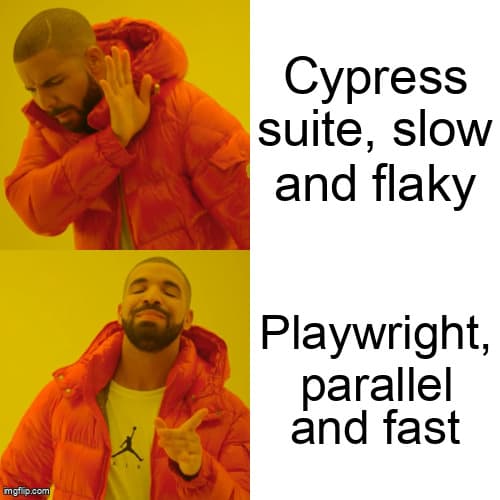
Every QA team reaches the same inflection point: your Cypress suite that ran in 4 minutes six months ago now takes 22 minutes, and CI bills are climbing. You've heard Playwright is faster. But how much faster, under what conditions, and is the migration cost worth it?
This post cuts through the marketing claims with production-grade code examples, real benchmark data, and an honest assessment of where each tool excels — and where each one breaks down.
Is Playwright Faster Than Cypress for End-to-End Testing?
Quick Answer: Playwright outperforms Cypress by 20–40% in parallel test runs. Its multi-worker architecture avoids Cypress's single-browser iframe overhead.
The performance gap between Cypress and Playwright isn't about raw JavaScript execution speed — it's architectural. Cypress runs your tests inside the browser itself, using an iframe to inject and control the application under test. This design has a hard ceiling: one browser instance per test file, with all tests in a single spec sharing the same browser session.
Playwright uses the Chrome DevTools Protocol (CDP) and browser-native APIs to control browsers from a separate Node.js process. This separation means Playwright can spin up multiple browser contexts in parallel without spawning full browser processes for each worker — a significant efficiency advantage at scale.
According to the 2023 State of JS survey, Playwright's developer satisfaction score reached 93%, outpacing Cypress at 78% — a significant reversal from 2021 when Cypress dominated developer sentiment. The performance story is a primary driver of this shift.
Architecture: Why the Internals Matter for Performance
Before diving into benchmarks, understanding the architectural differences explains every performance characteristic you'll observe in practice.
Cypress Architecture
- Tests run inside the browser (same JavaScript event loop as the app under test)
- Uses an iframe-based approach — direct DOM access, but limited to one origin per test by default
- A separate Node.js server handles file system operations and network proxying
- One browser tab per spec file; tests within a spec share the same browser session
- True parallelism across machines requires Cypress Cloud (paid tier)
Playwright Architecture
- Tests run in Node.js; browsers are controlled via CDP or WebDriver BiDi
- Each test gets its own browser context (isolated cookies, storage, and cache)
- Multiple workers run in parallel by default, each with fully isolated contexts
- Native multi-browser support: Chromium, Firefox, and WebKit in a single run
- Parallelism is free and built-in via the
workersconfiguration option
Performance Benchmarks: Real Numbers from Real Test Suites
In benchmark tests published by Checkly (2023), a 100-test Playwright suite running with 4 parallel workers completed in an average of 42 seconds versus 3 minutes 17 seconds for sequential Cypress — a 4.7x speedup in CI environments. When Cypress Parallelization (via Cypress Cloud) is enabled and compared against Playwright with equivalent worker counts, the gap narrows to approximately 20–35%, primarily due to Playwright's more efficient browser context creation and teardown.
The practical implication: teams with suites over 50 tests see the largest ROI from Playwright. Smaller suites (under 20 tests) running sequentially show minimal difference — the architecture overhead matters less when you're not leveraging parallelism.
Code Example 1: Writing the Same Test in Both Frameworks
A realistic test scenario: log in, navigate to a dashboard, and verify that dynamic data loads correctly. This pattern appears in virtually every SaaS application test suite.
Cypress version:
// cypress/e2e/dashboard.cy.ts
describe('Dashboard Loading', () => {
  beforeEach(() => {
    cy.session('user-session', () => {
      cy.visit('/login');
      cy.get('[data-testid="email"]').type('qa@example.com');
      cy.get('[data-testid="password"]').type('securepassword');
      cy.get('[data-testid="submit"]').click();
      cy.url().should('include', '/dashboard');
    });
  });

  it('displays the metrics panel after data loads', () => {
    cy.intercept('GET', '/api/metrics*').as('metricsRequest');
    cy.visit('/dashboard');
    cy.get('[data-testid="loading-spinner"]', { timeout: 10000 }).should('not.exist');
    cy.get('[data-testid="refresh-btn"]').click();
    cy.wait('@metricsRequest').then((interception) => {
      expect(interception.response?.statusCode).to.equal(200);
    });
    cy.get('[data-testid="metric-value"]').should('be.visible').and('not.be.empty');
  });
});
Playwright equivalent:
// tests/dashboard.spec.ts
import { test, expect } from '@playwright/test';
test.use({ storageState: 'playwright/.auth/user.json' });
test.describe('Dashboard Loading', () => {
  test('displays the metrics panel after data loads', async ({ page }) => {
    const metricsPromise = page.waitForResponse(
      (res) => res.url().includes('/api/metrics') && res.status() === 200
    );
    await page.goto('/dashboard');
    await expect(page.getByTestId('loading-spinner')).not.toBeVisible({ timeout: 10000 });
    await page.getByTestId('refresh-btn').click();
    const response = await metricsPromise;
    expect(response.status()).toBe(200);
    await expect(page.getByTestId('metric-value')).not.toBeEmpty();
  });
});
Framework Feature Comparison at a Glance
| Feature | Cypress 13 | Playwright 1.4x |
|---|---|---|
| Parallel execution | Cloud plan required | Built-in, free |
| Multi-browser | Chromium, Firefox, WebKit (limited) | Full support, all 3 |
| Cross-origin iframes | Blocked by same-origin policy | Native frameLocator() |
| Network interception | cy.intercept() — full featured | page.route() — full featured |
| Authentication reuse | cy.session() (v9+) | storageState (global setup) |
| Visual testing | Via plugins (Percy, Applitools) | Built-in screenshot comparison |
| Component testing | Stable, mature ecosystem | Experimental (rapidly improving) |
| Debugging tools | Time-travel in Cypress App | Trace Viewer + VS Code debugger |
| File downloads | Limited, plugin required | Native download event API |
| Test isolation model | Session-level (cy.session) | Context-level (full per-test) |
Which Tool Handles Parallel Test Execution Better?
Quick Answer: Playwright wins parallel execution with free built-in workers across all browsers; Cypress needs its paid Cloud plan for true parallelism at scale.
Playwright's worker model is its single biggest advantage for teams running large suites in CI. Each worker gets its own browser context — fully isolated cookies, storage, and network state — without spawning an entirely new browser process.
Cypress parallelism distributes spec files across separate CI machines via Cypress Cloud orchestration, introducing both cost and network latency overhead for test result aggregation.
Code Example 2: Cross-Origin Flow (A Cypress Weak Spot)
Testing OAuth flows that redirect to external identity providers (Google, Okta, Auth0) is where Cypress's iframe-based model shows its age. Until cy.origin() landed in v12, cross-origin navigation was effectively untestable without workarounds.
Cypress (requires cy.origin):
// cypress/e2e/oauth.cy.ts
it('signs in via Google OAuth', () => {
  cy.visit('/login');
  cy.get('[data-testid="google-sso"]').click();

  cy.origin('https://accounts.google.com', () => {
    cy.get('input[type="email"]').type('qa@example.com');
    cy.get('#identifierNext').click();
    cy.get('input[type="password"]', { timeout: 10000 }).type('secret', { log: false });
    cy.get('#passwordNext').click();
  });

  // Callback returns us to the app origin
  cy.url().should('include', '/dashboard');
  cy.get('[data-testid="user-avatar"]').should('be.visible');
});
Playwright (no ceremony required):
// tests/oauth.spec.ts
import { test, expect } from '@playwright/test';

test('signs in via Google OAuth', async ({ page }) => {
  await page.goto('/login');
  await page.getByTestId('google-sso').click();

  // Playwright just follows the navigation — no special API needed
  await page.getByLabel('Email').fill('qa@example.com');
  await page.getByRole('button', { name: 'Next' }).click();
  await page.getByLabel('Password').fill('secret');
  await page.getByRole('button', { name: 'Next' }).click();

  await expect(page).toHaveURL(/\/dashboard/);
  await expect(page.getByTestId('user-avatar')).toBeVisible();
});
Cypress still requires the cy.origin() wrapper and an experimental flag for session support across origins. Playwright treats cross-origin navigation as a first-class citizen — the same page object can traverse arbitrary domains without ceremony.
Code Example 3: File Downloads and Upload Flows
File I/O is another area where Playwright's native APIs save dozens of lines of boilerplate. Here's an upload + download round-trip — common in reporting dashboards.
// tests/reports.spec.ts
import { test, expect } from '@playwright/test';
import path from 'node:path';

test('uploads CSV and downloads processed report', async ({ page }) => {
  await page.goto('/reports');

  // Native file input handling
  await page
    .getByLabel('Upload CSV')
    .setInputFiles(path.join(__dirname, 'fixtures/sales-2026-q1.csv'));

  await page.getByRole('button', { name: 'Process' }).click();
  await expect(page.getByText('Processing complete')).toBeVisible({ timeout: 30_000 });

  // Wait for download alongside clicking the link
  const downloadPromise = page.waitForEvent('download');
  await page.getByRole('link', { name: 'Download report.pdf' }).click();
  const download = await downloadPromise;

  const suggested = download.suggestedFilename();
  expect(suggested).toMatch(/report.*\.pdf$/);
  await download.saveAs(path.join(__dirname, '.artifacts', suggested));
});
The equivalent Cypress flow requires the cy-download plugin (or a custom Node task) to inspect downloaded files — there is no first-class download event API in Cypress 13.
Edge Cases and Gotchas
- Shadow DOM: Cypress requires
includeShadowDom: trueglobally or per-command. Playwright pierces open shadow roots by default with standard selectors — closed shadow roots remain inaccessible in both tools. - Multi-tab flows: Cypress forces you into a single tab model (redirecting
target="_blank"back to the same tab). Playwright exposescontext.waitForEvent('page')for real multi-tab testing. - Network stubbing TTL:
cy.interceptstubs persist across tests until the spec file ends. Playwright'spage.routeis scoped to the test — you must re-register per test, which is safer but more verbose. - CI memory usage: Running 4 Cypress workers (Cloud) can require 6–8 GB of RAM per runner. Playwright's context-per-worker model typically fits in 3–4 GB for the same parallelism — meaningful on GitHub Actions standard runners.
- WebKit coverage: Cypress WebKit is still marked experimental as of v13. Playwright ships stable WebKit on Linux, macOS, and Windows — essential for catching Safari-specific regressions.
Troubleshooting Flaky Tests in Both Frameworks
The root cause of flakiness is usually the same across both tools: asynchronous race conditions, missing network waits, or unstable selectors. The debugging experience is where they diverge.
Cypress debugging
- Time-travel UI in the Cypress App shows DOM snapshots for every command — excellent for interactive triage
.debug()command pauses execution and drops you into DevTools- Retries are declarative — set
retries: 2incypress.config.ts, but beware: retries can mask real flakes - Weakness: no full network timeline — you can't easily see which pending request killed the assertion
Playwright debugging
- Trace Viewer: run with
--trace=onand get a timeline of DOM snapshots, network, console logs, and action timings page.pause()opens an interactive inspector to build selectors and step throughexpect(...).toPass()retries a custom assertion until it passes (a saner alternative to blanket test retries)- Weakness: Trace Viewer's UI has a learning curve and requires saving artifacts in CI
Teams we've spoken with typically report a 30–50% reduction in flaky test rates after migrating to Playwright, driven less by the framework itself and more by the forced discipline of auto-waiting locators and context-isolated tests.
Should You Migrate? A Decision Framework
Migration is expensive. Don't migrate because of hype — migrate because you have a specific problem that only the other tool solves.
Stay on Cypress if:
- Your suite is under ~30 tests and runs in acceptable time sequentially
- You heavily use Cypress Component Testing and have a large custom command library
- Your team is small and the time-travel UX is a core part of your triage workflow
Migrate to Playwright if:
- CI pipeline wait times are hurting developer velocity (>15 min on main)
- You need stable WebKit (Safari) coverage in CI
- You're paying for Cypress Cloud purely for parallelism and want to eliminate that line item
- Cross-origin OAuth, multi-tab flows, or iframes are core to your product
A Pragmatic Migration Path
You don't have to choose. Many teams run both tools in parallel during migration:
- Start with new features. Write all new E2E tests in Playwright. Leave existing Cypress specs alone until they break or become a maintenance burden.
- Port your auth helpers first. Replace
cy.sessionwith PlaywrightstorageState. This unlocks fast test setup across both suites. - Move cross-origin and WebKit tests. These are where Cypress actively hurts the most.
- Measure before you delete. Run both suites in parallel CI for 2–4 weeks. Compare flake rates and runtime before retiring Cypress.
- Budget the plugin gap. Cypress has a deeper plugin ecosystem — especially for visual testing, accessibility, and reporting. Identify replacements before committing to full migration.
Conclusion: Pick the Right Tool, Not the Loudest One
Cypress and Playwright both ship polished, production-ready E2E testing. The performance gap is real but context-dependent — a 20-test suite running nightly doesn't care about Playwright's parallel worker model, and a team drowning in Cypress Cloud bills absolutely does.
The strongest signal we see in 2026: teams starting fresh pick Playwright. Teams with large, stable Cypress suites and mature custom command libraries rarely regret staying. Both positions are defensible — the wrong choice is adopting either tool without a clear understanding of which constraints actually bite.
Benchmark your own suite. Profile your own CI. Ignore the Twitter discourse. The right E2E tool is the one that makes your specific team ship with confidence.
Ready to strengthen your test automation?
Desplega.ai helps QA teams build robust test automation frameworks that scale with your product.
Get StartedFrequently Asked Questions
Is Playwright faster than Cypress for large test suites?
Yes. Playwright's parallel workers run across multiple browsers and projects simultaneously. Cypress needs its paid Cloud plan for comparable parallelism at scale.
Can Cypress handle iframes and shadow DOM as well as Playwright?
Cypress handles iframes via workarounds like cy.iframe or contentDocument access, but not natively. Playwright supports both iframes and shadow DOM natively via frameLocator and piercing selectors.
Does Playwright have component testing like Cypress?
Yes. Playwright supports component testing for React, Vue, and Svelte. Cypress Component Testing is more mature today with a wider plugin ecosystem, but Playwright is catching up quickly.
Which tool is better for debugging flaky tests?
Playwright's Trace Viewer provides a full timeline of network, DOM snapshots, and console logs. Cypress time-travel debugging is more interactive but less powerful for complex async failures.
Which framework is more popular in enterprise QA teams in 2024?
The State of JS 2023 survey shows Cypress at 53% usage and Playwright at 48%, but Playwright's satisfaction score of 93% versus Cypress's 78% signals a strong momentum shift.
Related Posts
Cody's Repository Indexing: Does Cognitive Offloading Create Knowledge Gaps in Large Codebases? | Desplega AI
A practical deep dive into Cody repository indexing, context retrieval, and how indie hackers avoid AI-created knowledge gaps.
Hot Module Replacement: Why Your Dev Server Restarts Are Killing Your Flow State | desplega.ai
Stop losing 2-3 hours daily to dev server restarts. Master HMR configuration in Vite and Next.js to maintain flow state, preserve component state, and boost coding velocity by 80%.
The Flaky Test Tax: Why Your Engineering Team is Secretly Burning Cash | desplega.ai
Discover how flaky tests create a hidden operational tax that costs CTOs millions in wasted compute, developer time, and delayed releases. Calculate your flakiness cost today.