
Flaky Test Archaeology: Root Cause Analysis Beyond Retry Loops
Stop masking failures with retries—learn to systematically diagnose and permanently fix unreliable tests
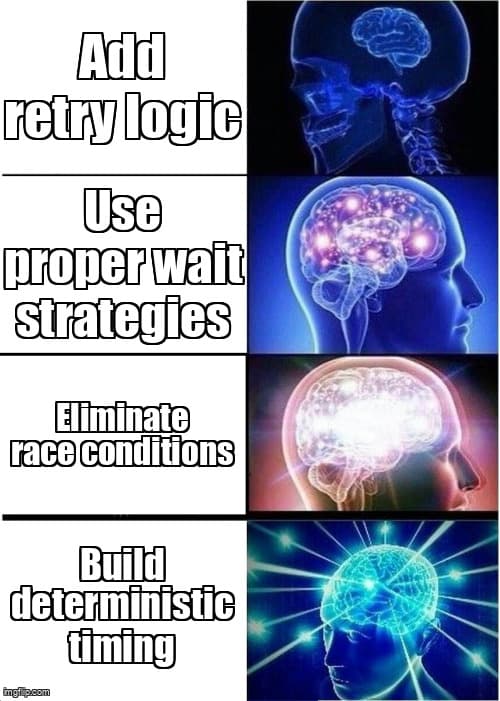
You've seen it before: a test passes locally, fails in CI, passes when you rerun it, then fails again next Tuesday at 3 AM. Your team's solution? Add a retry mechanism and move on. The test suite becomes a probability game—will it pass this time? This band-aid approach might buy you time, but it's slowly eroding trust in your entire testing infrastructure.
Flaky tests aren't just annoying—they're expensive. They waste developer time investigating false positives, create blind spots where real bugs hide, and eventually train teams to ignore test failures altogether. But here's the good news: most flaky tests follow predictable patterns, and with the right methodology, you can excavate the root causes and fix them permanently.
The Real Cost of Flaky Tests
Before diving into solutions, let's acknowledge what flaky tests are costing your team. A test suite with even 5% flakiness means every 20-test run has a coin-flip chance of spurious failure. Developers spend an estimated 15-20% of their time investigating test failures, and when half of those are false positives, you're burning hours on ghost problems.
More insidiously, flaky tests create alert fatigue. When your team sees "just another flaky failure," they stop investigating. That's when real bugs slip through. One team I worked with discovered a critical payment bug had been masked by flaky test noise for three weeks—costing them tens of thousands in failed transactions.
The Flaky Test Taxonomy
Understanding the enemy is half the battle. Flaky tests generally fall into five categories:
- Race conditions - Your test executes faster than the application can respond
- Test interdependencies - Tests pollute shared state or depend on execution order
- Async timing issues - Promises, timeouts, and event handlers behave unpredictably
- Environment variability - Network latency, resource contention, or external service instability
- Non-deterministic data - Timestamps, random values, or dynamic content cause assertion mismatches
Each category requires different debugging strategies and fixes. Let's dig into systematic approaches for each.
Systematic Debugging Methodology
Don't just rerun failing tests hoping they pass. Follow this forensic approach to uncover the root cause:
Step 1: Reproduce Reliably
Run the flaky test 100 times in a loop. Track the failure rate. If it fails 20% of the time, you have a baseline. Use test runner features to isolate the test completely—disable parallelization, clear all state, run in a fresh browser context.
// Playwright - Run test 100 times to measure flakiness
npx playwright test flaky-test.spec.ts --repeat-each=100 --workers=1

// Track failures programmatically
for i in {1..100}; do
  npm test -- flaky-test.spec.ts >> results.log 2>&1
done
grep -c "FAIL" results.log  # Count failure rate
Step 2: Add Diagnostic Logging
Instrument your test with timestamps, network activity logs, and state snapshots. Capture screenshots and videos on both passes and failures. The diff between success and failure states is your smoking gun.
// Playwright - Enhanced diagnostic logging
test('checkout flow', async ({ page }) => {
  // Log all network requests
  page.on('request', req => console.log('→', req.method(), req.url()));
  page.on('response', res => console.log('←', res.status(), res.url()));

  // Timestamp checkpoints
  const log = (msg) => console.log(`[${new Date().toISOString()}] ${msg}`);

  log('Starting checkout');
  await page.goto('/checkout');
  await page.screenshot({ path: 'checkout-loaded.png' });

  log('Filling form');
  await page.fill('#email', 'test@example.com');

  log('Submitting payment');
  await page.click('#submit');

  // Wait for success with detailed logging
  try {
    await page.waitForSelector('.success-message', { timeout: 5000 });
    log('Success message appeared');
  } catch (e) {
    log('Success message did NOT appear');
    await page.screenshot({ path: 'failure-state.png' });
    throw e;
  }
});
Step 3: Isolate Variables
Methodically eliminate variables. Run the test on different machines, at different times of day, with different network speeds. Does it fail more in CI than locally? That's an environment clue. Does it fail more during business hours? That's a load/network clue.
Fixing Race Conditions: Advanced Wait Strategies
The most common flaky test culprit is poor synchronization. Arbitrary sleeps (`page.waitForTimeout(3000)`) are a code smell—they're either too short (causing flakiness) or too long (slowing your suite).
Modern frameworks provide sophisticated wait mechanisms. Use them correctly:
// ❌ BAD - Arbitrary timeout
await page.click('#submit');
await page.waitForTimeout(3000);  // Hope it's enough?
expect(page.locator('.success')).toBeVisible();

// ✅ GOOD - Wait for specific condition
await page.click('#submit');
await page.waitForResponse(res =>
  res.url().includes('/api/checkout') && res.status() === 200
);
await expect(page.locator('.success')).toBeVisible();

// ✅ BETTER - Wait for network idle + DOM change
await page.click('#submit');
await Promise.all([
  page.waitForLoadState('networkidle'),
  page.waitForSelector('.success', { state: 'visible' })
]);
Each framework has its own wait semantics. Playwright has auto-waiting built into most actions, but you still need to understand what it's waiting for:
// Playwright auto-waits for actionability
// - Element is visible
// - Element is stable (not animating)
// - Element receives events (not obscured)
await page.click('#button');  // Auto-waits up to 30s

// Selenium requires explicit waits
WebDriverWait wait = new WebDriverWait(driver, Duration.ofSeconds(10));
wait.until(ExpectedConditions.elementToBeClickable(By.id("button")));
driver.findElement(By.id("button")).click();

// Cypress auto-retries assertions
cy.get('#button')
  .should('be.visible')  // Retries up to 4s
  .click();
Eliminating Test Interdependencies
If your test passes in isolation but fails when run with others, you have state pollution. Common culprits include shared databases, browser storage, singleton services, or global variables.
The fix: make tests truly independent. Reset all state before each test:
// Playwright - Full isolation per test
test.beforeEach(async ({ context }) => {
  // Clear all storage
  await context.clearCookies();
  await context.clearPermissions();

  // Each test gets fresh browser context
  // (already default in Playwright, but make it explicit)
});

// Selenium - Reset browser state
@BeforeEach
void setUp() {
  driver.manage().deleteAllCookies();
  driver.manage().window().setSize(new Dimension(1920, 1080));
  driver.get("about:blank");  // Clear any loaded state
}

// Database - Use transactions + rollback
test.beforeEach(async () => {
  await db.beginTransaction();
});

test.afterEach(async () => {
  await db.rollback();  // Undo all test changes
});
Pro Tip: Test User Isolation
If tests share user accounts (test@example.com), they'll collide when run in parallel. Generate unique test users per test using timestamps or UUIDs. Better yet, use APIs to create fresh test data before each test rather than seeding a shared database.
Measuring and Tracking Test Reliability
You can't improve what you don't measure. Track test flakiness metrics over time to prevent regression:
- Flake rate - Percentage of tests that fail intermittently (target: <1%)
- Flake hotspots - Which tests fail most frequently
- Time to stable - How many runs before a new test stops flaking
- Investigation time - Hours spent debugging false positives
Modern CI systems can track this automatically. GitHub Actions, for example, can rerun failed tests and mark them as flaky if they pass on retry:
# .github/workflows/test.yml
- name: Run tests with flake detection
  run: npx playwright test --reporter=json,html

- name: Rerun failures
  if: failure()
  run: npx playwright test --last-failed --reporter=json

- name: Mark as flaky if passes on retry
  if: success()
  run: |
    echo "Test suite flaked - investigate root cause"
    # Log to metrics system
    curl -X POST https://metrics.company.com/flake \
      -d "test_run=$GITHUB_RUN_ID&status=flaky"
Architectural Patterns That Prevent Flakiness
Beyond fixing individual tests, some architectural choices reduce flakiness systematically:
Pattern 1: Test-Specific Timing Modes
Build a "test mode" into your application that makes timing deterministic. Mock `Date.now()`, stub random number generators, and control animation speeds. Your app becomes predictable without losing production behavior.
// Playwright - Control time and animations
test.use({
  // Mock clock for deterministic timing
  timezoneId: 'UTC',
  locale: 'en-US',
});

await page.addInitScript(() => {
  // Disable CSS animations in test mode
  const style = document.createElement('style');
  style.textContent = '*, *::before, *::after { animation-duration: 0s !important; }';
  document.head.appendChild(style);
});

// Use Playwright's clock API to control time
await page.clock.install({ time: new Date('2026-01-27T12:00:00Z') });
await page.clock.fastForward(3600000);  // Skip ahead 1 hour
Pattern 2: Idempotent Test Setup
Instead of "clean slate then create," use "create or reuse if exists" patterns. Tests that can run regardless of initial state are resilient to partial failures and parallel execution.
Pattern 3: Test Fixtures Over Direct API Calls
Create reusable fixtures that encapsulate reliable state setup. A well-designed fixture handles retries, error cases, and cleanup automatically—removing that burden from individual tests.
// Playwright fixtures - Reliable test state management
import { test as base } from '@playwright/test';

export const test = base.extend({
  // Authenticated user fixture
  authenticatedUser: async ({ page }, use) => {
    const user = await createTestUser();
    await loginAsUser(page, user);
    await use(user);
    await deleteTestUser(user);  // Cleanup
  },

  // Cart with items fixture
  populatedCart: async ({ page, authenticatedUser }, use) => {
    const items = await addItemsToCart(page, ['item1', 'item2']);
    await use(items);
  },
});

// Use fixtures in tests - no manual setup/teardown
test('checkout with populated cart', async ({ page, populatedCart }) => {
  await page.goto('/checkout');
  await expect(page.locator('.cart-item')).toHaveCount(2);
  // Test logic here - fixtures handle setup and cleanup
});
When to Actually Use Retries
After all this, is there ever a valid use for retry mechanisms? Yes—but only for truly external, uncontrollable factors:
- Third-party API flakiness (payment processors, auth providers)
- Infrastructure issues (CI runner network hiccups, cloud provider instability)
- Browser crashes or WebDriver timeouts (framework-level failures)
Configure retries at the framework level, not in individual tests. And critically: log every retry with diagnostic context so you can investigate patterns.
// playwright.config.ts - Framework-level retry
export default defineConfig({
  retries: process.env.CI ? 2 : 0,  // Retry only in CI

  // Report on retries
  reporter: [
    ['list'],
    ['json', { outputFile: 'test-results.json' }],
  ],
});

// Custom reporter to flag excessive retries
class FlakinessReporter {
  onTestEnd(test, result) {
    if (result.retry > 0 && result.status === 'passed') {
      console.warn(`⚠️ FLAKY TEST: ${test.title} (passed on retry ${result.retry})`);
      // Alert team to investigate
    }
  }
}
Key Takeaways
- Reproduce reliably first - Run flaky tests 100+ times to measure failure rate and establish patterns before attempting fixes
- Use framework-specific wait mechanisms - Replace arbitrary sleeps with conditional waits for network requests, DOM changes, and element states
- Ensure test isolation - Reset all state between tests—storage, cookies, databases, and test user accounts—to eliminate interdependencies
- Build deterministic timing into your app - Mock clocks, disable animations, and control timing in test mode to make tests predictable
- Track flakiness metrics - Measure flake rate, hotspots, and investigation time to prevent regression and identify systemic issues
- Reserve retries for infrastructure - Only retry for uncontrollable external factors, and always log retry events for investigation
Flaky tests aren't inevitable—they're a sign of fixable architectural and synchronization problems. By treating them as archaeology projects rather than nuisances, you can excavate root causes, implement permanent fixes, and build test suites your team actually trusts. Stop masking failures with retries and start building reliability into your testing foundation.
Ready to strengthen your test automation?
Desplega.ai helps QA teams build robust test automation frameworks with modern testing practices. Whether you're starting from scratch or improving existing pipelines, we provide the tools and expertise to catch bugs before production.
Start Your Testing TransformationRelated Posts
Hot Module Replacement: Why Your Dev Server Restarts Are Killing Your Flow State | desplega.ai
Stop losing 2-3 hours daily to dev server restarts. Master HMR configuration in Vite and Next.js to maintain flow state, preserve component state, and boost coding velocity by 80%.
The Flaky Test Tax: Why Your Engineering Team is Secretly Burning Cash | desplega.ai
Discover how flaky tests create a hidden operational tax that costs CTOs millions in wasted compute, developer time, and delayed releases. Calculate your flakiness cost today.
The QA Death Spiral: When Your Test Suite Becomes Your Product | desplega.ai
An executive guide to recognizing when quality initiatives consume engineering capacity. Learn to identify test suite bloat, balance coverage vs velocity, and implement pragmatic quality gates.