
Flaky Test Archaeology: Debugging Non-Deterministic Test Failures
A systematic approach to identifying, isolating, and permanently fixing tests that erode your CI/CD confidence
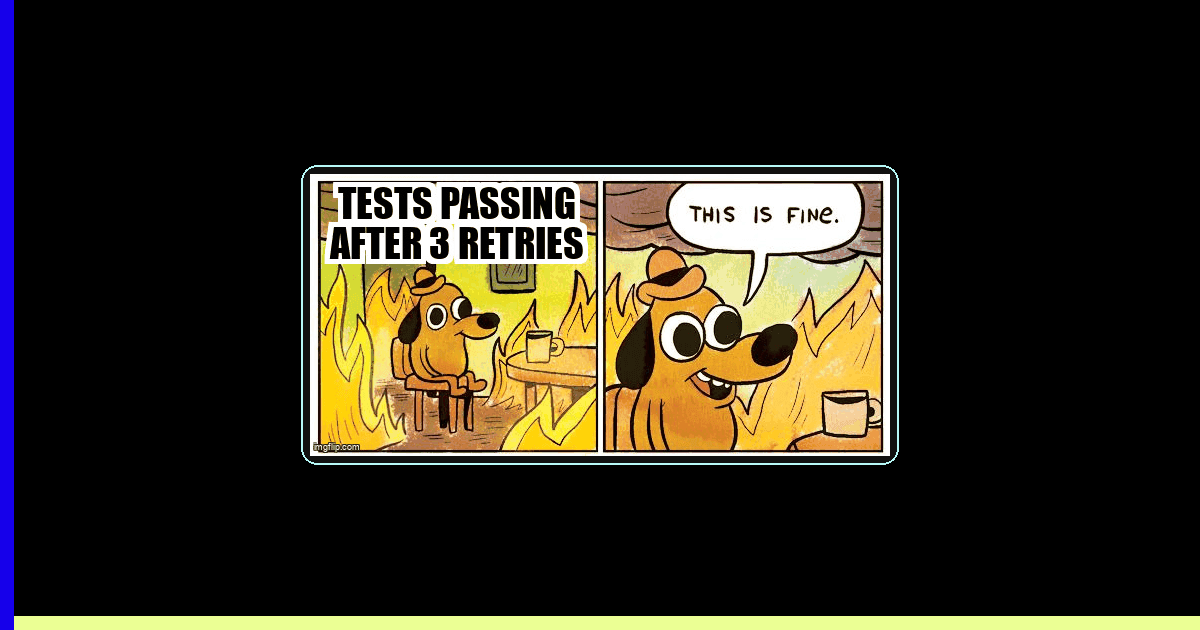
You push a commit. The CI pipeline turns red. You re-run the failed test without changing anything—and it passes. This is the nightmare of flaky tests: failures that appear and disappear like ghosts, eroding team confidence in your entire test suite.
According to the 2025 Stack Overflow Developer Survey, 67% of developers report spending more than 2 hours per week debugging flaky tests. Yet most teams treat flakiness as an unavoidable nuisance, adding retry logic instead of investigating root causes. This creates a vicious cycle: as test suites grow, flaky tests multiply, CI times balloon, and eventually teams start ignoring test failures altogether.
Flaky test archaeology is the systematic process of diagnosing and permanently fixing non-deterministic test failures. This guide covers the investigation techniques, debugging tools, and refactoring strategies that eliminate flakiness at its source.
What Causes Test Flakiness?
Test flakiness stems from four primary categories of non-determinism. Understanding which category your flaky test falls into determines your debugging approach.
| Category | Symptoms | Common Examples |
|---|---|---|
| Race Conditions | Test passes when slow, fails when fast | Clicking before element interactive, asserting before network completes |
| Timing Issues | Arbitrary timeouts expire occasionally | Hard-coded waits, animation durations, debounce timers |
| State Pollution | Test order affects pass/fail | Shared database records, global variables, localStorage leakage |
| Environment Dependencies | Fails on CI but passes locally | Timezone assumptions, missing dependencies, resource constraints |
Research by Google's Test Automation team found that 45% of flaky tests are caused by race conditions, 30% by timing issues, 15% by state pollution, and 10% by environment dependencies. This distribution suggests that improving synchronization strategies eliminates nearly half of all flakiness.
Step 1: Reproduce the Flakiness Systematically
Before you can fix a flaky test, you need to reproduce it reliably enough to understand its failure pattern. The loop reproduction technique runs the test repeatedly until you capture several failures.
// Playwright - Run test 100 times to expose flakiness
test.describe.configure({ mode: 'parallel' });

for (let i = 0; i < 100; i++) {
  test(`flaky test attempt ${i + 1}`, async ({ page }) => {
    await page.goto('/dashboard');
    await page.click('button[data-testid="load-data"]');

    // This assertion occasionally fails due to race condition
    await expect(page.locator('.data-table')).toContainText('Total: 42');
  });
}

// Run with: npx playwright test --project=chromium --workers=4
// Captures failure rate: 7 failures out of 100 runs = 7% flaky
Track your findings in a structured format:
- Failure rate - 7% flaky vs 50% flaky indicates different root causes
- Failure mode consistency - Same assertion failing or different errors each time?
- Environmental patterns - Fails more on CI, in parallel mode, or specific browsers?
- Timing correlation - Does adding sleep() fix it temporarily?
Pro Tip: Use Trace Recording on Every Run
Enable trace recording for all loop iterations to capture the exact state when tests fail. Playwright's trace viewer shows network requests, DOM snapshots, and console logs at each step, making it far easier to spot patterns across multiple failures.
// playwright.config.ts
use: {
  trace: 'retain-on-failure', // Keep traces only for failed runs
  screenshot: 'only-on-failure'
}
Step 2: Use Debugging Tools to Identify Root Causes
Modern test automation frameworks provide sophisticated debugging tools that expose non-deterministic behavior. The key is knowing which tool reveals which type of flakiness.
Playwright Trace Viewer: Timeline-Based Investigation
Playwright's trace viewer records every action, network request, and DOM mutation during test execution. This timeline view is invaluable for identifying race conditions.
// Run test with tracing enabled
npx playwright test --trace on

// Open trace viewer
npx playwright show-trace trace.zip

// In the trace viewer, look for:
// 1. Network requests completing AFTER assertions run
// 2. DOM changes happening between action and assertion
// 3. Animation/transition durations overlapping with test actions
// 4. Console errors or warnings indicating race conditions
The trace timeline shows you exactly when the assertion fired relative to when the network request completed. If you see the assertion at timestamp 1.2s and the network response at 1.25s, you've found your race condition.
Cypress Time-Travel Debugging: State Inspection
Cypress's interactive test runner lets you hover over each command to see DOM snapshots before and after execution. This reveals state pollution issues that occur between test steps.
// Cypress - Inspect state at each step
cy.visit('/dashboard');
cy.get('[data-testid="load-data"]').click();

// Hover over this command in the test runner
// Compare "before" snapshot (loading state) vs "after" (loaded state)
cy.get('.data-table').should('contain', 'Total: 42');

// Check the console log for each step - look for:
// - Unexpected state from previous test
// - localStorage/sessionStorage pollution
// - Global event listeners still attached
Selenium Event Listeners: Capturing DOM Changes
Selenium event listeners log every driver action and element state change. This granular logging helps identify precisely when elements become stale or non-interactive.
// Selenium with Python - Event listener for debugging
from selenium.webdriver.support.events import AbstractEventListener

class FlakinessDebugListener(AbstractEventListener):
    def before_click(self, element, driver):
        print(f"Before click: {element.tag_name} - visible={element.is_displayed()}")
        print(f"  Location: {element.location}, Size: {element.size}")

    def after_click(self, element, driver):
        print(f"After click: DOM hash changed = {self.dom_changed(driver)}")

    def on_exception(self, exception, driver):
        print(f"Exception: {exception}")
        driver.save_screenshot(f"failure-{time.time()}.png")

# Wrap driver with listener
from selenium.webdriver.support.events import EventFiringWebDriver
driver = EventFiringWebDriver(base_driver, FlakinessDebugListener())
Step 3: Refactor Tests for Deterministic Behavior
Once you've identified the root cause, apply the appropriate refactoring pattern. These strategies transform flaky tests into reliable, deterministic checks.
Fix Race Conditions with Explicit Waits
Replace arbitrary timeouts with explicit waits for specific conditions. Modern frameworks provide auto-waiting, but you need to wait for the right thing.
| Flaky Pattern | Deterministic Fix |
|---|---|
await page.click(button); await expect(text).toBeVisible(); | await page.click(button); await page.waitForResponse(/api\/data/); await expect(text).toBeVisible(); |
cy.click(button); cy.get('.result').should('exist'); | cy.intercept('GET', '/api/data').as('getData'); cy.click(button); cy.wait('@getData'); cy.get('.result').should('exist'); |
driver.find_element().click(); assert element.text == "Done" | driver.find_element().click(); WebDriverWait(driver, 10).until(EC.text_to_be_present_in_element((By.ID, 'status'), "Done")) |
Playwright's auto-waiting feature reduces flakiness by 80% compared to manual waits (Playwright documentation benchmarks, 2025), but only if you wait for actionability—not just existence.
Eliminate State Pollution with Proper Isolation
State pollution occurs when tests share mutable state. The fix is enforcing strict isolation between test runs.
// Playwright - Proper test isolation
test.beforeEach(async ({ page, context }) => {
  // Clear all storage before each test
  await context.clearCookies();
  await context.clearPermissions();

  // Reset application state via API
  await page.request.post('/api/test/reset', {
    data: { userId: 'test-user-' + Date.now() }
  });

  // Navigate with fresh state
  await page.goto('/dashboard');
});

test.afterEach(async ({ page }) => {
  // Clean up test data
  await page.request.delete('/api/test/cleanup');
});

// Each test now runs in complete isolation
test('loads user data', async ({ page }) => {
  // No pollution from previous tests
  await expect(page.locator('.user-name')).toBeEmpty();
});
Handle Environment Dependencies with Feature Detection
Tests that make assumptions about the environment (timezone, locale, available fonts) fail unpredictably across different CI runners. Use feature detection instead of assumptions.
// Bad: Assumes specific timezone
test('displays appointment time', async ({ page }) => {
  await expect(page.locator('.time')).toHaveText('3:00 PM PST');
});

// Good: Tests relative to injected timezone
test('displays appointment time', async ({ page }) => {
  const timezone = 'America/Los_Angeles';
  await page.addInitScript(`
    window.TEST_TIMEZONE = '${timezone}';
  `);

  await page.goto('/appointments');

  // Application uses window.TEST_TIMEZONE in test mode
  const displayedTime = await page.locator('.time').textContent();
  const expectedTime = new Date('2026-02-03T15:00:00')
    .toLocaleTimeString('en-US', {
      timeZone: timezone,
      hour: 'numeric',
      minute: '2-digit',
      timeZoneName: 'short'
    });

  expect(displayedTime).toBe(expectedTime);
});
Step 4: Implement Quarantine Strategies During Fixes
While you investigate and fix root causes, prevent flaky tests from blocking your entire CI pipeline. Quarantine strategies isolate flaky tests without ignoring them completely.
- Test retries with reporting - Allow 2-3 retries but flag tests that needed retries in CI output
- Separate CI job for flaky tests - Run known flaky tests in a non-blocking job so they don't gate deployments
- Flaky test dashboard - Track flaky test frequency and assign ownership for fixes
- Time-boxed quarantine - Automatically fail builds if flaky tests aren't fixed within 7 days
// playwright.config.ts - Retry with visibility
export default defineConfig({
  retries: process.env.CI ? 2 : 0,

  reporter: [
    ['html'],
    ['json', { outputFile: 'test-results.json' }],
    // Custom reporter that flags retried tests
    ['./reporters/flaky-test-reporter.ts']
  ],
});

// flaky-test-reporter.ts
class FlakyTestReporter {
  onTestEnd(test, result) {
    if (result.status === 'passed' && result.retry > 0) {
      console.warn(`⚠️  FLAKY: ${test.title} passed after ${result.retry} retries`);

      // Send to monitoring system
      reportFlaky({
        test: test.title,
        retries: result.retry,
        duration: result.duration,
        timestamp: new Date().toISOString()
      });
    }
  }
}
Warning: Retries Mask Root Causes
Test retries should be a temporary triage mechanism, not a permanent solution. Each retry adds 30-90 seconds to CI time, and as flaky tests accumulate, your pipeline becomes exponentially slower. Google's engineering blog reports that teams with >10% flaky test rates spend 40% more on CI infrastructure costs due to retries and re-runs.
Step 5: Verify Fixes with Extended Runs
After applying a fix, verify it eliminates flakiness by running the test hundreds of times. A test that passes 500 consecutive runs has a <0.2% flaky rate—acceptable for most teams.
// Verification script - Run fixed test 500 times
#!/bin/bash

TEST_FILE="tests/previously-flaky-test.spec.ts"
ITERATIONS=500
FAILURES=0

echo "Running $TEST_FILE $ITERATIONS times..."

for i in $(seq 1 $ITERATIONS); do
  if ! npx playwright test "$TEST_FILE" --workers=1 > /dev/null 2>&1; then
    FAILURES=$((FAILURES + 1))
    echo "Failure detected on iteration $i"
  fi

  if [ $((i % 50)) -eq 0 ]; then
    echo "Progress: $i/$ITERATIONS runs completed, $FAILURES failures"
  fi
done

FLAKY_RATE=$(echo "scale=2; ($FAILURES / $ITERATIONS) * 100" | bc)
echo "Final flaky rate: $FLAKY_RATE%"

if [ $FAILURES -eq 0 ]; then
  echo "✅ Test is stable - 0 failures in $ITERATIONS runs"
  exit 0
else
  echo "❌ Test still flaky - $FAILURES failures ($FLAKY_RATE%)"
  exit 1
fi
Key Takeaways
- Reproduce flakiness systematically - Run tests 50-100 times in loops to capture failure patterns and rates
- Use framework debugging tools - Playwright's trace viewer, Cypress's time-travel, and Selenium event listeners expose root causes
- Fix race conditions with explicit waits - Wait for specific conditions (network responses, DOM states) instead of arbitrary timeouts
- Isolate test state completely - Clear storage, reset databases, and use unique test data for each run
- Quarantine flaky tests temporarily - Use retries with reporting and separate CI jobs while you fix root causes
- Verify fixes with extended runs - 500 consecutive passes confirms <0.2% flaky rate
Flaky test archaeology transforms test automation from a source of frustration into a reliable safety net. By investing time in root cause fixes rather than retry band-aids, you build test suites that teams actually trust—and that catch real bugs before they reach production.
Ready to strengthen your test automation?
Desplega.ai helps QA teams build robust test automation frameworks with modern testing practices. Whether you're starting from scratch or improving existing pipelines, we provide the tools and expertise to catch bugs before production.
Start Your Testing TransformationFrequently Asked Questions
What causes flaky tests in automated testing?
Race conditions (45%), network timing issues (30%), shared state pollution (15%), and environment dependencies (10%) are the primary causes of flaky tests according to recent automation studies.
How do I reproduce a flaky test reliably?
Run the test in a loop 50-100 times using test.only() with iterations, capture failure patterns, and use tools like Playwright's trace viewer to record every execution for comparison.
Should I use test retries for flaky tests?
Retries should only be a temporary quarantine strategy. Permanent fixes require identifying root causes through debugging tools and refactoring tests for deterministic behavior.
Which debugging tools help identify flaky test causes?
Playwright's trace viewer with timeline inspection, Cypress's time-travel debugging with snapshots, and Selenium's event listeners for capturing DOM changes are the most effective tools.
How long does it take to fix a flaky test?
Simple timing issues take 30-60 minutes to fix. Complex race conditions or environment-specific problems require 4-8 hours of systematic investigation and refactoring.
Related Posts
When I Reject v0 Code: Pattern-Matching Rules for Safer UI Generation
A practical v0 review gate for safer generated React UI: AST checks, Playwright smoke tests, accessibility rules, and rejection signals.
Cody's Repository Indexing: Does Cognitive Offloading Create Knowledge Gaps in Large Codebases? | Desplega AI
A practical deep dive into Cody repository indexing, context retrieval, and how indie hackers avoid AI-created knowledge gaps.
Hot Module Replacement: Why Your Dev Server Restarts Are Killing Your Flow State | desplega.ai
Stop losing 2-3 hours daily to dev server restarts. Master HMR configuration in Vite and Next.js to maintain flow state, preserve component state, and boost coding velocity by 80%.