
Ship Fast, Debug Faster: The Solopreneur's Guide to Production Monitoring
Stop flying blind. Set up production monitoring that actually helps you ship with confidence—no DevOps degree required.
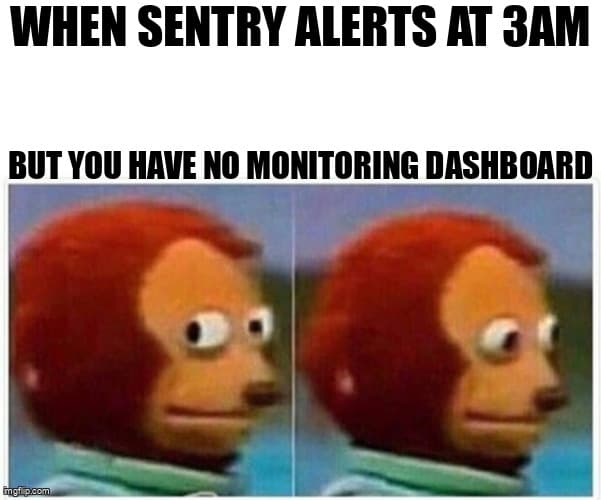
The Solopreneur's Nightmare
You wake up to a DM: "Hey, your app is broken." Panic sets in. You open your laptop, check the logs... nothing. You refresh the production site. Looks fine to you. But somewhere, for someone, something is definitely wrong.
This is the reality for most indie hackers and solopreneurs. You ship fast, you iterate, you move on to the next feature. But without proper monitoring, you're flying blind. Silent failures happen. Users churn. You don't find out until it's too late.
Good news: you don't need a full DevOps team or enterprise monitoring solutions. You need three things that take less than an hour to set up and will save you countless hours of debugging.
1. Sentry: Your Error Safety Net (10 Minutes)
Sentry is the non-negotiable foundation. When your app crashes, Sentry catches it, tells you exactly what happened, and gives you the stack trace. No more "works on my machine" mysteries.
Setup in under 10 minutes:
- Sign up at sentry.io (free tier is generous)
- Install the SDK:
npm install @sentry/nextjs(or React, Node, whatever you're using) - Run the wizard:
npx @sentry/wizard -i nextjs - Deploy. Done.
Sentry will now capture every unhandled exception, API error, and frontend crash. You'll get email and Slack notifications (configure them wisely—more on that later).
Pro tip for solopreneurs: Set up release tracking. Tag each deployment with a version number. When an error happens, Sentry shows you which release introduced it. This is a game-changer when you ship multiple times a day.
2. LogRocket: Watch Users Break Your App in Real-Time
Sentry tells you what broke. LogRocket shows you how the user broke it.
LogRocket records user sessions—mouse movements, clicks, network requests, console logs, everything. When something goes wrong, you can literally replay the user's session and see exactly what they did.
Why this matters: Most bugs aren't reproducible in your local environment. A user clicks something weird. They have a slow connection. They're on Safari (shudder). LogRocket captures all of it.
Quick setup:
- Sign up at logrocket.com (free tier: 1,000 sessions/month)
- Install:
npm install logrocket - Initialize in your app:
LogRocket.init('your-app-id') - Integrate with Sentry:
LogRocket.getSessionURL()→ attach to Sentry errors
Now when Sentry fires an alert, you get a link to the LogRocket session. Watch the replay. See what the user saw. Fix it in minutes instead of hours.
Privacy note: LogRocket can sanitize sensitive data (passwords, credit cards, etc.). Configure this immediately. Your users will thank you.
3. Health Checks: Prevent Silent Failures
Errors are loud. They throw exceptions. Sentry catches them. But what about silent failures? Your database connection dies. Your background job stops processing. Your third-party API is down.
This is where health checks save you. A health check is a simple endpoint that verifies your app's critical dependencies are working.
Basic health check endpoint (Next.js example):
// app/api/health/route.ts
export async function GET() {
  const checks = {
    database: await checkDatabase(),
    redis: await checkRedis(),
    externalApi: await checkExternalApi(),
  };

  const allHealthy = Object.values(checks).every(c => c.healthy);

  return Response.json(
    { status: allHealthy ? 'healthy' : 'degraded', checks },
    { status: allHealthy ? 200 : 503 }
  );
}

async function checkDatabase() {
  try {
    await db.query('SELECT 1');
    return { healthy: true };
  } catch (error) {
    return { healthy: false, error: error.message };
  }
}
Deploy this. Then set up external monitoring with UptimeRobot, BetterStack, or Cronitor (all have free tiers). They'll ping your /api/health endpoint every 5 minutes.
If it returns a non-200 status, you get an alert. Simple. Effective. Catches problems before users complain.
The Alert Paradox: Configure for Signal, Not Noise
Here's where most solopreneurs fail: they set up monitoring, get overwhelmed with alerts, and start ignoring them. This defeats the entire purpose.
Rules for alert hygiene:
- Only alert on actionable issues. If you can't do anything about it right now, it shouldn't wake you up.
- Group similar errors. Sentry will fire 1,000 alerts for the same bug. Configure it to group by issue and limit notifications to once per issue.
- Use severity levels. Critical = wake me up. Warning = check in the morning. Info = log only.
- Set alert thresholds. One error? Log it. Ten errors in five minutes? Alert.
Your goal is to trust your alerts. When you get one, you should know it matters.
The Solo Operator's Monitoring Stack
Let's bring it all together. Here's the minimal viable monitoring setup for solopreneurs:
- Sentry → catches errors, tracks releases, sends alerts
- LogRocket → session replay for debugging weird user issues
- Health check endpoint → verifies critical dependencies
- UptimeRobot → pings health check, alerts if down
- Slack webhook → sends all alerts to one channel you actually check
Total cost: $0/month (free tiers). Total setup time: < 1 hour. Total peace of mind: priceless.
Ship with Confidence
Production monitoring isn't about paranoia. It's about confidence. When you have visibility into your app's health, you can ship faster because you trust you'll know if something breaks.
You don't need enterprise tools. You don't need a 24/7 ops team. You need three things: error tracking, session replay, and health checks.
Set them up today. Your future self—and your users—will thank you.
Now go ship something. You've got monitoring. You're covered.
Want to automate your entire QA workflow—monitoring, testing, and deployment? Check out desplega.ai. Built for teams shipping fast in Barcelona, Madrid, Valencia, and beyond.
Related Posts
Hot Module Replacement: Why Your Dev Server Restarts Are Killing Your Flow State | desplega.ai
Stop losing 2-3 hours daily to dev server restarts. Master HMR configuration in Vite and Next.js to maintain flow state, preserve component state, and boost coding velocity by 80%.
The Flaky Test Tax: Why Your Engineering Team is Secretly Burning Cash | desplega.ai
Discover how flaky tests create a hidden operational tax that costs CTOs millions in wasted compute, developer time, and delayed releases. Calculate your flakiness cost today.
The QA Death Spiral: When Your Test Suite Becomes Your Product | desplega.ai
An executive guide to recognizing when quality initiatives consume engineering capacity. Learn to identify test suite bloat, balance coverage vs velocity, and implement pragmatic quality gates.