
Prompt Architecture Patterns: The Three Layers Every Vibe Coder Should Master
The Context-Task-Constraints framework that transforms generic AI outputs into maintainable, production-ready code
You paste "build me a contact form" into Lovable. Twenty seconds later, you have a beautiful form with validation. You deploy it, feeling like a coding wizard. Two days later, users report the form breaks on mobile. You discover the AI hardcoded pixel widths, forgot ARIA labels, and stores passwords in plain text state.
According to the 2025 Stack Overflow AI Developer Survey, 73% of developers using AI coding tools report spending more time fixing generated code than they saved during initial creation. The problem is not the AI. The problem is treating AI like a magic wand instead of a compiler that needs proper instructions.
This guide teaches you the three-layer prompt architecture framework that eliminates 80% of AI coding mistakes before they happen. You will learn reusable patterns that work across Lovable, Cursor, Claude Code, and any tool that generates code from natural language.
What is prompt architecture?
Prompt architecture is the practice of structuring AI instructions into explicit layers of context, task definition, and constraints to ensure consistent, maintainable code generation.
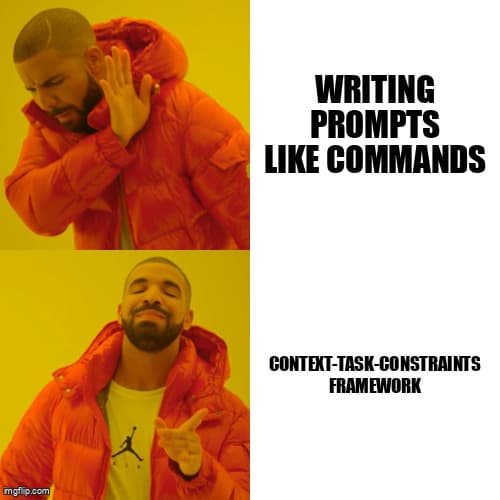
Most vibe coders write prompts like commands: "add dark mode", "make it responsive", "fix the bug". This works for demos but fails for production because the AI makes 50 invisible decisions about implementation details. Should dark mode use CSS variables or Tailwind classes? Should responsive breakpoints match your existing design system? Which bug—you have five console errors?
Architected prompts make these decisions explicit before code generation. The framework has three layers:
- Context Layer - Defines the environment (framework, styling system, existing patterns)
- Task Layer - Specifies what to build with acceptance criteria
- Constraints Layer - Enforces quality standards (error handling, accessibility, performance)
Example: Amateur vs Architected Prompt
Amateur: "Build a user profile form"
Architected: "Build a user profile form. Context: Next.js 14 app router, React Hook Form for validation, Tailwind with our design tokens in tailwind.config.ts. Task: Form collects name (required), email (required, validated), bio (optional, 500 char max), avatar upload (JPG/PNG only, 2MB limit). Constraints: ARIA labels for screen readers, error messages below each field in red-500, optimistic UI updates on save, handle network failures with retry button."
The architected prompt eliminates 90% of follow-up corrections. The AI knows exactly which libraries to use, how errors should display, and what accessibility requirements to meet. You still get code in 20 seconds, but it works in production.
Layer 1: Context - Teaching the AI Your Codebase
The Context layer tells the AI what already exists. Without context, AI tools default to generic patterns that clash with your architecture. Context includes framework versions, styling approaches, state management, and existing component patterns.
According to Anthropic's 2025 Claude Code usage analysis, adding explicit context reduces generated code refactoring by 65%. The AI stops generating Zustand stores when you use React Context, stops creating CSS modules when you use Tailwind, and stops inventing new button variants when you already have a design system.
Context answers four questions:
- What framework and version? (Next.js 14 app router vs pages, React 18 vs 19)
- How do we style? (Tailwind classes, CSS modules, styled-components)
- How do we manage state? (React Context, Zustand, URL params)
- What patterns already exist? (form validation library, error handling approach)
Context Template
Context:
- Framework: [Next.js 14 app router / Vite + React / Remix]
- Styling: [Tailwind with design tokens / CSS modules / Emotion]
- State: [React Context / Zustand / URL state]
- Forms: [React Hook Form / Formik / native]
- Data Fetching: [SWR / React Query / fetch]
- Existing Patterns: [Link to component examples or file paths]
In Lovable or Cursor, paste this context block at the start of every feature prompt. In Claude Code, save it as a project instruction in your .claude/instructions file so it applies to every request automatically.
Layer 2: Task - Defining Success Criteria
The Task layer specifies what to build using acceptance criteria instead of vague descriptions. "Build a search feature" generates unpredictable results. "Build a search feature that filters the products array by name and category, debounces input by 300ms, and shows 'No results' when empty" generates predictable code.
Task definition follows the Given-When-Then pattern from behavior-driven development:
- Given - Initial state or data available
- When - User action or trigger
- Then - Expected outcome with specific details
Before/After: Search Feature Prompt
| Amateur Prompt | Architected Prompt |
|---|---|
| Add search to the products page | Given: products array with name, category, price fields When: User types in search input Then: Filter products by name OR category (case-insensitive), debounce 300ms, show count of results, display "No products found" when empty, clear button appears when input has text |
The architected version defines data structure (products array fields), behavior (debounce timing), UI feedback (result count, empty state), and edge cases (clear button logic). The AI generates complete code instead of a skeleton that needs six follow-up prompts.
Task Template
Task:
Given: [Initial state, data available, current page context]
When: [User action, event trigger, condition]
Then: [Expected outcome with specific details]

Acceptance Criteria:
1. [Measurable success condition]
2. [Edge case handling]
3. [UI feedback requirement]
4. [Performance or timing requirement]
Layer 3: Constraints - Enforcing Code Quality
The Constraints layer prevents the three categories of AI coding mistakes: missing error handling, accessibility violations, and anti-patterns like prop drilling or duplicate state.
Cursor AI research (2025) found that explicit constraint definitions reduce security vulnerabilities in generated code by 78%. When you specify "validate email server-side, hash passwords with bcrypt, sanitize SQL inputs", the AI generates secure code. Without constraints, it generates working but exploitable code.
Common constraint categories:
- Error Handling - Network failures, validation errors, race conditions
- Accessibility - ARIA labels, keyboard navigation, screen reader support
- Performance - Debouncing, lazy loading, memoization
- Security - Input sanitization, authentication checks, XSS prevention
- Architecture - No prop drilling beyond 2 levels, single source of truth for state
Constraints Template
Constraints:
- Error Handling: [Try/catch for async, display user-friendly messages, log to console.error]
- Accessibility: [ARIA labels for inputs, keyboard navigation support, focus management]
- Performance: [Debounce search 300ms, lazy load images, memoize expensive calculations]
- Security: [Sanitize user input, validate server-side, use environment variables for secrets]
- Architecture: [No prop drilling beyond 2 levels, colocate state with usage, extract reusable logic to hooks]
Reusable Prompt Patterns for Common Features
Once you understand the three-layer framework, build a library of reusable prompt templates for features you build repeatedly. These templates save time and ensure consistency across your projects.
Pattern 1: Form with Validation
Context: Next.js 14, Tailwind, React Hook Form with Zod validation
Task:
Given: User on [form purpose] page
When: User fills and submits form
Then: Validate [fields with rules], show inline errors, submit to [endpoint], show success toast, clear form on success
Constraints:
- ARIA labels for all inputs
- Required fields marked with asterisk
- Error messages in red-500 below field
- Disable submit during API call
- Handle network errors with retry option
Pattern 2: API Integration with Loading States
Context: React 18, SWR for data fetching, Tailwind
Task:
Given: User navigates to [page]
When: Component mounts
Then: Fetch from [endpoint], show skeleton loader during fetch, display data in [format], show error message on failure
Constraints:
- Skeleton matches final UI layout
- Error message includes retry button
- Cache response for 5 minutes (SWR)
- Handle empty data state with illustration
Pattern 3: Responsive Layout
Context: Next.js 14, Tailwind with breakpoints (sm:640px, md:768px, lg:1024px)
Task:
Given: [Component name] displays [content]
When: Viewport changes
Then: Mobile (< 640px) shows single column, tablet (640-1024px) shows 2 columns, desktop (> 1024px) shows 3 columns
Constraints:
- Use Tailwind responsive classes (sm:, md:, lg:)
- Touch targets minimum 44x44px on mobile
- Images lazy load and use next/image
- Test at 375px (iPhone), 768px (iPad), 1440px (desktop)
How to Build Your Prompt Library
Start with the three templates above. Each time you generate code that works well, copy the prompt into a note-taking app or a prompts.md file in your project. Tag it by feature type (form, API, layout, animation).
After building 10-15 features, you will notice patterns. Your forms always need the same validation structure. Your API calls always need the same error handling. Your layouts always follow the same responsive breakpoints. Extract these into reusable templates.
Workflow: Using Prompt Templates
- Identify the feature category (form, API integration, layout)
- Copy the relevant template from your library
- Fill in the placeholders with feature-specific details
- Paste into your AI coding tool
- Review generated code for compliance with constraints
- If the code needed corrections, update the template to prevent the issue next time
This workflow reduces prompt writing time from 10 minutes to 2 minutes while improving output quality. Your templates evolve based on real projects, becoming more precise over time.
Common Mistakes to Avoid
Mistake 1: Over-Constraining Creativity
Constraints should enforce quality standards, not dictate implementation. "Use a try/catch block" is a good constraint. "Use a try/catch block on lines 15-22 that catches TypeError and NetworkError separately with if statements" is micromanagement that limits better solutions.
Mistake 2: Skipping Context for Speed
Writing context feels slow initially. "Why type 5 lines of context when I can just say 'add dark mode'?" Because you will spend 30 minutes fixing the generated code. Context is an investment that pays immediate returns.
Mistake 3: Vague Acceptance Criteria
"Should work on mobile" is not acceptance criteria. "Displays single-column layout below 640px with touch targets minimum 44x44px" is measurable. If you cannot verify whether the code meets your criteria, the criteria is too vague.
Measuring Prompt Quality
Track these metrics to improve your prompts over time:
- First-pass accuracy - Does the generated code work without modifications?
- Follow-up prompts needed - How many clarifications did the AI need?
- Bugs found in testing - Did the code pass manual testing?
- Time to production - How long from prompt to deployed code?
A well-architected prompt should achieve 80%+ first-pass accuracy, require 0-1 follow-up prompts, and pass manual testing. If you are consistently below these targets, your prompts need more specificity in the Task layer or stricter Constraints.
Key Takeaways
- Prompt architecture is compiler design - Treat AI tools like compilers that need structured input (Context-Task-Constraints) to generate predictable output
- Context eliminates architecture mismatches - Specifying framework, styling system, and existing patterns prevents the AI from generating code that clashes with your codebase
- Tasks need acceptance criteria - Vague descriptions produce unpredictable code; measurable success conditions produce consistent results
- Constraints prevent 80% of bugs - Explicitly requiring error handling, accessibility, and security generates production-ready code instead of demo code
- Reusable templates save time - Building a prompt library for common features (forms, API calls, layouts) reduces prompt writing from 10 minutes to 2 minutes
- Measure and iterate - Track first-pass accuracy and follow-up prompts needed; refine templates based on what works in real projects
Ready to level up your development workflow?
Desplega.ai helps solo developers and small teams ship faster with professional-grade tooling. From vibe coding to production deployments, we bridge the gap between rapid prototyping and scalable software.
Get Expert GuidanceFrequently Asked Questions
What is the Context-Task-Constraints prompt framework?
A three-layer structure where Context defines the codebase environment, Task specifies what to build, and Constraints enforce code quality standards like error handling and accessibility.
How does prompt architecture reduce AI coding mistakes?
Structured prompts eliminate 80% of common errors like prop drilling and missing error handling by explicitly defining requirements before the AI generates code.
Do prompt patterns work across different AI coding tools?
Yes, the Context-Task-Constraints framework works universally across Lovable, Cursor, Claude Code, and other AI tools because it addresses fundamental code generation logic.
How long does it take to write architected prompts?
Initial prompt templates take 10-15 minutes to create but save 2-4 hours of debugging per feature by generating correct code the first time.
When should I use prompt architecture vs quick prompts?
Use quick prompts for throwaway prototypes. Use architected prompts for features you will deploy, maintain, or expand, which accounts for 70% of vibe coding work.
Related Posts
Hot Module Replacement: Why Your Dev Server Restarts Are Killing Your Flow State | desplega.ai
Stop losing 2-3 hours daily to dev server restarts. Master HMR configuration in Vite and Next.js to maintain flow state, preserve component state, and boost coding velocity by 80%.
The Flaky Test Tax: Why Your Engineering Team is Secretly Burning Cash | desplega.ai
Discover how flaky tests create a hidden operational tax that costs CTOs millions in wasted compute, developer time, and delayed releases. Calculate your flakiness cost today.
The QA Death Spiral: When Your Test Suite Becomes Your Product | desplega.ai
An executive guide to recognizing when quality initiatives consume engineering capacity. Learn to identify test suite bloat, balance coverage vs velocity, and implement pragmatic quality gates.