
Vibe Coding a Sports Sim: Architecture Patterns for the Replit Agent Ecosystem
The fastest way to vibe code a sports sim is to make the rules boring, deterministic, and impossible for your agent to casually rewrite.
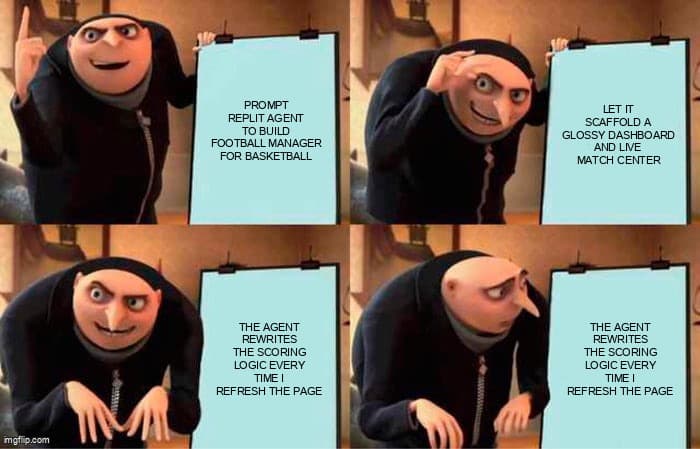
A sports sim looks like the perfect Replit Agent project. You can describe the vibe in one prompt: fictional league, live match center, roster cards, transfer rumors, power rankings, maybe a tiny betting-odds style prediction panel if you are feeling spicy. Replit Agent is built for that kind of loop: Replit's own docs describe Agent as a builder that can plan, create, check work, fix problems, and help publish from plain-language prompts. That is exactly why the architecture matters.
The trap is that sports sims are not normal CRUD apps. They are small rule engines wearing a fun UI. If your match result changes because the model regenerated a component, you do not have a feature. You have a slot machine. The practical move is to let Replit Agent move fast on screens, wiring, copy, charts, and deployment while you lock the simulation core behind contracts it can understand and tests it has to pass.
This post is for indie hackers and solo builders who want to ship a playable MVP without spending three weeks drawing architecture diagrams. We will design a Replit-friendly sports sim stack, define prompt contracts, build a deterministic TypeScript engine, add persistence that survives refreshes and replays, and write tests that catch the weird stuff before your users do. If you are already thinking about agent reliability, pair this with our AI test infrastructure deep dive after you finish the first playable loop.
Two real signals explain why this workflow matters now. The Stack Overflow 2025 Developer Survey reports that 84% of respondents use or plan to use AI tools in development, and 51% of professional developers use them daily. GitHub Octoverse 2025 reports that TypeScript became the most used language on GitHub in August 2025. Translation: AI-assisted TypeScript app building is no longer fringe behavior. The winners will be the builders who add structure without killing momentum.
What makes a sports sim hard to vibe code?
A sports sim fails differently from a landing page. A landing page can have messy internals and still convert. A sim has state, time, randomness, derived stats, standings, injuries, schedules, and user expectations shaped by real sports. If a player scores twice but the box score shows one goal, users immediately feel the lie. If a standings table handles ties wrong, the whole league loses credibility. If a match cannot be replayed from a seed, you cannot debug it.
Replit Agent is useful here because it can scaffold the app quickly, keep context in the project, and iterate with Preview. The Replit first-app guide explicitly frames the loop as build with Agent, test in Preview, publish, and share. For a sports sim, you should make that loop stricter: plan the engine, generate fixtures, run deterministic tests, inspect Preview, then publish. The agent can accelerate every step, but it needs rails.
- Randomness must be seeded, not sprayed through Math.random across UI files.
- Rules must be pure functions, not hidden inside React components.
- Persistence must store inputs and snapshots, not only pretty summaries.
- AI-generated UI must not become the source of truth for game state.
- Every prompt should tell Agent what it may change and what it must preserve.
How should you prompt Replit Agent for a sports sim?
Prompt for the engine first: entities, tick rules, invariants, persistence, tests, and only then the UI Replit should scaffold.
The best Replit Agent prompt for a sim is not "build Football Manager for basketball." That prompt is fun, but it gives the agent too much freedom. Instead, use a layered build brief. Replit's docs note that Plan mode can break down complex projects into ordered task lists and explore trade-offs before code changes. Use that. Ask for the architecture before the pixels.
A strong first prompt: "Create a TypeScript sports league simulator. First propose the file structure and data model. Keep all simulation rules in src/sim. Use seeded randomness. Add tests for repeatability, overtime, tied standings, and invalid rosters. Only after tests pass, scaffold a dashboard UI that calls the engine. Do not put simulation logic in React components."
That prompt gives Agent a map. More importantly, it gives you review points. You can approve the data model, then the engine, then the UI. It also gives future prompts a shared vocabulary: engine, seed, invariant, snapshot, replay, standings. That vocabulary is the difference between "make it better" and "fix the standings tiebreaker without changing match simulation."
Architecture: split the fun app from the serious engine
The core pattern is boring in the best way: a pure simulation package, a thin API layer, a persistence layer, and a UI layer. Replit Agent can generate all four, but your prompt should make the boundaries explicit. The UI can be remixed often. The engine should change slowly. If you are using Desplega.ai to pressure-test launch flows, this is also the pattern we recommend in our guide to testing AI-generated apps.
| Naive vibe-code shape | Agent-ready production shape | Why it matters |
|---|---|---|
| Sim logic inside components | Pure src/sim engine functions | Tests can replay outcomes without rendering React. |
| Math.random everywhere | Seeded RNG passed through tick functions | Bugs become reproducible from a seed and event log. |
| Store only final scores | Store inputs, seed, events, and snapshots | You can audit, replay, and migrate seasons. |
| Prompt says "improve gameplay" | Prompt names exact invariant and test | Agent changes become smaller and easier to review. |
Code example 1: a deterministic match engine
Start with the smallest engine that can embarrass you if it is wrong. This example simulates a match from typed teams, validates edge cases, uses a deterministic pseudo-random generator, and returns a replayable event log. It is intentionally framework-free so Replit Agent can import it from an API route, a cron job, or a React client preview without rewriting the rules.
// src/sim/match-engine.ts
import { z } from 'zod'

const PlayerSchema = z.object({
  id: z.string().min(1),
  name: z.string().min(1),
  attack: z.number().int().min(1).max(100),
  defense: z.number().int().min(1).max(100),
})

const TeamSchema = z.object({
  id: z.string().min(1),
  name: z.string().min(1),
  players: z.array(PlayerSchema).min(5, 'a team needs at least five players'),
})

export type Team = z.infer<typeof TeamSchema>
export type MatchEvent = { tick: number; teamId: string; playerId: string; points: 1 | 2 | 3 }
export type MatchResult = { seed: number; homeScore: number; awayScore: number; events: MatchEvent[] }

function mulberry32(seed: number) {
  let value = seed >>> 0
  return () => {
    value += 0x6d2b79f5
    let next = value
    next = Math.imul(next ^ (next >>> 15), next | 1)
    next ^= next + Math.imul(next ^ (next >>> 7), next | 61)
    return ((next ^ (next >>> 14)) >>> 0) / 4294967296
  }
}

export function simulateMatch(input: { home: Team; away: Team; seed: number; ticks?: number }): MatchResult {
  const home = TeamSchema.parse(input.home)
  const away = TeamSchema.parse(input.away)

  if (home.id === away.id) throw new Error('home and away teams must be different')
  if (!Number.isInteger(input.seed) || input.seed < 0) throw new Error('seed must be a non-negative integer')

  const ticks = input.ticks ?? 48
  if (!Number.isInteger(ticks) || ticks < 1 || ticks > 200) throw new Error('ticks must be between 1 and 200')

  const rng = mulberry32(input.seed)
  const events: MatchEvent[] = []
  let homeScore = 0
  let awayScore = 0

  for (let tick = 1; tick <= ticks; tick++) {
    const attacking = rng() > 0.5 ? home : away
    const defending = attacking.id === home.id ? away : home
    const shooter = attacking.players[Math.floor(rng() * attacking.players.length)]
    const defender = defending.players[Math.floor(rng() * defending.players.length)]

    const shotQuality = shooter.attack - defender.defense + rng() * 100
    if (shotQuality < 42) continue

    const points = shotQuality > 118 ? 3 : shotQuality > 78 ? 2 : 1
    events.push({ tick, teamId: attacking.id, playerId: shooter.id, points })

    if (attacking.id === home.id) homeScore += points
    else awayScore += points
  }

  if (homeScore < 0 || awayScore < 0) throw new Error('impossible negative score invariant')
  return { seed: input.seed, homeScore, awayScore, events }
}
The important bit is not the basketball math. You will tune that later. The important bit is the contract. Invalid rosters throw immediately. Seeds are explicit. Tick limits prevent runaway agent-generated loops. Events are replay data, not decoration. If Replit Agent later redesigns the scoreboard, this module should still pass the same tests.
Code example 2: an API route that protects the engine
Once the engine exists, expose it through a thin route. Do not let the UI invent team shapes. Do not let the client choose infinite ticks. Do not hide validation errors behind a generic 500. In a Replit app, this kind of boundary makes Agent-generated frontends safer because the backend tells the truth.
// app/api/sim/match/route.ts
import { NextRequest, NextResponse } from 'next/server'
import { z } from 'zod'
import { simulateMatch } from '@/src/sim/match-engine'

const RequestSchema = z.object({
  seed: z.number().int().min(0).max(2_147_483_647),
  ticks: z.number().int().min(1).max(80).optional(),
  home: z.object({
    id: z.string().min(1),
    name: z.string().min(1),
    players: z.array(z.object({
      id: z.string().min(1),
      name: z.string().min(1),
      attack: z.number().int().min(1).max(100),
      defense: z.number().int().min(1).max(100),
    })).min(5),
  }),
  away: z.object({
    id: z.string().min(1),
    name: z.string().min(1),
    players: z.array(z.object({
      id: z.string().min(1),
      name: z.string().min(1),
      attack: z.number().int().min(1).max(100),
      defense: z.number().int().min(1).max(100),
    })).min(5),
  }),
})

export async function POST(request: NextRequest) {
  try {
    const body = await request.json()
    const parsed = RequestSchema.safeParse(body)

    if (!parsed.success) {
      return NextResponse.json(
        { error: 'invalid_match_request', issues: parsed.error.flatten() },
        { status: 400 },
      )
    }

    const result = simulateMatch(parsed.data)
    return NextResponse.json({ result }, { status: 200 })
  } catch (error) {
    if (error instanceof SyntaxError) {
      return NextResponse.json({ error: 'invalid_json' }, { status: 400 })
    }

    const message = error instanceof Error ? error.message : 'unknown simulation failure'
    return NextResponse.json({ error: 'simulation_failed', message }, { status: 422 })
  }
}
This route is deliberately unglamorous. That is what makes it useful. When Preview breaks, you can inspect whether the frontend sent bad JSON, a short roster, duplicate teams, or a valid request that exposed a real engine bug. Replit Agent can then fix the right layer instead of guessing.
How do you keep AI-generated gameplay from drifting?
Freeze gameplay as tests and replay files. Let Agent improve UX, but require unchanged seeds to produce unchanged outcomes.
Drift is the silent killer. You ask Agent to make the match feed more exciting, and suddenly scoring is easier because the component started deriving points client-side. You ask for better standings, and a tiebreaker quietly changes. The fix is to save canonical replay fixtures and run them on every significant change.
Code example 3: replay tests for invariant drift
This Vitest suite checks repeatability, bad inputs, and a real edge case: the same team cannot play itself. It also shows the prompt you should give Replit Agent when the test fails. That prompt gives the agent a bounded repair job instead of a vague debugging quest.
// src/sim/match-engine.test.ts
import { describe, expect, it } from 'vitest'
import { simulateMatch, type Team } from './match-engine'

const makeTeam = (id: string, attack = 70, defense = 60): Team => ({
  id,
  name: id === 'home' ? 'Barcelona Comets' : 'Madrid Meteors',
  players: Array.from({ length: 8 }, (_, index) => ({
    id: `${id}-p-${index}`,
    name: `Player ${index}`,
    attack: attack + (index % 3),
    defense: defense + (index % 2),
  })),
})

describe('simulateMatch', () => {
  it('returns identical results for the same seed and teams', () => {
    const input = { home: makeTeam('home'), away: makeTeam('away'), seed: 20260623, ticks: 48 }

    const first = simulateMatch(input)
    const second = simulateMatch(input)

    expect(second).toEqual(first)
    expect(first.homeScore + first.awayScore).toBe(
      first.events.reduce((sum, event) => sum + event.points, 0),
    )
  })

  it('rejects impossible fixtures before simulating', () => {
    const team = makeTeam('home')

    expect(() => simulateMatch({ home: team, away: team, seed: 1 })).toThrow(
      'home and away teams must be different',
    )
  })

  it('rejects short rosters with a useful validation error', () => {
    const shortRoster = { ...makeTeam('away'), players: makeTeam('away').players.slice(0, 3) }

    expect(() => simulateMatch({ home: makeTeam('home'), away: shortRoster, seed: 7 })).toThrow()
  })
})

/*
Prompt to Agent when this fails:
The repeatability test in src/sim/match-engine.test.ts is failing. Fix only src/sim/match-engine.ts.
Do not change the test, API route, or UI. Preserve seeded RNG behavior and explain the cause.
*/
One gotcha: if Agent generates snapshots with live dates, local time zones, or unordered object keys, tests may flicker. Keep replay fixtures focused on stable data: seed, teams, ticks, events, and final scores. Dates belong in season metadata, not deterministic match output.
Code example 4: persist replays without lying to yourself
Persistence is where many sim MVPs get weird. If you only save final scores, you cannot explain how the result happened. If you only save the whole app state blob, migrations become painful. A pragmatic middle is to save match inputs, seed, result, and a schema version. This example uses a tiny repository layer that can run with SQLite on Replit or be swapped for Postgres later.
// src/sim/replay-store.ts
import { z } from 'zod'
import type { MatchResult, Team } from './match-engine'

const SavedReplaySchema = z.object({
  id: z.string().min(1),
  schemaVersion: z.literal(1),
  createdAt: z.string().datetime(),
  home: z.unknown(),
  away: z.unknown(),
  result: z.object({
    seed: z.number().int().min(0),
    homeScore: z.number().int().min(0),
    awayScore: z.number().int().min(0),
    events: z.array(z.object({
      tick: z.number().int().min(1),
      teamId: z.string().min(1),
      playerId: z.string().min(1),
      points: z.union([z.literal(1), z.literal(2), z.literal(3)]),
    })),
  }),
})

export type SavedReplay = z.infer<typeof SavedReplaySchema>
export type ReplayDb = {
  get(id: string): Promise<string | null>
  set(id: string, value: string): Promise<void>
}

export async function saveReplay(db: ReplayDb, input: { id: string; home: Team; away: Team; result: MatchResult }) {
  if (!input.id.match(/^[a-z0-9-]{8,80}$/)) throw new Error('replay id must be URL-safe')

  const replay = SavedReplaySchema.parse({
    id: input.id,
    schemaVersion: 1,
    createdAt: new Date().toISOString(),
    home: input.home,
    away: input.away,
    result: input.result,
  })

  try {
    await db.set(input.id, JSON.stringify(replay))
  } catch (error) {
    const message = error instanceof Error ? error.message : 'unknown database error'
    throw new Error(`failed to save replay ${input.id}: ${message}`)
  }
}

export async function loadReplay(db: ReplayDb, id: string): Promise<SavedReplay | null> {
  const raw = await db.get(id)
  if (!raw) return null

  try {
    return SavedReplaySchema.parse(JSON.parse(raw))
  } catch (error) {
    const message = error instanceof Error ? error.message : 'invalid replay payload'
    throw new Error(`replay ${id} cannot be loaded: ${message}`)
  }
}
The edge case here is old data. Your future self will change the sim. Schema versions let you migrate replays intentionally instead of pretending every saved blob is timeless. Ask Replit Agent to add migrations only after you have two real versions, not during the first weekend build.
Troubleshooting the Replit Agent sports sim loop
Debugging an AI-built sim is mostly about narrowing the layer. Do not start by saying "the app is broken." Say which layer broke: prompt plan, engine, API contract, persistence, UI, or deployment. Replit Preview is excellent for finding user-facing symptoms, but deterministic engine tests are better for proving root cause.
- Scores change on refresh: search for Math.random, Date.now, or client-side simulation calls. Move randomness into seeded engine code.
- Standings look wrong: write a fixture with tied records, goal difference or point differential, and head-to-head edge cases before changing UI sorting.
- Agent keeps editing tests: prompt with file boundaries: "Fix src/sim only. Do not modify tests." Then review the diff before accepting.
- Preview works but publish fails: check environment variables, build logs, and whether server-only modules were imported into client components.
- Saved matches cannot load: inspect schemaVersion and JSON parse errors. Add a migration instead of deleting user data.
- Long seasons freeze the app: move season generation to an API route or background job. Simulate one match on the client only for demos.
The debugging prompt I use most: "Here is the failing test, the seed, the request payload, and the error. Identify the smallest file change that fixes the root cause. Do not change public behavior outside this invariant." It sounds strict because it needs to be. Agents are powerful at local repair when you give them a small blast radius.
The workflow: build in loops, not vibes
The indie-hacker version of this workflow is simple. First, use Plan mode to get the engine and data model. Second, ask Agent to create the pure engine and tests. Third, run the tests and fix deterministic failures. Fourth, ask for the UI: league home, match center, team detail, standings, and replay view. Fifth, test in Preview like a user. Sixth, publish only after replay fixtures still pass.
This keeps the energy of vibe coding without making your product dependent on vibes. You still get the fun stuff: fast visual iteration, quick dashboards, silly team names, launchable URLs, and a weekend MVP that feels alive. But the scoring engine has a spine. The state has provenance. The tests can tell Replit Agent "no" when it gets too creative.
The deeper lesson is that AI app builders reward founders who can describe constraints. You do not need to hand-code every screen. You do need to know where correctness lives. For a sports sim, correctness lives in pure rules, seeded randomness, replayable events, schema-versioned persistence, and tests that preserve the league's reality. Everything else can move fast.
FAQ
Can I build the whole sports sim in Replit Agent? Yes, but guide it in stages. Use Plan mode, approve the engine boundary first, and make tests the contract before asking for a polished dashboard.
Which stack should I choose? For most solo builders, Next.js, TypeScript, Vitest, Zod, and SQLite are enough. Add queues or Postgres when seasons and users outgrow the MVP.
How realistic should the first sim be? Less realistic than you think. Ship a credible loop first: teams, schedule, match results, standings, and replays. Tune realism after users care.
What should I never let Agent change casually? Seeds, scoring rules, tiebreakers, saved replay shape, and migration code. Those define trust. Treat UI styling as flexible and game reality as protected.
Ready to ship your next project faster?
Desplega.ai helps indie hackers and solopreneurs build and ship faster with AI-assisted test plans, debugging loops, and launch-ready QA.
Get StartedFrequently Asked Questions
Should Replit Agent own my game rules?
Let Agent scaffold and refactor, but keep rules in typed engine modules with tests. That gives you speed without letting a chat turn silently rewrite scoring logic.
What is the first test for a sports sim?
Start with invariants: no negative scores, no impossible clock states, no duplicate player IDs, and repeatable results for the same seed and event stream.
Is a database necessary for an MVP sim?
Not always. Start with JSON snapshots or SQLite if you need persistence. Move to Postgres when leagues, jobs, auth, and analytics need stronger boundaries.
How do I debug weird AI-generated sim behavior?
Log seed, tick, input events, derived state, and invariant failures together. Then replay the exact state locally before asking the agent for a fix.
Related Posts
Cody's Repository Indexing: Does Cognitive Offloading Create Knowledge Gaps in Large Codebases? | Desplega AI
A practical deep dive into Cody repository indexing, context retrieval, and how indie hackers avoid AI-created knowledge gaps.
Hot Module Replacement: Why Your Dev Server Restarts Are Killing Your Flow State | desplega.ai
Stop losing 2-3 hours daily to dev server restarts. Master HMR configuration in Vite and Next.js to maintain flow state, preserve component state, and boost coding velocity by 80%.
The Flaky Test Tax: Why Your Engineering Team is Secretly Burning Cash | desplega.ai
Discover how flaky tests create a hidden operational tax that costs CTOs millions in wasted compute, developer time, and delayed releases. Calculate your flakiness cost today.