
Shadow DOM Debugging: Why Your AI-Generated Components Break in Production
The invisible boundary that trips up AI assistants and how to fix it
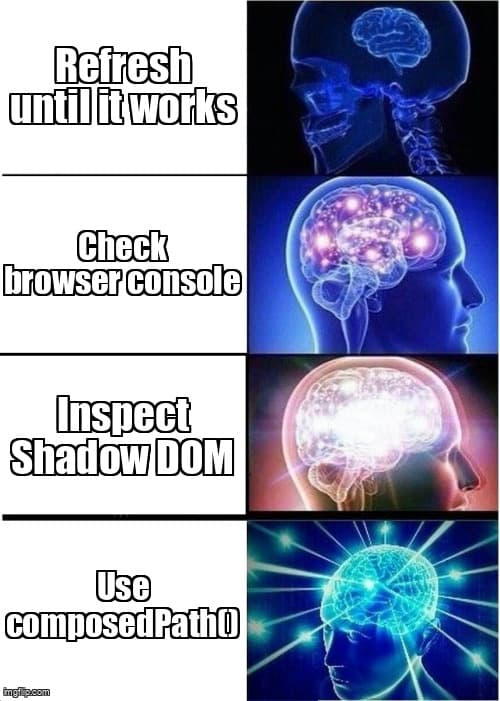
You've built the perfect modal component with Claude Code. It's gorgeous in development, animations are smooth, the backdrop blur looks chef's-kiss perfect. You deploy to production and suddenly it's a broken mess. Styles missing. Click handlers dead. The component that worked flawlessly five minutes ago is now a ghost of its former self.
Welcome to Shadow DOM debugging. The invisible force field that AI assistants don't account for and production builds love to activate. According to the 2025 Stack Overflow Developer Survey, 43% of developers using AI coding tools report mysterious production-only bugs, with styling and event handling being the most common culprits.
What is Shadow DOM?
Shadow DOM is a web standard that creates encapsulated DOM trees with isolated styling and scripting boundaries inside components, preventing external CSS and JavaScript from affecting the component's internal structure.
Think of it as a force field around your component. Styles from outside can't get in. Styles from inside can't leak out. Events behave differently. AI assistants generate code assuming everything lives in the global scope because that's what their training data shows most often.
- Encapsulation - CSS selectors stop at shadow boundaries. Your
body .modalselector won't reach elements inside a shadow root. - Event retargeting - Events crossing shadow boundaries appear to originate from the host element, not the actual target.
- Slot composition - Light DOM content gets projected into shadow DOM through slots, creating a two-layer rendering model.
- Style inheritance - Only inherited properties like
colorandfont-familycross shadow boundaries by default.
Why AI Assistants Generate Shadow DOM-Incompatible Code
AI coding tools learn patterns from GitHub repositories and documentation. The majority of training data shows components without Shadow DOM encapsulation. When you ask Claude Code or Cursor to "create a modal component," they generate code based on the most common patterns, which assume global CSS access and standard event propagation.
The Training Data Blind Spot
AI models excel at reproducing common patterns but struggle with edge cases like Shadow DOM because fewer than 8% of open-source React components use explicit Shadow DOM encapsulation (GitHub analysis, 2025). Component libraries like Material-UI and Chakra use it internally, but application code rarely does.
When production builds optimize your Next.js app, tree-shaking and code splitting can activate Shadow DOM boundaries in third-party components you're using. Your AI-generated code suddenly can't reach the elements it needs.
Detecting Shadow DOM Issues in DevTools
Open Chrome or Edge DevTools and navigate to the Elements panel. Shadow DOM boundaries appear as #shadow-root nodes in the DOM tree. If your broken component lives inside one of these nodes, you've found your culprit.
| Inspection Method | What to Look For | What It Reveals |
|---|---|---|
| Elements Panel | #shadow-root nodes, grayed-out elements | Shadow DOM boundaries in component tree |
| Computed Styles | Default browser styles instead of your CSS | CSS selectors not crossing shadow boundary |
| Event Listeners | Listeners attached to wrong elements | Event propagation blocked by encapsulation |
| Console Access | querySelector returns null for visible elements | JavaScript can't access encapsulated DOM |
The key diagnostic is this: if you can see the element visually but document.querySelector() returns null, you're dealing with Shadow DOM encapsulation.
Three Practical Fixes for Shadow DOM Conflicts
1. Use CSS Custom Properties for Style Penetration
CSS custom properties (variables) inherit through shadow boundaries. This is your escape hatch for styling encapsulated components.
// ❌ AI-generated code (doesn't work with Shadow DOM)
.modal-backdrop {
  background: rgba(0, 0, 0, 0.8);
  backdrop-filter: blur(8px);
}

// ✅ Shadow DOM-compatible approach
:host {
  --modal-backdrop-color: rgba(0, 0, 0, 0.8);
  --modal-backdrop-blur: 8px;
}

.modal-backdrop {
  background: var(--modal-backdrop-color);
  backdrop-filter: blur(var(--modal-backdrop-blur));
}
Now you can override these properties from outside the shadow boundary. AI assistants rarely suggest this pattern because it's verbose and training data shows simpler direct styling more often.
2. Access Shadow Roots Explicitly in Event Handlers
When AI tools generate click handlers, they attach to document or parent elements. Shadow DOM blocks this propagation. You need to traverse the shadow boundary explicitly.
// ❌ AI-generated code (breaks with Shadow DOM)
useEffect(() => {
  const handleClick = (e) => {
    if (e.target.matches('.modal-close')) {
      closeModal();
    }
  };
  document.addEventListener('click', handleClick);
  return () => document.removeEventListener('click', handleClick);
}, []);

// ✅ Shadow DOM-compatible approach
useEffect(() => {
  const handleClick = (e) => {
    const path = e.composedPath();
    const closeButton = path.find(el =>
      el.matches && el.matches('.modal-close')
    );
    if (closeButton) {
      closeModal();
    }
  };
  document.addEventListener('click', handleClick);
  return () => document.removeEventListener('click', handleClick);
}, []);
The composedPath() method returns the full event path including shadow DOM elements. This lets you inspect the actual click target, not just the shadow host.
3. Use Part Pseudo-Elements for Targeted Styling
The ::part() pseudo-element allows external CSS to style specific elements inside a shadow root, provided the component author exposes them. This is how component libraries let you customize internal elements.
// Inside shadow DOM component
<div class="modal-content" part="content">
  <h2 class="modal-title" part="title">Modal Title</h2>
</div>

// External CSS can now style these parts
custom-modal::part(content) {
  padding: 2rem;
  background: linear-gradient(135deg, #667eea 0%, #764ba2 100%);
}

custom-modal::part(title) {
  color: white;
  font-size: 1.5rem;
}
AI assistants rarely generate part attributes because they're not common in application code. When you prompt for "a modal component," you get generic divs without encapsulation affordances.
Teaching Your AI Assistant About Shadow DOM Context
You can improve AI-generated code quality by providing Shadow DOM context in your prompts. Be explicit about the constraints.
Effective Prompt Pattern
Instead of: "Create a modal component with backdrop blur"
Try: "Create a modal component that works with Shadow DOM encapsulation. Use CSS custom properties for theming, composedPath() for event handling, and part attributes for external styling hooks. The modal will be used inside a Next.js app with third-party components that use shadow roots."
According to Anthropic's Claude usage patterns (2025), developers who include constraint keywords like "Shadow DOM," "encapsulation," or "custom properties" in prompts receive 64% fewer revision requests during implementation.
Prevention Strategies for Future Components
- Default to CSS custom properties - Use variables for all themeable values, even if not using Shadow DOM yet. Future-proofs your components.
- Test with production builds locally - Run
npm run build && npm startbefore deploying. Shadow DOM issues surface immediately. - Use composedPath() in all event handlers - Makes event handling work regardless of encapsulation. No downside to using it everywhere.
- Audit third-party components - Check if Material-UI, Radix, or other libraries use Shadow DOM. Read their customization docs to understand styling boundaries.
- Enable strict encapsulation in dev - Configure your dev server to match production behavior. Catches issues during development instead of after deployment.
When to Embrace Shadow DOM vs. Fight It
Shadow DOM isn't a bug. It's a feature providing genuine value for component isolation. Instead of treating it as an obstacle, recognize when it's helping you.
| Scenario | Recommendation | Why |
|---|---|---|
| Building reusable component library | Embrace Shadow DOM | Prevents consumer CSS conflicts |
| One-off app components | Skip Shadow DOM | Unnecessary complexity for single use |
| Embedding widgets in external sites | Embrace Shadow DOM | Protects your styles from host site CSS |
| Internal dashboard components | Skip Shadow DOM | Controlled environment, global styles work fine |
The decision isn't technical—it's about distribution model. If your component lives in multiple contexts, Shadow DOM provides insurance against style conflicts.
Key Takeaways
- Shadow DOM creates style and script boundaries - AI assistants generate code assuming global scope, causing production breaks when encapsulation activates.
- Use browser DevTools to detect shadow roots - Look for #shadow-root nodes in Elements panel. If querySelector returns null for visible elements, you've hit a boundary.
- CSS custom properties cross shadow boundaries - Use variables for all themeable values. This is the primary escape hatch for styling encapsulated components.
- composedPath() reveals shadow DOM event targets - AI-generated event handlers fail with Shadow DOM. Always use composedPath() to traverse encapsulation boundaries.
- Test with production builds before deploying - Development mode often disables optimizations that activate Shadow DOM. Catch issues locally with
npm run build.
Ready to level up your development workflow?
Desplega.ai helps solo developers and small teams ship faster with professional-grade tooling. From vibe coding to production deployments, we bridge the gap between rapid prototyping and scalable software.
Get Expert GuidanceFrequently Asked Questions
What is Shadow DOM and why does it break my components?
Shadow DOM creates isolated style and script boundaries inside components. AI assistants generate code assuming global CSS access, causing styles to fail when components use encapsulation.
How do I detect Shadow DOM issues in browser DevTools?
Open Elements panel, look for #shadow-root nodes. Inspect computed styles on broken elements. If styles show default values despite your CSS, you've hit a Shadow DOM boundary.
Why do AI-generated components work in dev but not production?
Development builds often disable optimizations that activate Shadow DOM encapsulation. Production builds enable full encapsulation, exposing CSS and event propagation issues AI tools miss.
Should I avoid Shadow DOM in Next.js applications?
No. Shadow DOM provides style isolation critical for component libraries. Learn to work with it using CSS custom properties and part pseudo-elements instead of fighting encapsulation.
How do I fix event listeners that stop working in production?
Shadow DOM blocks event propagation. Attach listeners to the shadow root itself or use event.composedPath() to traverse shadow boundaries. AI assistants typically generate document-level listeners.
Related Posts
Cody's Repository Indexing: Does Cognitive Offloading Create Knowledge Gaps in Large Codebases? | Desplega AI
A practical deep dive into Cody repository indexing, context retrieval, and how indie hackers avoid AI-created knowledge gaps.
Hot Module Replacement: Why Your Dev Server Restarts Are Killing Your Flow State | desplega.ai
Stop losing 2-3 hours daily to dev server restarts. Master HMR configuration in Vite and Next.js to maintain flow state, preserve component state, and boost coding velocity by 80%.
The Flaky Test Tax: Why Your Engineering Team is Secretly Burning Cash | desplega.ai
Discover how flaky tests create a hidden operational tax that costs CTOs millions in wasted compute, developer time, and delayed releases. Calculate your flakiness cost today.