
Building Apps Using TanStack Start with Lovable: From Prompt to Type-Safe Routing
Lovable gets the first version moving; TanStack Start keeps the app from turning into prompt-shaped spaghetti.
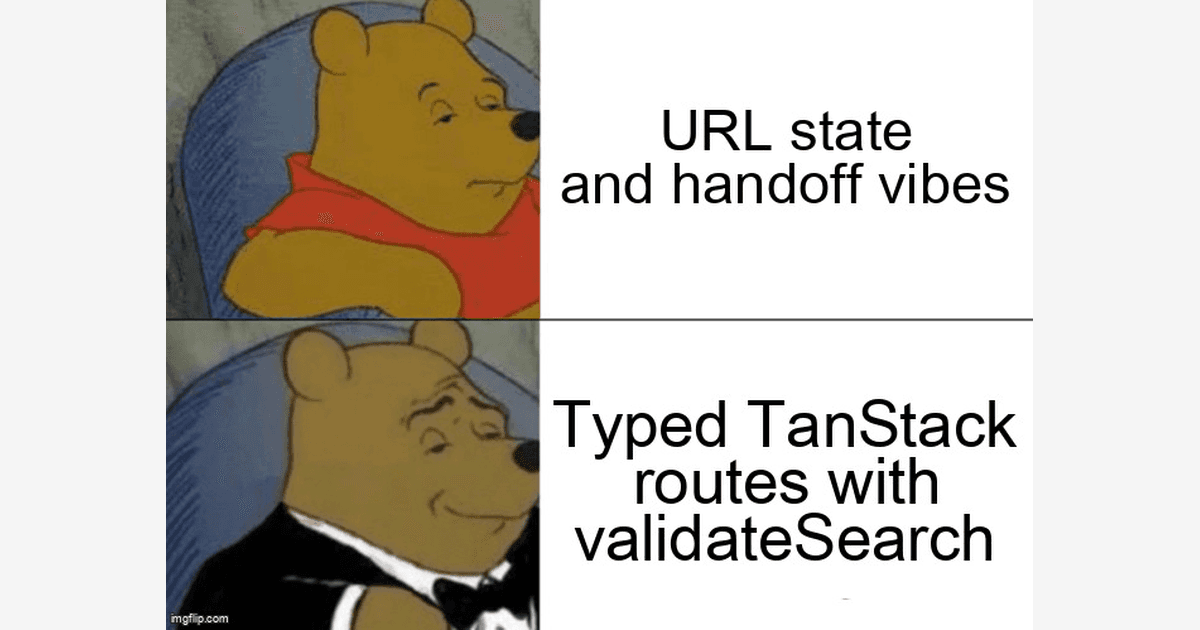
The fastest way to build a side project in 2026 is not to pick one perfect framework and disappear for three weeks. It is to generate the first useful interface, keep the parts that create momentum, and harden the contract before the app earns real users. That is where Lovable and TanStack Start make a strong pair. Lovable is good at getting a product shape out of your head and into code. TanStack Start is where you turn that shape into a product with URLs, loaders, server functions, search params, and type-safe navigation that survives the next five feature swings.
The catch is that the handoff needs discipline. A prompt can generate a dashboard, pricing page, onboarding flow, and settings screen in minutes, but it cannot magically decide your routing contract. If generated components own navigation through local state and ad hoc query strings, you get a beautiful demo with brittle behavior. If you move the route boundary into TanStack Start early, the same demo becomes a shippable app skeleton. For indie hackers, that is the difference between "I made a cool thing" and "I can onboard a paying customer without babysitting the URL bar."
Grounding note: TanStack Start documents file routes with createFileRoute, isomorphic loaders, beforeLoad hooks, and server functions. Lovable documents GitHub sync so you can continue work in your repo or IDE. This post treats Lovable as the product-generation layer and TanStack Start as the application-contract layer.
Can you use Lovable with TanStack Start without rewriting everything?
Yes. Use Lovable for UX generation, then move route contracts into TanStack Start files so URLs, loaders, and search params become typed.
The practical workflow is simple: ask Lovable for screens, states, and flows; sync the generated project to GitHub; clone it locally; then migrate the screens into TanStack Start route files one boundary at a time. Lovable makes the product visible. TanStack Start makes the product addressable. Every important screen gets a URL. Every meaningful filter gets validated search state. Every server-only behavior gets a server function instead of living inside a component that might execute on the wrong side of the client/server boundary.
This matters more than it sounds. The State of JavaScript 2024 survey reported that 67% of respondents write more TypeScript than JavaScript, with the largest group writing only TypeScript. Stack Overflow's 2024 Developer Survey also reported that 84% of developers use technical documentation to learn, and 90% of those documentation users rely on API and SDK package docs. The trend is not more magic. It is faster starts, stronger contracts, and docs-backed systems when the app stops being a toy.
If you want a broader shipping workflow for AI-assisted builds, pair this with the Vibe QA assessment. The short version: generate aggressively, but promote slowly. Your prompt is allowed to be messy. Your route tree is not.
The architecture: prompt-born UI, typed routing core
Think of the integration as a three-layer stack. The top layer is Lovable-generated UI: components, copy, layout, empty states, and happy-path interactions. The middle layer is TanStack Start routing: file routes, route params, search validation, loaders, beforeLoad checks, and navigation. The bottom layer is server authority: database access, auth, billing, file uploads, webhooks, and anything that needs secrets or durable writes.
The reason TanStack Start works well here is not just that it has routes. It is that routes are code. A file route can declare what search params are valid, what data must load before rendering, what context must exist before access is allowed, and which component owns the final display. The framework's execution model also forces you to think about where code runs. Route loaders are isomorphic: they can run on the server during SSR and on the client during navigation. Server functions create an explicit RPC boundary for work that must stay server-side. That is exactly the discipline AI-generated prototypes usually lack.
| Concern | Prompt-first SPA | TanStack Start handoff |
|---|---|---|
| Dashboard filters | Local state, easy to lose on refresh | validateSearch returns a typed, normalized object |
| Data loading | useEffect fetches with duplicate loading states | Route loaders fetch before render and invalidate cleanly |
| Secrets | Easy to leak through client utilities | Server functions keep privileged work server-side |
| Auth | Conditional rendering after the page loads | beforeLoad can redirect before sensitive UI renders |
Step 1: turn Lovable's screen map into a route contract
Start by extracting the screens Lovable generated. You do not need a perfect migration tool. You need a small manifest that catches dangerous route shapes before they hit your app. This script reads a Lovable screen export, validates paths, rejects duplicate routes, catches reserved segments, and writes a typed manifest you can use while moving components into TanStack Start's file-based route tree.
// scripts/lovable-route-map.ts
import { mkdir, readFile, writeFile } from 'node:fs/promises';
import { dirname } from 'node:path';

type LovableScreen = {
  name: string;
  path?: string;
  component: string;
  requiresAuth?: boolean;
};

type RouteManifestItem = {
  id: string;
  path: string;
  component: string;
  requiresAuth: boolean;
};

const reserved = new Set(['api', '_server', 'routeTree.gen']);

function fail(message: string): never {
  throw new Error('[route-map] ' + message);
}

function normalizePath(screen: LovableScreen): string {
  const raw = screen.path?.trim() || '/' + screen.name.toLowerCase().replace(/[^a-z0-9]+/g, '-');
  const path = raw === '/' ? '/' : raw.replace(/\/+$/g, '');

  if (!path.startsWith('/')) fail(screen.name + ' must use an absolute path');
  if (path.includes('//')) fail(screen.name + ' contains a double slash: ' + path);
  if (/\s/.test(path)) fail(screen.name + ' contains whitespace in path: ' + path);

  for (const segment of path.split('/').filter(Boolean)) {
    if (reserved.has(segment)) fail(screen.name + ' uses reserved route segment: ' + segment);
    if (segment.startsWith(':')) {
      fail(screen.name + ' uses Express-style params; use $param for TanStack Router: ' + segment);
    }
  }

  return path;
}

function toId(path: string): string {
  if (path === '/') return 'home';
  return path.replace(/^\//, '').replace(/\$/g, 'param-').replace(/[^a-zA-Z0-9]+/g, '-');
}

async function main() {
  const input = process.argv[2];
  if (!input) fail('Usage: npx tsx scripts/lovable-route-map.ts lovable-export/screens.json');

  const raw = await readFile(input, 'utf8').catch((error: unknown) => {
    fail('Cannot read ' + input + ': ' + (error instanceof Error ? error.message : String(error)));
  });

  let screens: LovableScreen[];
  try {
    screens = JSON.parse(raw) as LovableScreen[];
  } catch (error) {
    fail('Invalid JSON: ' + (error instanceof Error ? error.message : String(error)));
  }

  if (!Array.isArray(screens) || screens.length === 0) fail('Expected a non-empty array of screens');

  const seen = new Map<string, string>();
  const manifest: RouteManifestItem[] = screens.map((screen) => {
    if (!screen.name || !screen.component) fail('Each screen needs name and component');
    const path = normalizePath(screen);
    const previous = seen.get(path);
    if (previous) fail('Duplicate path ' + path + ' used by ' + previous + ' and ' + screen.name);
    seen.set(path, screen.name);
    return { id: toId(path), path, component: screen.component, requiresAuth: Boolean(screen.requiresAuth) };
  });

  const output = 'src/generated/lovable-routes.ts';
  await mkdir(dirname(output), { recursive: true });
  await writeFile(output, 'export const lovableRoutes = ' + JSON.stringify(manifest, null, 2) + ' as const\n');
  console.log('Wrote ' + manifest.length + ' route contracts to ' + output);
}

main().catch((error) => {
  console.error(error instanceof Error ? error.message : error);
  process.exit(1);
});
The edge case to notice is Express-style params. Lovable may describe a project detail page as /projects/:id because that pattern is common in tutorials. TanStack Router uses file-route conventions such as $projectId. Catch that before the route tree is generated, not after your links silently point to the wrong page.
What should you validate before trusting generated routes?
Validate every prompt-born route at the boundary: path shape, params, search state, auth context, and server-only code execution.
After the manifest exists, migrate one workflow. Do not start with the whole app. Pick the screen that has the most product pressure: usually dashboard search, project detail, checkout, or onboarding. The goal is to move from component state to URL state. A filter like ?status=active&page=2 should not be a string you parse in five components. It should be a typed object returned by validateSearch.
// src/routes/projects/index.tsx
import { createFileRoute, Link } from '@tanstack/react-router';
import { createServerFn } from '@tanstack/react-start';

type ProjectStatus = 'active' | 'archived' | 'draft';
type ProjectSearch = { status: ProjectStatus; page: number; q: string };

const statuses = new Set<ProjectStatus>(['active', 'archived', 'draft']);

function parseSearch(search: Record<string, unknown>): ProjectSearch {
  const rawStatus = typeof search.status === 'string' ? search.status : 'active';
  const rawPage = typeof search.page === 'string' ? Number(search.page) : 1;
  const rawQuery = typeof search.q === 'string' ? search.q.trim() : '';

  return {
    status: statuses.has(rawStatus as ProjectStatus) ? (rawStatus as ProjectStatus) : 'active',
    page: Number.isInteger(rawPage) && rawPage > 0 && rawPage <= 100 ? rawPage : 1,
    q: rawQuery.length <= 80 ? rawQuery : rawQuery.slice(0, 80),
  };
}

const listProjects = createServerFn({ method: 'GET' })
  .validator((input: ProjectSearch) => input)
  .handler(async ({ data }) => {
    try {
      const params = new URLSearchParams({ status: data.status, page: String(data.page), q: data.q });
      const response = await fetch('https://api.example.com/projects?' + params.toString(), {
        headers: { Accept: 'application/json' },
      });

      if (response.status === 404) return { projects: [], totalPages: 1, warning: 'No workspace found' };
      if (!response.ok) throw new Error('Project API failed with ' + response.status);

      const payload = (await response.json()) as {
        projects?: Array<{ id: string; name: string }>;
        totalPages?: number;
      };

      return {
        projects: Array.isArray(payload.projects) ? payload.projects : [],
        totalPages: Math.max(1, payload.totalPages || 1),
        warning: null,
      };
    } catch (error) {
      return {
        projects: [],
        totalPages: 1,
        warning: error instanceof Error ? error.message : 'Unknown project loading error',
      };
    }
  });

export const Route = createFileRoute('/projects/')({
  validateSearch: parseSearch,
  loaderDeps: ({ search }) => search,
  loader: ({ deps }) => listProjects({ data: deps }),
  component: ProjectsPage,
});

function ProjectsPage() {
  const search = Route.useSearch();
  const data = Route.useLoaderData();

  return (
    <main className="space-y-6 p-6">
      {data.warning ? <p role="alert">{data.warning}</p> : null}
      <nav aria-label="Project filters">
        {(['active', 'draft', 'archived'] as const).map((status) => (
          <Link key={status} to="/projects" search={{ ...search, status, page: 1 }}>
            {status}
          </Link>
        ))}
      </nav>
      <ul>
        {data.projects.map((project) => (
          <li key={project.id}>
            <Link to="/projects/$projectId" params={{ projectId: project.id }}>
              {project.name}
            </Link>
          </li>
        ))}
      </ul>
    </main>
  );
}
This example shows the heart of the handoff. The Lovable-generated page can keep its cards, colors, empty state, and button layout. The route owns the dangerous parts: query strings, page bounds, unknown statuses, API failures, and link params. If someone pastes ?page=-99&status=banana, the app does not crash, fetch nonsense, or render misleading UI. It normalizes the URL state into a known shape.
Step 2: move writes behind server functions
Lovable will often generate direct client actions because that is the fastest way to demonstrate the flow. For production, writes belong behind a server boundary. TanStack Start server functions let route loaders and components call server-side handlers without turning every mutation into a hand-rolled API endpoint. The key is to validate input, check authorization, handle idempotency, and return a UI-friendly result instead of throwing random transport errors into React.
// src/routes/projects/$projectId.tsx
import { createFileRoute, notFound, useRouter } from '@tanstack/react-router';
import { createServerFn } from '@tanstack/react-start';

type SaveInput = { projectId: string; name: string; idempotencyKey: string };

function validateSaveInput(input: SaveInput): SaveInput {
  if (!input.projectId || !/^[a-zA-Z0-9_-]{6,64}$/.test(input.projectId)) {
    throw new Error('Invalid project id');
  }
  const name = input.name.trim();
  if (name.length < 2) throw new Error('Project name must be at least 2 characters');
  if (name.length > 80) throw new Error('Project name must be 80 characters or fewer');
  if (!input.idempotencyKey || input.idempotencyKey.length < 16) throw new Error('Missing idempotency key');
  return { ...input, name };
}

const getProject = createServerFn({ method: 'GET' })
  .validator((projectId: string) => projectId)
  .handler(async ({ data: projectId }) => {
    const response = await fetch('https://api.example.com/projects/' + encodeURIComponent(projectId));
    if (response.status === 404) throw notFound();
    if (!response.ok) throw new Error('Project lookup failed with ' + response.status);
    return response.json() as Promise<{ id: string; name: string; canEdit: boolean }>;
  });

const saveProjectName = createServerFn({ method: 'POST' })
  .validator(validateSaveInput)
  .handler(async ({ data }) => {
    try {
      const response = await fetch('https://api.example.com/projects/' + encodeURIComponent(data.projectId), {
        method: 'PATCH',
        headers: { 'Content-Type': 'application/json', 'Idempotency-Key': data.idempotencyKey },
        body: JSON.stringify({ name: data.name }),
      });

      if (response.status === 409) return { ok: false, message: 'That project was edited in another tab.' };
      if (response.status === 403) return { ok: false, message: 'You do not have permission to edit this project.' };
      if (!response.ok) throw new Error('Save failed with ' + response.status);

      return { ok: true, message: 'Saved' };
    } catch (error) {
      return { ok: false, message: error instanceof Error ? error.message : 'Unexpected save failure' };
    }
  });

export const Route = createFileRoute('/projects/$projectId')({
  loader: ({ params }) => getProject({ data: params.projectId }),
  component: ProjectDetail,
});

function ProjectDetail() {
  const router = useRouter();
  const { projectId } = Route.useParams();
  const project = Route.useLoaderData();

  async function onSubmit(formData: FormData) {
    const result = await saveProjectName({
      data: { projectId, name: String(formData.get('name') || ''), idempotencyKey: crypto.randomUUID() },
    });
    if (!result.ok) {
      window.alert(result.message);
      return;
    }
    await router.invalidate();
  }

  return (
    <form action={onSubmit} className="space-y-4 p-6">
      <input name="name" defaultValue={project.name} disabled={!project.canEdit} />
      <button type="submit" disabled={!project.canEdit}>Save</button>
    </form>
  );
}
Notice the two gotchas: validation throws before the write, but expected business failures return structured values. That keeps your UI predictable. Also, the idempotency key is not decorative. Side projects grow into paid products, and paid products get double-clicks, retries, slow mobile networks, and users who open the same form in three tabs.
Step 3: use beforeLoad for auth, not after-render vibes
A common AI-generated pattern is "render the page, then check if the user is logged in." That can flash private UI, trigger client-only redirects, and create weird states when the session expires. In TanStack Start, put auth context at the root or protected route boundary with beforeLoad. Fetch the session in a server function, return it from a route context, and let child routes make decisions from that context.
// src/routes/_app.tsx
import { Outlet, createFileRoute, redirect } from '@tanstack/react-router';
import { createServerFn } from '@tanstack/react-start';

type Session = { userId: string; plan: 'free' | 'pro' } | null;

const getSession = createServerFn({ method: 'GET' }).handler(async (): Promise<Session> => {
  try {
    const response = await fetch('https://api.example.com/session', { headers: { Accept: 'application/json' } });
    if (response.status === 401) return null;
    if (!response.ok) throw new Error('Session service failed with ' + response.status);
    return response.json() as Promise<Session>;
  } catch (error) {
    console.error(error);
    return null;
  }
});

export const Route = createFileRoute('/_app')({
  beforeLoad: async ({ location }) => {
    const session = await getSession();
    if (!session) {
      throw redirect({ to: '/login', search: { redirectTo: location.href } });
    }
    return { session };
  },
  component: AppLayout,
});

function AppLayout() {
  return (
    <section className="min-h-screen bg-zinc-950 text-white">
      <Outlet />
    </section>
  );
}
This is the unglamorous part that makes the glamorous part possible. Lovable can keep iterating on onboarding copy and dashboard polish. The route boundary handles expired sessions, deep links, and redirect preservation. If you are building a marketplace, booking tool, AI wrapper, or analytics dashboard, this is non-negotiable.
Troubleshooting: what breaks in the Lovable-to-Start handoff
The most common break is route drift. Lovable may generate a button that says it opens settings, while the code navigates to /account, and your TanStack route file is named settings.tsx. Fix it by making the route manifest the source of truth and replacing raw href strings with typed Link calls. If a link needs params, make the missing param a compile-time problem, not a QA surprise.
- Search params reset on refresh: Move filters into
validateSearchand normalize defaults there. - Loaders run twice during development: Treat loaders as idempotent. Reads belong in loaders; writes belong in server functions.
- Secrets appear in client bundles: Anything using private tokens, database clients, or admin SDKs must move behind
createServerFn. - Generated paths use colon params: Convert
:idmental models into TanStack route params such as$projectId. - GitHub sync conflicts with local edits: Keep migration commits small: Lovable export, route contracts, UI cleanup.
When debugging, inspect the URL first, the route file second, and the generated component third. Most failures are not styling bugs. They are contract bugs wearing a styling costume. A blank dashboard after refresh is usually invalid search state. A button that works locally but not after deploy is often a client/server boundary violation. A detail page that loads the wrong record is usually a param naming mismatch. For more release hardening habits, see our Vibe QA workflow guide.
The indie-hacker workflow that actually holds up
The best version of this workflow is opinionated. Spend one session in Lovable getting the story right: who the app is for, what the dashboard says, what the first empty state does, what the upgrade moment feels like. Then freeze the screens long enough to move the app into TanStack Start contracts. Create the route files. Validate the search params. Add server functions for writes. Put auth in beforeLoad. Replace raw anchors with typed links. Only then go back to vibing on polish.
This sequence keeps the fun part fun. You still get the instant momentum of prompt-driven UI. You just do not let the prompt become the architecture. The prompt gives you a first draft of intent. TanStack Start turns that intent into a typed surface area. That surface area becomes the app your users can bookmark, share, reload, pay for, and complain about without you secretly dreading every route change.
For solopreneurs, the payoff is focus. You are not building a framework showcase. You are buying back attention. Use Lovable to compress the distance between idea and interface. Use TanStack Start to compress the distance between interface and production. Keep the contract small, typed, and boring. Then ship the weird, specific product only you were going to build.
Ready to ship your next project faster?
Desplega.ai helps indie hackers and solopreneurs build and ship faster with AI-assisted test plans, debugging loops, and launch-ready QA.
Get StartedFrequently Asked Questions
Can Lovable generate a complete TanStack Start app?
Lovable can generate useful React screens and workflows, but treat TanStack Start routing, loaders, server functions, and validation as the typed handoff layer.
Why not keep the Lovable prototype as a client-only SPA?
A SPA is fine for demos, but paid products need shareable URLs, validated search params, SSR-friendly data loading, and server-only boundaries for secrets.
Do I need Zod for TanStack Start route validation?
No. You can validate manually, with Valibot, ArkType, or Zod. The important part is returning a narrow typed object from validateSearch.
What is the first thing to refactor after exporting from Lovable?
Start with URLs. Convert screens into route files, define params and search state, then move data access into loaders or server functions before styling cleanup.
Related Posts
When I Reject v0 Code: Pattern-Matching Rules for Safer UI Generation
A practical v0 review gate for safer generated React UI: AST checks, Playwright smoke tests, accessibility rules, and rejection signals.
Cody's Repository Indexing: Does Cognitive Offloading Create Knowledge Gaps in Large Codebases? | Desplega AI
A practical deep dive into Cody repository indexing, context retrieval, and how indie hackers avoid AI-created knowledge gaps.
Hot Module Replacement: Why Your Dev Server Restarts Are Killing Your Flow State | desplega.ai
Stop losing 2-3 hours daily to dev server restarts. Master HMR configuration in Vite and Next.js to maintain flow state, preserve component state, and boost coding velocity by 80%.