
v0 to Claude Code: Ship Your AI-Generated UI Without Rewriting It
You built something real in v0. Now let's make sure you can actually own it.
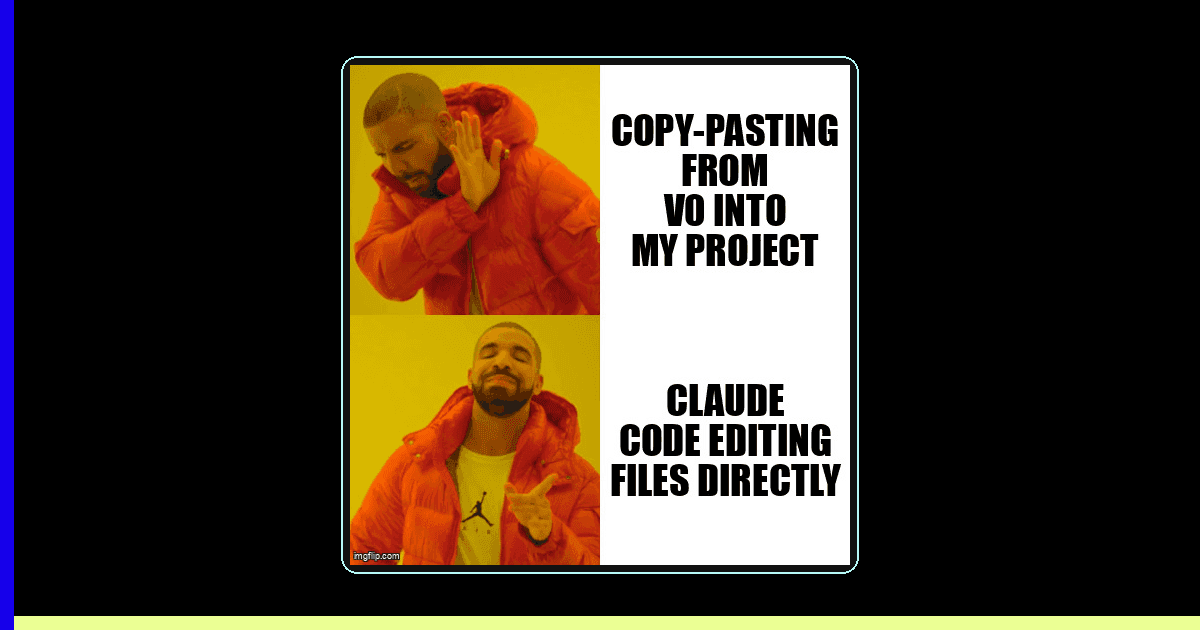
You opened v0, typed a prompt, and watched a real UI appear. You iterated, tweaked, and shipped. That's not a toy workflow — that's legitimate product velocity.
But now you're hitting the wall. You want a custom API route. You want git history. You want to add a feature that v0's prompt interface can't quite reach. The good news: everything you built in v0 is exportable, readable, and ready for Claude Code to pick up exactly where you left off.
This guide walks you through the migration step by step — no rewriting, no guilt about how you started, and no slowdown.
Before and After: What Actually Changes
The migration isn't a transformation of your code — it's a transformation of your workflow. Your components stay. Your Tailwind stays. What changes is where you iterate.
| Workflow Step | In v0 | In Claude Code |
|---|---|---|
| Add a new component | Prompt in v0 chat, copy output | claude "add a pricing card component" |
| Modify a layout | Re-prompt, iterate visually | Edit file directly; Claude diffs changes |
| Add backend logic | Not supported in v0 | Claude writes API routes, server actions |
| Track changes | Version history in v0 UI only | Full git history, branches, PRs |
| Deploy | One-click to Vercel (limited config) | Full Vercel/Railway/Fly.io control |
Prerequisite Checklist: What to Have Ready
Before you start, confirm you have these in place. The migration goes much smoother when none of these are blockers mid-way through.
- A v0 project with at least one published/exported UI (the export button is in the top-right of the v0 editor)
- Node.js 18+ installed locally (
node -vto check) - Claude Code installed:
npm install -g @anthropic-ai/claude-code - An Anthropic API key (set as
ANTHROPIC_API_KEYin your environment) - Git initialized and a GitHub/GitLab repo ready (or create one after export)
- Vercel CLI if you want to preserve your existing deployment:
npm i -g vercel
Time Estimate
Plan for 2–4 hours total: ~30 minutes to export and scaffold, 1–2 hours to orient Claude Code to your codebase, and 30–60 minutes to ship your first new feature in the new workflow. Most developers feel the speed return by the end of day one.
Step-by-Step Migration Guide
Follow these steps in order. Each one sets up the next — skipping ahead usually means backtracking.
Step 1: Export Your v0 Project
In the v0 editor, click the export button (top-right, looks like a download arrow). Choose "Next.js" as the framework. v0 generates a zip containing your component files as clean TSX with Tailwind and shadcn/ui imports.
Unzip into a new directory. You'll see a structure like this:
my-app/
├── app/
│   ├── page.tsx          # Your main page
│   └── layout.tsx        # Root layout
├── components/
│   ├── hero.tsx          # v0-generated components
│   ├── pricing.tsx
│   └── ui/               # shadcn/ui primitives
├── public/
├── tailwind.config.ts
└── package.json
Run npm install && npm run dev and confirm it loads at localhost:3000 before moving on.
Step 2: Initialize Git
cd my-app
git init
echo "node_modules/
.next/
.env.local" > .gitignore
git add .
git commit -m "initial: export from v0"
Push to GitHub. This is your safety net — every change from here is recoverable.
Step 3: Create a CLAUDE.md File
This is the highest-leverage 10 minutes of the entire migration. Claude Code reads CLAUDE.md at the root of your project to understand context before every session.
# CLAUDE.md

## Project Overview
This is a Next.js 14 app originally built in v0 by Vercel.
UI uses shadcn/ui components with Tailwind CSS.

## Component Inventory
- components/hero.tsx — landing page hero with CTA
- components/pricing.tsx — 3-tier pricing grid
- components/navbar.tsx — sticky nav with mobile menu

## Conventions
- All components use 'use client' only when needed
- Tailwind only (no CSS modules)
- shadcn/ui for all interactive primitives (Button, Card, Dialog)
- Page data is currently hardcoded; backend TBD

## Current TODO
- Add contact form with email submission
- Connect pricing to Stripe checkout
- Add blog section
The more specific you are here, the less you need to re-explain context in every Claude Code session. According to Anthropic's Claude Code documentation, projects with a well-maintained CLAUDE.md see significantly fewer correction loops per session.
Step 4: Open Claude Code and Orient It
Launch Claude Code from your project root:
claudeStart with an orientation prompt rather than jumping straight to a feature request:
"Read CLAUDE.md and then scan the components/ directory.
Summarize what each component does and how they're connected.
Don't make any changes yet."
This gives Claude Code a working model of your codebase before it touches anything. It also reveals any inconsistencies in your v0 export (missing imports, unused props) before they become bugs.
Step 5: Ship Your First Feature
Pick the smallest feature from your TODO list. This is your proof-of-concept that the new workflow is working. Example:
"Add a contact form to components/contact.tsx.
Use shadcn/ui Form, Input, and Textarea components.
On submit, POST to /api/contact.
Add the API route at app/api/contact/route.ts — log the submission for now."
Claude Code will create both files, wire up the form submission, and handle types. Review the diff, test it locally, then commit:
git add components/contact.tsx app/api/contact/route.ts
git commit -m "feat: add contact form with API route"
How Does the v0 Workflow Map to Claude Code?
The v0 to Claude Code skill bridge translates your existing prompting instincts into terminal commands and slash interactions — same thinking, different interface.
Your v0 muscle memory is actually an asset here. You already know how to describe UI changes precisely. That skill transfers directly.
| v0 Concept | Claude Code Equivalent | Key Difference |
|---|---|---|
| Iterating a component in chat | Describe the change in Claude Code terminal | Changes apply directly to your file |
| v0 version history | Git commits | Full branching, not just linear undo |
| v0 "Remix" button | git checkout -b feature/new-variant | Both variants exist simultaneously |
| Copy component code | File is already in your editor | No copy-paste step needed |
| v0 share link | GitHub PR or Vercel preview URL | Shareable deployments, not just code |
Side-by-Side: Prompting in v0 vs. Claude Code
The language you use barely changes. The destination of the output does.
In v0
"Make the hero section have a
gradient background from purple
to blue, and make the CTA button
larger with rounded-full styling"
→ Copies generated code to clipboard, you paste manually
In Claude Code
"In components/hero.tsx, update
the background to a purple-to-blue
gradient. Make the CTA button use
rounded-full and increase to text-lg"
→ Edits the file directly, shows you the diff
Adding a new page in v0
"Create an about page with
team bios and a mission statement"

→ Copy output
→ Create app/about/page.tsx
→ Paste content
→ Fix import paths manually
Adding a new page in Claude Code
"Create app/about/page.tsx with
team bios and mission statement.
Match the style from app/page.tsx
and reuse the existing Card component"

→ Done. File created with correct imports.
Troubleshooting Common Migration Issues
Most migration friction falls into three categories. Here's how to resolve each quickly.
Issue: Missing shadcn/ui components after export
v0 exports component files but not always the full shadcn registry. If you see import errors for @/components/ui/button, run:
npx shadcn@latest add button card dialog input textareaOr ask Claude Code: "Check components/ui/ for missing shadcn components and install them."
Issue: Claude Code keeps re-explaining the same context
Your CLAUDE.md needs more detail. Add component descriptions, your tech stack decisions, and what's intentionally hardcoded vs. what should be dynamic. The file is your persistent memory across sessions.
Issue: "It feels slower than v0"
The first session always feels slower — you're building context. By session three, you'll have a CLAUDE.md that front-loads everything and a workflow where Claude Code operates with minimal back-and-forth. According to Anthropic, Claude Code's agentic mode handles multi-file tasks in a single prompt, which v0 cannot do at all.
Issue: Tailwind classes look right but styles don't apply
v0 sometimes uses arbitrary Tailwind values that need to be in your tailwind.config.ts safelist, or uses classes from plugins not included in the export. Check that content in your Tailwind config includes ./components/**/*.{tsx,ts}.
When Should You Stay in v0 vs. Graduate to Claude Code?
Staying in v0 is the right call when you're still in pure UI exploration mode — trying five different hero layouts, experimenting with color palettes, or showing quick mockups to stakeholders. v0 is genuinely faster for that phase.
Migrate to Claude Code when any of the following become true:
- You need to add a backend route, database call, or authentication
- You want to version control your UI (git history, branches, rollbacks)
- You're copy-pasting from v0 more than twice per feature
- You need to customize beyond what Tailwind + shadcn provides
- You want to run tests, CI/CD, or automate deployments
- You're working with a collaborator who needs to review code
The 2025 Stack Overflow Developer Survey found that 76% of solo developers who adopted AI coding assistants (including Claude Code and GitHub Copilot) reported shipping features faster after a 2-week ramp-up period — even compared to no-code/low-code tools they previously used.
The Hybrid Workflow That Works
Many solopreneurs keep both tools in their stack. Use v0 for initial UI ideation and generating new component variants visually. Export the winners into your Claude Code project. You get the best of both: v0's visual speed and Claude Code's depth.
Key Takeaways
- Your v0 code is already production-quality TSX — export it and run it locally without rewriting anything.
- CLAUDE.md is your highest-leverage investment — 10 minutes writing it saves hours of repeated context across sessions.
- Orientation before iteration — ask Claude Code to summarize your codebase before asking it to change anything.
- Map your v0 instincts directly — same prompting language, different destination (files instead of clipboard).
- Stay in v0 for exploration, graduate to Claude Code for ownership — there's no rule that says you can't use both.
- Your first feature proves the workflow — pick the smallest thing on your TODO list and ship it on day one to build confidence in the new setup.
Ready to level up your development workflow?
Desplega.ai helps solo developers and small teams ship faster with professional-grade tooling. From vibe coding to production deployments, we bridge the gap between rapid prototyping and scalable software.
Get Expert GuidanceFrequently Asked Questions
Can I migrate my v0 project to Claude Code without rewriting everything?
Yes. v0 exports clean React/Next.js TSX components. Claude Code reads them directly — no rewrite needed, just reorganize into a standard project structure.
How long does a v0 to Claude Code migration take?
A typical migration takes 2-4 hours: 30 min to export and scaffold, 1-2 hours to orient Claude Code, and 30-60 min for your first new feature using the new workflow.
What does Claude Code understand from v0-generated code?
Claude Code reads component props, Tailwind class patterns, shadcn/ui primitives, and file structure. Adding a CLAUDE.md with component inventory accelerates context-building significantly.
When should I stay in v0 instead of migrating to Claude Code?
Stay in v0 for early-stage exploration and UI ideation. Migrate when you need version control, custom backend logic, third-party integrations, or faster feature iteration.
Does Claude Code work with shadcn/ui components from v0?
Yes. shadcn/ui is Claude Code's native language. It understands the component registry, variant patterns, and cn() utility — no additional configuration required.
Related Posts
When I Reject v0 Code: Pattern-Matching Rules for Safer UI Generation
A practical v0 review gate for safer generated React UI: AST checks, Playwright smoke tests, accessibility rules, and rejection signals.
Cody's Repository Indexing: Does Cognitive Offloading Create Knowledge Gaps in Large Codebases? | Desplega AI
A practical deep dive into Cody repository indexing, context retrieval, and how indie hackers avoid AI-created knowledge gaps.
Hot Module Replacement: Why Your Dev Server Restarts Are Killing Your Flow State | desplega.ai
Stop losing 2-3 hours daily to dev server restarts. Master HMR configuration in Vite and Next.js to maintain flow state, preserve component state, and boost coding velocity by 80%.