
Graceful Degradation vs Progressive Enhancement: Why Your Solo Project Needs Both
You shipped your MVP. It works perfectly on your M2 MacBook Pro running Chrome. Then someone tweets: "Tried your app on my Android tablet. Half the buttons don't work?"
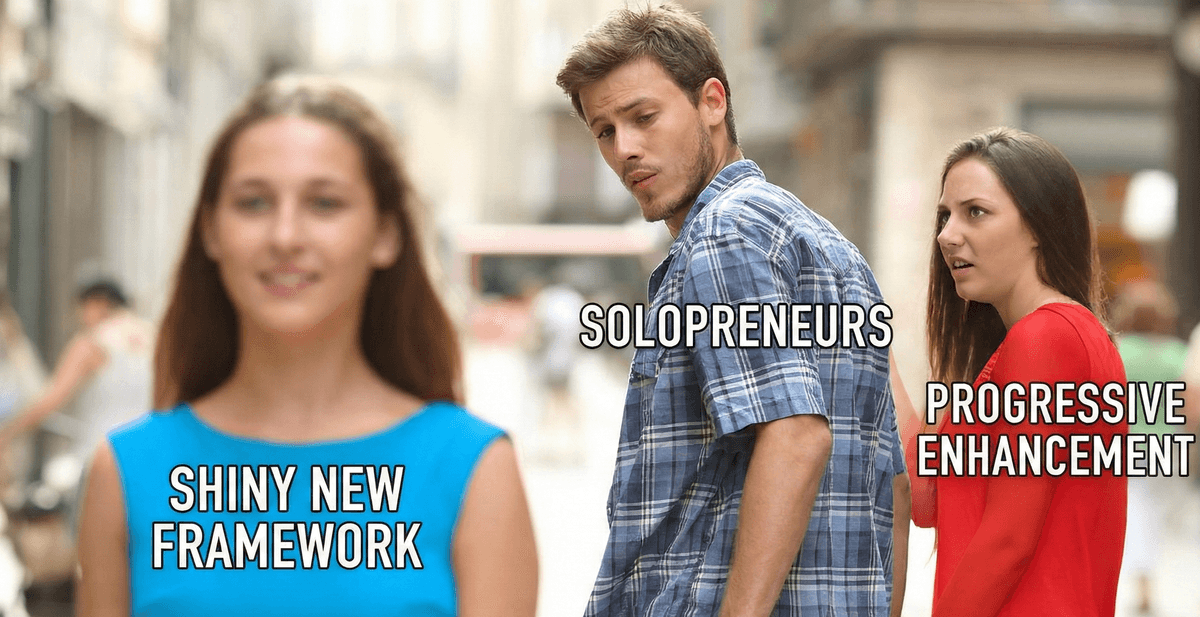
Welcome to the solopreneur's nightmare: building for the web means building for everywhere. But you can't afford a QA team testing on 47 device-browser combinations. You need a strategy that's pragmatic, not perfect.
The Reality Check: What These Terms Actually Mean
Progressive Enhancement: Start with a baseline experience that works everywhere (HTML forms, semantic markup), then layer on JavaScript enhancements for capable browsers.
Graceful Degradation: Build the full experience first, then add fallbacks for browsers that can't handle modern features.
The dogma says: "Progressive enhancement is The Right Way™." The reality? You need both, depending on what you're building.
Pattern 1: The Form That Actually Works (Progressive Enhancement)
Let's look at how Cal.com handles their booking form. The core experience works without JavaScript:
<!-- Base HTML that works everywhere -->
<form action="/api/book" method="POST">
  <input
    type="datetime-local"
    name="datetime"
    required
  />
  <input type="email" name="email" required />
  <button type="submit">Book Appointment</button>
</form>

<script>
  // Enhancement: client-side validation + instant feedback
  if ('IntersectionObserver' in window) {
    const form = document.querySelector('form');

    form.addEventListener('submit', async (e) => {
      e.preventDefault();

      // Show loading state
      const button = form.querySelector('button');
      button.disabled = true;
      button.textContent = 'Booking...';

      // Submit via fetch with better UX
      const formData = new FormData(form);
      const response = await fetch('/api/book', {
        method: 'POST',
        body: formData
      });

      if (response.ok) {
        // Show success without page reload
        showConfetti();
      }
    });
  }
</script>
Why this works: If JavaScript fails to load (slow 3G, script blocker, ancient browser), the form still submits. The server handles it. You haven't locked anyone out.
Time investment: 15 minutes to wrap your existing form logic.
Pattern 2: Feature Detection Without the Bloat (Graceful Degradation)
Linear's editor uses cutting-edge browser APIs, but they detect support first:
// Check for modern clipboard API
const canUseModernClipboard = () => {
  return (
    'clipboard' in navigator &&
    'write' in navigator.clipboard
  );
};

// Use modern API with fallback
async function copyToClipboard(text) {
  if (canUseModernClipboard()) {
    try {
      await navigator.clipboard.writeText(text);
      return true;
    } catch (err) {
      // Permission denied or other error - fall through
    }
  }

  // Fallback: old-school text selection
  const textarea = document.createElement('textarea');
  textarea.value = text;
  textarea.style.position = 'fixed';
  textarea.style.opacity = '0';
  document.body.appendChild(textarea);
  textarea.select();

  try {
    document.execCommand('copy');
    return true;
  } finally {
    document.body.removeChild(textarea);
  }
}

// Usage - same interface everywhere
button.onclick = () => {
  copyToClipboard(secretToken);
  showToast('Copied!');
};
Why this works: You get the modern API benefits (better permissions UX, no selection flash) where available, but the feature still works in IE11 if someone's corporate IT is stuck in 2013.
Time investment: 20 minutes including testing.
Pattern 3: The Analytics-Driven Approach (What Actually Matters)
Notion doesn't test on every browser. They use real data:
// Track feature support on real user devices
const trackFeatureSupport = () => {
  const features = {
    webp: document.createElement('canvas')
      .toDataURL('image/webp')
      .indexOf('data:image/webp') === 0,

    grid: CSS.supports('display: grid'),

    intersectionObserver: 'IntersectionObserver' in window,

    serviceWorker: 'serviceWorker' in navigator,
  };

  // Send to your analytics (Plausible, PostHog, etc.)
  analytics.track('browser_capabilities', features);

  return features;
};

// On page load, track once per session
if (!sessionStorage.getItem('features_tracked')) {
  trackFeatureSupport();
  sessionStorage.setItem('features_tracked', 'true');
}
The insight: After two weeks, you'll know if 0.01% or 15% of your users lack WebP support. Prioritize fallbacks accordingly.
Time investment: 10 minutes setup, saves hours on unnecessary fallbacks.
The Framework-Agnostic Wrapper Pattern
Works with React, Vue, Svelte, or vanilla JS:
// features.js - Your feature detection library
export const features = {
  clipboard: 'clipboard' in navigator,
  webp: null, // Check async
  localStorage: (() => {
    try {
      localStorage.setItem('test', 'test');
      localStorage.removeItem('test');
      return true;
    } catch {
      return false;
    }
  })(),
};

// React example
function CopyButton({ text }) {
  const [supported, setSupported] = useState(features.clipboard);

  if (!supported) {
    // Fallback UI: show the text to copy manually
    return (
      <div className="copy-fallback">
        <code>{text}</code>
        <small>Copy this manually</small>
      </div>
    );
  }

  return (
    <button onClick={() => copyToClipboard(text)}>
      Copy to Clipboard
    </button>
  );
}

// Vue example
<template>
  <button v-if="features.clipboard" @click="copy">
    Copy
  </button>
  <code v-else>{{ text }}</code>
</template>

// Svelte example
{#if features.clipboard}
  <button on:click={copy}>Copy</button>
{:else}
  <code>{text}</code>
{/if}
The Pragmatic Decision Matrix
| Feature | Approach | Why |
|---|---|---|
| Forms, navigation, core actions | Progressive Enhancement | Must work without JS |
| Rich text editor, canvas tools | Graceful Degradation | No non-JS equivalent |
| Image formats (WebP, AVIF) | Check analytics first | Easy fallback if needed |
| CSS Grid vs Flexbox | Progressive Enhancement | Flexbox is universal now |
| Service Workers | Graceful Degradation | Enhancement only |
The 30-Minute Implementation Checklist
- Add feature detection (5 min): Create a
features.jsfile with detection for APIs you use. - Wrap critical features (10 min): Add detection checks before using modern APIs.
- Implement 1-2 key fallbacks (10 min): Focus on features that break core functionality.
- Add analytics tracking (5 min): Track what your real users actually support.
That's it. You don't need to test on 47 browsers. You need to know what breaks, have a fallback, and let data guide you.
What This Looks Like in Production
A real example from an indie SaaS dashboard:
// App loads, checks features once
const userCapabilities = {
  canUseOffline: 'serviceWorker' in navigator,
  canCopyRich: 'ClipboardItem' in window,
  canShareNative: 'share' in navigator,
  hasWebP: await checkWebPSupport(),
};

// Now just check flags throughout your app
if (userCapabilities.canShareNative) {
  showShareButton();
} else {
  showCopyLinkButton(); // Works everywhere
}

// Image component uses the capability
function ProjectImage({ src }) {
  const format = userCapabilities.hasWebP ? 'webp' : 'jpg';
  return <img src={`${src}.${format}`} />;
}
The Real Takeaway
Stop treating progressive enhancement and graceful degradation as religious warfare. They're tools. Use progressive enhancement for must-work features (forms, navigation, content). Use graceful degradation for nice-to-have features (animations, rich interactions, offline mode).
Most importantly: use analytics to decide what matters. If 0.1% of your users lack JavaScript, maybe a full no-JS experience isn't worth the engineering time. If 20% lack WebP support, definitely add that fallback.
Your time is finite. Your users' browsers are not. Build smart, not exhaustive.
Building resilient web apps as a solopreneur? Desplega.ai automates the QA testing you don't have time for—so you can focus on shipping features, not debugging edge cases.
Related Posts
Vibe Break Chapter VII: The Acceptance Protocol Anomaly
Vibecoding brings 126% productivity gains but 16 of 18 CTOs report production disasters. Learn strategic lightweight testing.
Vibe Break Chapter V: The Pixel Perturbation
Learn visual regression testing for AI-generated interfaces and catch pixel perturbations that damage credibility.
Visual Regression Testing: Catching UI Bugs Before Your Users Do
Learn how to implement visual regression testing with Playwright, Percy, and Chromatic.