
Fire and Forget: Background AI Agents That Code While You Sleep
Your side project could be shipping features at 3 AM while you dream about product-market fit.
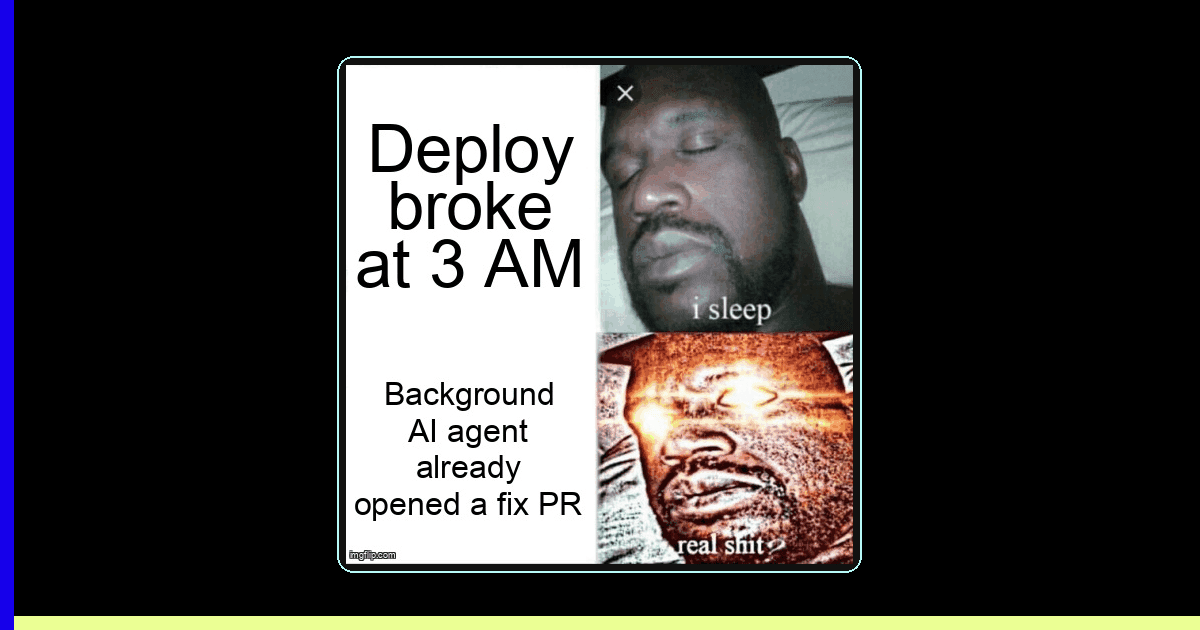
TL;DR: Background AI coding agents let solopreneurs ship features 24/7 without being online. Set up fire-and-forget workflows with Claude Code, GitHub Copilot, or OpenAI Codex — wake up to PRs ready for review, not a blank editor.
It's 11 PM. You've spent the last hour writing a detailed GitHub issue for that new API endpoint your SaaS needs. You close the laptop, go to sleep, and wake up to a pull request — tests passing, types correct, ready for review. No, this isn't a fever dream. This is background AI agent development, and it's turning solo devs into small armies.
According to the 2025 GitHub Octoverse Report, developers using AI coding assistants shipped 55% more pull requests per week than those who didn't. But here's the stat that matters for solopreneurs: developers using background AI agents — agents that work asynchronously while you do other things — reported a 3.2x increase in weekly feature output according to the 2026 Stack Overflow Developer Survey.
The game has changed. You don't need to sit next to your AI pair programmer anymore. You can fire a task, forget about it, and review the results when you're ready. Let's build that workflow.
What are background AI coding agents and why should solopreneurs care?
Background AI coding agents are AI-powered tools that execute coding tasks asynchronously — you describe what you want, they work in the background (often in a cloud sandbox), and deliver results as pull requests or patches without requiring your active attention.
Think of it like having a junior developer on your team who works night shifts. You leave detailed tickets, they submit PRs by morning. Except this junior never sleeps, never calls in sick, and costs less than your coffee budget.
The major players in this space right now:
- Claude Code (Anthropic) — Runs headlessly via CLI, supports background tasks with
--backgroundflag, creates PRs directly - GitHub Copilot Coding Agent — Triggered from GitHub Issues, runs in GitHub Actions, opens PRs automatically
- OpenAI Codex — Cloud-based agent that works in a sandboxed environment, integrates with GitHub
- Cursor Background Agents — Runs tasks in cloud containers while you continue editing other files
The Solo Dev Multiplier
A solopreneur running 3-5 background agent tasks per day effectively operates like a 2-3 person team. The key insight: agents work on tasks that block you (writing tests, boilerplate endpoints, migration scripts) while you focus on tasks that need you (product decisions, UX design, customer conversations).
How do you set up a fire-and-forget AI coding workflow?
A fire-and-forget workflow has three phases: task definition, background execution, and automated review gates. Set it up once and every future task follows the same pipeline.
The foundation of every background agent workflow is a good CLAUDE.md (or equivalent context file). This is the document that tells the agent how your project works — your conventions, your stack, your testing patterns. Without it, agents hallucinate paths, invent APIs, and write code that doesn't match your style.
Here's a production-ready CLAUDE.md template that works across all major agents:
# CLAUDE.md — Project Context for AI Agents

## Stack
- Next.js 15 (App Router), TypeScript strict mode
- Prisma ORM with PostgreSQL
- Tailwind CSS + shadcn/ui
- Vitest for unit tests, Playwright for E2E

## Commands
- pnpm dev          # Start dev server (port 3000)
- pnpm test         # Run unit tests
- pnpm test:e2e     # Run E2E tests
- pnpm lint         # ESLint + Prettier check
- pnpm db:push      # Push Prisma schema changes

## Conventions
- Server Components by default, "use client" only when needed
- API routes in app/api/[resource]/route.ts
- Zod validation on all API inputs
- All DB queries go through src/lib/db/ service files
- Tests live next to source: Component.test.tsx

## Do NOT
- Install new dependencies without asking
- Modify prisma/schema.prisma without explicit instruction
- Skip writing tests for new endpoints
- Use any/unknown types — always define interfaces
With that context file in place, here's how to fire off a background task with Claude Code:
# Fire and forget: Claude Code background task
$ claude --background --task "Add a GET /api/projects endpoint that   returns all projects for the authenticated user. Include Zod   response validation, proper error handling for unauthenticated   requests, and a unit test. Follow the pattern in   app/api/tasks/route.ts."

# You get back a session ID immediately:
# Background session started: sess_abc123
# Working in branch: agent/add-projects-endpoint

# Check status anytime:
$ claude --background --status sess_abc123

# Or just wait for the PR notification in GitHub
The equivalent workflow with GitHub Copilot's coding agent is even simpler — just create a GitHub Issue with the right label:
# GitHub Issue → Copilot Agent workflow
# 1. Create an issue (via CLI or GitHub UI):

$ gh issue create \
  --title "Add GET /api/projects endpoint" \
  --body "Return all projects for authenticated user. \
  Include Zod validation, error handling, and unit test. \
  Follow pattern in app/api/tasks/route.ts." \
  --label "copilot"

# 2. Copilot agent picks it up automatically
# 3. Opens a PR linked to the issue
# 4. You review when ready

# Check agent status:
$ gh pr list --author "copilot[bot]" --state open
Background Agent Comparison: Claude Code vs. Copilot vs. Codex
Not all agents are created equal. Here's how the major background coding agents stack up for solopreneur workflows:
| Feature | Claude Code | GitHub Copilot Agent | OpenAI Codex |
|---|---|---|---|
| Trigger method | CLI flag or API | GitHub Issue label | Web UI or API |
| Execution environment | Cloud sandbox or local | GitHub Actions runner | Cloud sandbox |
| Auto PR creation | Yes (with git setup) | Yes (native) | Yes (native) |
| Runs tests before PR | Yes (configurable) | Yes (CI pipeline) | Yes (sandbox) |
| Cost model | Per-token (~$0.10-0.50/task) | Included in Copilot Pro+ | Per-token (~$0.15-0.60/task) |
| Context window | 200K tokens | 128K tokens | 192K tokens |
| Multi-file edits | Excellent | Good | Good |
| Best for | Complex refactors, full features | Issue-driven workflows | Isolated feature tasks |
The Overnight Sprint: A Real Workflow for Solo Devs
Here's the workflow I use to ship features while sleeping. I call it the "Overnight Sprint" — you batch 3-5 well-scoped tasks in the evening, fire them off as background agent jobs, and wake up to a queue of PRs.
The secret sauce is task scoping. Each task should be:
- Self-contained — One endpoint, one component, one migration. Not "build the dashboard."
- Testable — The agent should be able to verify its own work by running tests.
- Reference-anchored — Point to an existing file as a pattern: "follow the pattern in X."
- Branch-isolated — Each task gets its own branch. No conflicts between parallel agents.
Here's a production-ready script that automates the overnight sprint:
#!/bin/bash
# overnight-sprint.sh — Fire multiple background agent tasks
# Usage: ./overnight-sprint.sh tasks.txt

TASK_FILE="$1"
SESSION_LOG=".agent-sessions-$(date +%Y%m%d).log"

if [ ! -f "$TASK_FILE" ]; then
  echo "Usage: ./overnight-sprint.sh <task-file>"
  echo "Task file: one task description per line"
  exit 1
fi

echo "Starting overnight sprint at $(date)" | tee "$SESSION_LOG"
echo "---" | tee -a "$SESSION_LOG"

TASK_NUM=0
while IFS= read -r task; do
  # Skip empty lines and comments
  [[ -z "$task" || "$task" == #* ]] && continue

  TASK_NUM=$((TASK_NUM + 1))
  echo "Firing task $TASK_NUM: $task" | tee -a "$SESSION_LOG"

  # Launch Claude Code in background mode
  SESSION_ID=$(claude --background \
    --task "$task" \
    --output-format json 2>/dev/null | jq -r '.sessionId')

  echo "  → Session: $SESSION_ID" | tee -a "$SESSION_LOG"
  sleep 2  # Brief pause between launches
done < "$TASK_FILE"

echo "---" | tee -a "$SESSION_LOG"
echo "Fired $TASK_NUM tasks. Check status with:" | tee -a "$SESSION_LOG"
echo "  claude --background --list" | tee -a "$SESSION_LOG"
echo "Good night! PRs will be ready by morning." | tee -a "$SESSION_LOG"
And here's what a tasks.txt file looks like:
# tasks.txt — Tonight's sprint backlog
Add a PATCH /api/projects/[id] endpoint with Zod validation. Follow app/api/tasks/[id]/route.ts pattern. Include unit test.
Create a ProjectCard component that displays name, description, and last-updated date. Follow the TaskCard component pattern. Add Storybook story.
Write Playwright E2E test for the project creation flow: navigate to /projects/new, fill form, submit, verify redirect to /projects/[id].
Add rate limiting middleware to all API routes using upstash/ratelimit. 60 requests per minute per user. Add test for rate limit response.
Edge Cases, Gotchas, and Things That Will Bite You
Background agents are powerful, but they're not magic. After running hundreds of background tasks, here are the gotchas that catch people:
Gotcha #1: Merge Conflicts Between Parallel Agents
If two agents edit the same file (say, both add routes to your main router), you'll get merge conflicts. Fix: Structure tasks so they touch different files. If they must share a file, run them sequentially or use a merge queue.
Gotcha #2: Stale Context
Agents branch from main when they start. If another agent merges first, subsequent agents work against stale code. Fix: Use a merge queue (GitHub's built-in or Mergify) that rebases PRs before merging.
Gotcha #3: The "Looks Right" Trap
AI-generated code often looks correct but has subtle logic bugs — off-by-one errors, missing null checks, wrong enum values. Fix: Never auto-merge agent PRs. Always require CI to pass AND a human review, even a quick 2-minute scan.
Gotcha #4: Token Cost Runaway
A poorly scoped task can cause the agent to loop, burning through tokens. One vague prompt like "make the dashboard look better" can cost $5-10 in tokens as the agent iterates endlessly. Fix: Set token/cost limits per task and always be specific about the desired outcome.
Troubleshooting Background Agent Failures
When things go wrong (and they will), here's your debugging playbook:
Problem: Agent creates PR but tests fail
- Check if the agent had access to your test setup (environment variables, test database config)
- Verify your
CLAUDE.mdincludes the test command and any required setup steps - Look at the agent's session log — it often shows the agent ran tests locally and they passed, but CI has different config
- Fix: Add a CI config section to your context file that specifies environment differences
Problem: Agent goes off-track and builds the wrong thing
- Your prompt was too vague. "Add user management" has 100 interpretations.
- Fix: Always specify: input → output → file locations → reference pattern → test expectations
- Use this template: "Create [what] in [where] that [does what] following [pattern in file]. Include [test type] that verifies [specific behavior]."
Problem: Agent creates too many files / over-engineers
- Agents love abstraction. They'll create utility files, helper functions, and factories you didn't ask for.
- Fix: Add "Do NOT create new utility files or abstractions. Keep changes minimal and focused." to your context file
Problem: Session hangs or times out
- The agent likely hit a prompt that requires user input (e.g., "Should I install this package?")
- Fix: Use the
--yesflag for auto-approving safe operations, or pre-install dependencies in your context file instructions
Scaling Up: From Weekend Projects to 24/7 Shipping
Once you've got the basic fire-and-forget workflow running, here's how to level up:
Level 1: Manual fire-and-forget — You write tasks, fire them before bed, review PRs in the morning. This alone doubles your output.
Level 2: Scheduled agents — Set up cron jobs that trigger agents on a schedule. Example: every night at midnight, an agent runs your test suite and opens a PR fixing any newly broken tests.
# .github/workflows/nightly-agent.yml
name: Nightly AI Agent Sprint
on:
  schedule:
    - cron: '0 0 * * *'  # Midnight UTC
  workflow_dispatch:      # Manual trigger

jobs:
  agent-tasks:
    runs-on: ubuntu-latest
    steps:
      - uses: actions/checkout@v4

      - name: Run test suite and capture failures
        id: tests
        run: |
          pnpm install
          pnpm test 2>&1 | tee test-output.txt
          echo "failures=$(grep -c 'FAIL' test-output.txt)" >> $GITHUB_OUTPUT
        continue-on-error: true

      - name: Fix failing tests with AI agent
        if: steps.tests.outputs.failures > 0
        env:
          ANTHROPIC_API_KEY: ${{ secrets.ANTHROPIC_API_KEY }}
        run: |
          npx claude --background \
            --task "These tests are failing: $(cat test-output.txt | grep 'FAIL'). \
            Fix the source code (not the tests) to make them pass. \
            Run pnpm test to verify before committing." \
            --create-pr

      - name: Notify on Slack
        if: always()
        run: |
          curl -X POST ${{ secrets.SLACK_WEBHOOK }} \
            -d '{"text": "Nightly agent run complete. Check PRs."}'
Level 3: Event-driven agents — Agents triggered by events: new issue labeled "agent-task", failing CI, customer support ticket tagged "bug". This is where it gets truly autonomous.
Level 4: Agent orchestration — Multiple specialized agents working together. One agent writes the feature, another writes tests, a third handles docs updates. This is the frontier — tools like Desplega are building exactly this.
The Real Talk: What Background Agents Can't Do (Yet)
Let's be honest about the limitations. Background agents are incredible for:
- CRUD endpoints, API routes, and database operations
- Writing tests for existing code
- Migrations, refactors, and boilerplate
- Bug fixes with clear reproduction steps
- Adding features that follow an existing pattern
They still struggle with:
- Novel architecture decisions — Don't ask an agent to design your auth system from scratch
- Complex state management — Multi-step forms, real-time sync, optimistic updates
- Pixel-perfect UI — Agents can scaffold components but rarely nail visual design
- Cross-system integrations — Anything requiring API keys, OAuth flows, or external service setup
The sweet spot? You handle the 20% that needs creativity and judgment. Agents handle the 80% that's predictable execution. That split is where solo devs become unreasonably productive.
The Bottom Line
Background AI agents aren't replacing developers — they're replacing the 16 hours a day you're not coding. For solopreneurs building side projects from Barcelona cafes or late-night sessions in Madrid apartments, this is the closest thing to cloning yourself. Fire the tasks, forget about them, wake up to PRs. The future of indie hacking is asynchronous, automated, and always shipping.
Ready to ship your next project faster?
Desplega.ai helps indie hackers and solopreneurs build and ship faster with AI-powered development and testing tools.
Get StartedFrequently Asked Questions
Are background AI coding agents reliable enough for production code?
Yes, with guardrails. Restrict agents to well-scoped tasks, require passing CI before merge, and review diffs before deploying. Most agents now pass 70-80% of tasks without human edits.
How much does running background AI agents cost per month?
Expect $50-200/month for a solo dev running 3-5 background tasks daily. Claude Code costs ~$0.10-0.50 per task. GitHub Copilot is $19/month flat. Scale down with smaller scoped tasks.
Can background AI agents handle full-stack features or just simple tasks?
They handle both, but scoping matters. Simple tasks (add endpoint, write tests, fix bug) succeed 80%+ of the time. Full-stack features work best split into 3-5 smaller agent tasks.
What happens when a background agent writes buggy code?
CI catches most issues — agents run tests before opening PRs. For bugs that slip through, treat it like any code review: reject the PR, refine the prompt, and re-run. Agents learn from CLAUDE.md context.
Do I need a powerful local machine to run background AI agents?
No. Claude Code and Copilot run in the cloud. You can trigger tasks from a $200 Chromebook, a phone via SSH, or even a scheduled cron job. The compute happens on the provider's infrastructure.
Related Posts
When I Reject v0 Code: Pattern-Matching Rules for Safer UI Generation
A practical v0 review gate for safer generated React UI: AST checks, Playwright smoke tests, accessibility rules, and rejection signals.
Cody's Repository Indexing: Does Cognitive Offloading Create Knowledge Gaps in Large Codebases? | Desplega AI
A practical deep dive into Cody repository indexing, context retrieval, and how indie hackers avoid AI-created knowledge gaps.
Hot Module Replacement: Why Your Dev Server Restarts Are Killing Your Flow State | desplega.ai
Stop losing 2-3 hours daily to dev server restarts. Master HMR configuration in Vite and Next.js to maintain flow state, preserve component state, and boost coding velocity by 80%.