
Ship Faster: The 5-Minute Deployment Ritual Every Solopreneur Needs
Turn deployment anxiety into deployment confidence with a simple daily ritual that catches 80% of production issues before they ship
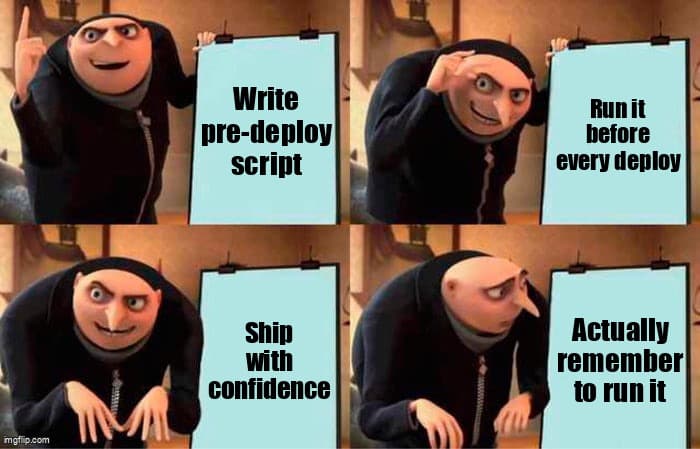
You've built something beautiful in Lovable, Replit, or v0. The feature works perfectly in preview. But the moment your finger hovers over that deploy button, a familiar feeling creeps in: what if I forgot something? Environment variables? Database migrations? That API key you hardcoded for testing?
The difference between solopreneurs who ship daily and those who ship monthly isn't technical skill—it's having a deployment ritual that removes the guesswork. Here's how to build yours in five minutes.
The Pre-Flight Checklist: Your First Line of Defense
Before every deployment, run this three-step verification. Copy this into a pre-deploy.sh script at the root of your project:
#!/bin/bash
# pre-deploy.sh - Your 5-minute safety net

echo "🚀 Pre-deployment checklist starting..."

# Step 1: Environment variable verification
echo "📋 Checking environment variables..."
required_vars=("DATABASE_URL" "API_KEY" "NEXT_PUBLIC_APP_URL")
for var in "${required_vars[@]}"; do
  if [ -z "${!var}" ]; then
    echo "❌ Missing: $var"
    exit 1
  fi
done
echo "✅ All required env vars present"

# Step 2: Build test
echo "🔨 Testing production build..."
npm run build || exit 1
echo "✅ Build successful"

# Step 3: Critical path smoke test
echo "🧪 Running smoke tests..."
npm run test:smoke || exit 1
echo "✅ Smoke tests passed"

echo "🎉 Pre-deployment checks complete! Safe to deploy."
Make it executable: chmod +x pre-deploy.sh. Now run ./pre-deploy.sh before every deploy. This catches the silent killers: missing env vars, broken builds, and regression in critical flows.
Platform-Specific Tips
- Lovable: Check your preview URL works before clicking "Publish to Production"
- Replit: Test in the deployment preview pane—it uses production env vars
- v0/Vercel: Run
vercel buildlocally beforevercel --prod
The One-Click Rollback: Ship Without Fear
The secret to shipping confidently? Knowing you can undo it instantly. Before deploying, tag your current state:
# Tag current state as "last-known-good"
git tag -f last-known-good
git push origin last-known-good --force

# Now deploy with confidence
# If something breaks:
git reset --hard last-known-good
git push origin main --force  # Only safe because you're solo!
For Vercel/Replit deployments, their built-in rollback UI works great—but this git tag gives you a local escape hatch too. Add this alias to your ~/.gitconfig for instant rollback:
[alias]
  rollback = !git reset --hard last-known-good && git push origin main --force

# Usage: git rollback
The 60-Second Smoke Test
After deploying, immediately verify your critical path. Create tests/smoke.spec.ts with your app's core flow:
// tests/smoke.spec.ts
import { test, expect } from '@playwright/test';

test('critical user flow', async ({ page }) => {
  // 1. Homepage loads
  await page.goto('https://your-app.com');
  await expect(page.locator('h1')).toBeVisible();

  // 2. Auth works
  await page.click('text=Sign In');
  await page.fill('input[type=email]', 'test@example.com');
  await page.fill('input[type=password]', 'password');
  await page.click('button[type=submit]');
  await expect(page.locator('text=Dashboard')).toBeVisible();

  // 3. Core feature works
  await page.click('text=New Project');
  await page.fill('input[name=title]', 'Smoke Test');
  await page.click('text=Create');
  await expect(page.locator('text=Smoke Test')).toBeVisible();
});
Run this immediately after deploy: npx playwright test tests/smoke.spec.ts. If it fails, you know within 60 seconds—not after a customer reports it.
Quick Setup for Playwright
npm init playwright@latest
# Choose: TypeScript, tests folder, no GitHub Actions
# Add to package.json:
{
  "scripts": {
    "test:smoke": "playwright test tests/smoke.spec.ts"
  }
}
The Complete 5-Minute Ritual
Here's your full pre-deployment flow, start to finish:
- Tag rollback point (10 seconds):
git tag -f last-known-good && git push origin last-known-good --force - Run pre-flight checks (2 minutes):
./pre-deploy.sh - Deploy (1 minute): Click deploy button or
vercel --prod - Smoke test (1 minute):
npm run test:smoke - Manual spot-check (1 minute): Open your app, test one critical flow manually
Total time: 5 minutes. What you gain: confidence to ship daily, not monthly. Most production issues happen because we skip these steps when we're "just fixing a small bug" or "deploying quickly before a meeting."
Advanced: Automate the Ritual
Once you've internalized this flow, automate it. Create a deploy.sh that combines everything:
#!/bin/bash
# deploy.sh - The full ritual, automated

set -e  # Exit on any error

echo "🏷️  Tagging rollback point..."
git tag -f last-known-good
git push origin last-known-good --force

echo "🔍 Running pre-flight checks..."
./pre-deploy.sh

echo "🚀 Deploying to production..."
vercel --prod

echo "⏳ Waiting for deployment to stabilize (30s)..."
sleep 30

echo "🧪 Running smoke tests against production..."
PLAYWRIGHT_BASE_URL=https://your-app.com npm run test:smoke

echo "✅ Deployment complete and verified!"
echo "📊 Monitor: https://vercel.com/dashboard"
echo "🔙 Rollback: git rollback (if needed)"
Now deploying is just: ./deploy.sh. One command, total confidence.
Key Takeaways
- Build a pre-flight checklist script - Verify env vars, test builds, run smoke tests. This catches 80% of production issues before they ship.
- Tag your rollback point before every deploy -
git tag -f last-known-goodgives you instant undo capability. - Create a critical path smoke test - One Playwright test covering your core user flow. Run it immediately after deploy to catch issues in 60 seconds.
- Make it a ritual, not a suggestion - The 5 minutes you invest pre-deployment saves hours of debugging production fires. Automate it, then never skip it.
- Ship fearlessly by shipping prepared - The confidence to deploy daily comes from having systems that catch problems automatically, not from being more careful.
The solopreneurs shipping multiple times per day aren't more skilled—they've just removed the friction and fear from deployment. Start with this 5-minute ritual tomorrow, and watch your shipping velocity increase while your production incidents decrease.
Ready to level up your development workflow?
Desplega.ai helps solo developers and small teams ship faster with professional-grade tooling. From vibe coding to production deployments, we bridge the gap between rapid prototyping and scalable software.
Get Expert GuidanceRelated Posts
Hot Module Replacement: Why Your Dev Server Restarts Are Killing Your Flow State | desplega.ai
Stop losing 2-3 hours daily to dev server restarts. Master HMR configuration in Vite and Next.js to maintain flow state, preserve component state, and boost coding velocity by 80%.
The Flaky Test Tax: Why Your Engineering Team is Secretly Burning Cash | desplega.ai
Discover how flaky tests create a hidden operational tax that costs CTOs millions in wasted compute, developer time, and delayed releases. Calculate your flakiness cost today.
The QA Death Spiral: When Your Test Suite Becomes Your Product | desplega.ai
An executive guide to recognizing when quality initiatives consume engineering capacity. Learn to identify test suite bloat, balance coverage vs velocity, and implement pragmatic quality gates.