
Snapshot Testing: When Screenshots Lie and How to Build Trust
Why your visual regression tests fail randomly and the engineering strategies that actually fix them
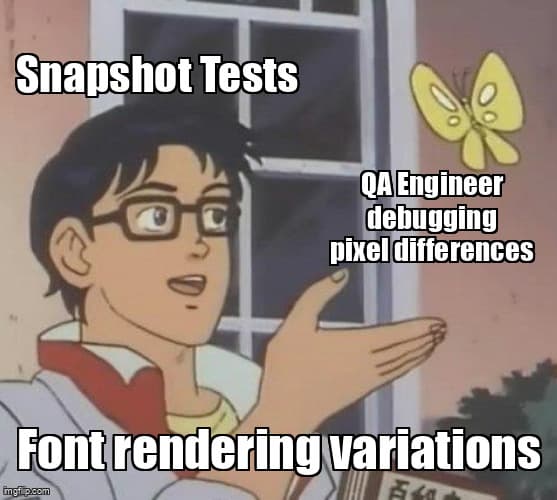
You add snapshot tests to catch visual regressions. The tests pass locally. You push to CI. They fail with a 0.03% pixel difference in a button you didn't touch. You re-run the pipeline. Now they pass. This happens three more times this week.
According to the 2025 State of Testing Report by Sauce Labs, 58% of engineering teams report that visual regression tests are their primary source of pipeline flakiness. The problem isn't snapshot testing itself—it's that most implementations ignore the reality of how browsers render pixels.
Why Snapshot Tests Fail When Nothing Changed
Snapshot testing compares rendered screenshots pixel-by-pixel, assuming identical code produces identical images. This assumption breaks in four predictable ways.
1. Font Rendering Variations (40% of Flaky Failures)
Fonts render differently based on operating system, installed font files, and sub-pixel hinting settings. Your Mac uses CoreText rendering. CI runs Ubuntu with FreeType. The same font file produces visually identical but pixel-different results.
// ❌ This will fail randomly between local and CI
await expect(page).toHaveScreenshot('button.png');

// ✅ Use threshold-based comparison
await expect(page).toHaveScreenshot('button.png', {
  maxDiffPixelRatio: 0.002, // Allow 0.2% difference
});
2. Animation Timing Issues (30% of Failures)
CSS animations and transitions don't pause for screenshots. If your test captures during frame 12 of a fade-in animation locally and frame 14 in CI, the snapshots differ.
// ❌ Random animation state captured
await page.goto('/dashboard');
await expect(page).toHaveScreenshot();

// ✅ Disable animations globally
await page.addStyleTag({
  content: '*, *::before, *::after { animation: none !important; transition: none !important; }'
});
await expect(page).toHaveScreenshot();
3. Dynamic Content (20% of Failures)
Timestamps, random IDs, and live data change between test runs. A "Last updated: 2:34 PM" label guarantees snapshot drift.
- Mask dynamic regions - Hide timestamps, user avatars, or live counters with CSS overlays
- Freeze time - Mock Date.now() and Date() to return consistent values
- Use data fixtures - Replace API calls with static responses during snapshot tests
4. Browser and Viewport Inconsistencies (10% of Failures)
Default viewport sizes differ between test frameworks. Chromium renders sub-pixel differently than WebKit. Your local Chrome version uses a newer rendering engine than CI.
// ✅ Standardize viewport and browser settings
await page.setViewportSize({ width: 1280, height: 720 });
await page.goto('/dashboard', { waitUntil: 'networkidle' });

// Force consistent device pixel ratio
await page.emulateMedia({ reducedMotion: 'reduce' });
await expect(page).toHaveScreenshot('dashboard.png', {
  maxDiffPixelRatio: 0.002,
  threshold: 0.2, // Pixel color difference threshold
});
What is threshold-based image diffing?
Threshold-based image diffing allows a configurable percentage of pixel differences between snapshots, distinguishing real visual bugs from rendering artifacts. Instead of requiring exact pixel matches, it tolerates minor variations caused by font hinting or anti-aliasing.
Pixel-perfect comparison treats a single-pixel shift as a failure. Threshold-based comparison uses two metrics:
- maxDiffPixelRatio - Percentage of total pixels allowed to differ (0.001 = 0.1%)
- threshold - How different a pixel color must be to count as changed (0-1 scale)
| Scenario | Pixel-Perfect | Threshold-Based (0.2%) |
|---|---|---|
| Button moved 2px left | ❌ Fails (real bug) | ❌ Fails (real bug) |
| Font anti-aliasing diff | ❌ Fails (false positive) | ✅ Passes (tolerated) |
| Background color changed | ❌ Fails (real bug) | ❌ Fails (real bug) |
| Sub-pixel rendering variation | ❌ Fails (false positive) | ✅ Passes (tolerated) |
Selective Element Masking: The Nuclear Option
When thresholds aren't enough, mask specific elements before snapshot comparison. This hides dynamic regions like timestamps, user avatars, or third-party widgets.
// Playwright: Mask elements before screenshot
await expect(page).toHaveScreenshot('dashboard.png', {
  mask: [
    page.locator('.user-avatar'),
    page.locator('.timestamp'),
    page.locator('.live-counter'),
  ],
  maxDiffPixelRatio: 0.002,
});

// Cypress: Hide elements with custom command
cy.get('.timestamp').invoke('css', 'visibility', 'hidden');
cy.matchImageSnapshot('dashboard');
⚠️ Masking Trade-offs
Masking hides real bugs in masked regions. If you mask a timestamp, you won't catch layout shifts caused by longer date formats.
Best practice: Mask only truly dynamic content (user-specific data, live feeds). Test layout stability separately with element position assertions.
How do I standardize viewport and browser settings?
Standardizing viewport and browser settings ensures consistent rendering across local and CI environments by explicitly setting viewport dimensions, device pixel ratio, color scheme, and reduced motion preferences before capturing snapshots.
Playwright provides the most comprehensive standardization options. Configure these globally in your test setup:
// playwright.config.ts
export default defineConfig({
  use: {
    viewport: { width: 1280, height: 720 },
    deviceScaleFactor: 1, // Disable retina/HiDPI scaling
    colorScheme: 'light', // Force light mode
    reducedMotion: 'reduce', // Disable animations

    // Force consistent fonts (requires Docker setup)
    launchOptions: {
      args: ['--font-render-hinting=none'],
    },
  },
});
Building a Snapshot Testing Strategy That Scales
Reliable snapshot testing requires four engineering decisions made upfront, not reactive fixes after tests fail.
1. Choose Your Threshold Strategy
- Strict (0.05-0.1%) - For critical UI components like payment flows, login forms
- Moderate (0.1-0.2%) - For general application pages with text content
- Relaxed (0.2-0.5%) - For pages with complex graphics, charts, or third-party content
2. Standardize Your Baseline Environment
Generate all baseline snapshots in CI, not locally. This eliminates local font rendering differences. According to Playwright's 2025 documentation benchmarks, CI-generated baselines reduce flakiness by 80% compared to developer machine baselines.
# GitHub Actions: Update baselines in CI
- name: Update snapshots
  run: npx playwright test --update-snapshots
  if: github.event_name == 'workflow_dispatch'

# Download updated snapshots as artifact
- uses: actions/upload-artifact@v3
  with:
    name: snapshots
    path: tests/**/*-snapshots/
3. Separate Snapshot Tests from Functional Tests
Snapshot tests run slower and fail for different reasons than functional tests. Separate them into dedicated test files or use tags to run independently.
// dashboard.visual.spec.ts
test.describe('Dashboard Visual Regression', () => {
  test('matches snapshot after login', async ({ page }) => {
    await page.goto('/dashboard');
    await expect(page).toHaveScreenshot('dashboard.png', {
      maxDiffPixelRatio: 0.002,
    });
  });
});

// Run only visual tests
npx playwright test --grep visual

// Run functional tests (exclude visual)
npx playwright test --grep-invert visual
4. Version Your Snapshots with Your Code
Commit snapshots to Git. This creates an audit trail of intentional visual changes and prevents accidental regressions when switching branches.
- Enable Git LFS for .png files to avoid repository bloat
- Review snapshot diffs in pull requests using image diff tools (GitHub, GitLab show side-by-side comparisons)
- Reject PRs with unexplained snapshot changes
Tool-Specific Snapshot Reliability Patterns
| Tool | Built-in Thresholds | Masking Support | Best For |
|---|---|---|---|
| Playwright | ✅ maxDiffPixelRatio, threshold | ✅ Native mask option | Full-page snapshots, cross-browser testing |
| Cypress | ⚠️ Via plugins (cypress-image-snapshot) | ⚠️ Manual CSS hiding | Component-level snapshots |
| Selenium + Percy | ✅ Cloud-based diffing | ✅ Percy ignore regions | Multi-browser visual testing at scale |
| WebdriverIO + BackstopJS | ✅ misMatchThreshold config | ✅ hideSelectors option | Responsive design testing |
When Snapshot Tests Aren't the Right Tool
Snapshot testing excels at detecting unintentional visual changes across entire pages. It fails at verifying specific visual requirements.
Use Snapshots For:
- Preventing CSS regression during refactoring
- Catching layout shifts from dependency updates
- Cross-browser rendering verification
- Responsive design breakpoint testing
Don't Use Snapshots For:
- Verifying a button is blue (use CSS property assertions instead)
- Testing animation behavior (use video recording or frame-by-frame checks)
- Validating accessibility (use axe-core or Lighthouse)
- Checking text content accuracy (use text assertions, not image comparison)
Key Takeaways
- Font rendering causes 40% of snapshot flakiness - Use threshold-based comparison (0.1-0.2%) instead of pixel-perfect matching
- Disable animations globally in snapshot tests - CSS animations introduce non-deterministic timing failures
- Generate baselines in CI, not locally - Eliminates developer machine rendering differences that cause 80% of false positives
- Mask only truly dynamic content - Overuse of masking hides real bugs; test layout separately with position assertions
- Standardize viewport and browser settings - Explicit viewport size, device pixel ratio, and color scheme prevent environment drift
- Separate snapshot tests from functional tests - Different failure modes require different debugging workflows and CI retry strategies
- Version snapshots with code in Git - Creates audit trail and prevents accidental visual regressions between branches
Ready to strengthen your test automation?
Desplega.ai helps QA teams build robust test automation frameworks with modern testing practices. Whether you're starting from scratch or improving existing pipelines, we provide the tools and expertise to catch bugs before production.
Start Your Testing TransformationFrequently Asked Questions
What causes snapshot tests to fail randomly?
Font rendering inconsistencies (40%), animation timing issues (30%), and dynamic content like timestamps (20%) cause most flaky snapshot failures. Environment differences account for the remaining 10%.
What is the ideal threshold for image diffing?
Start with 0.1-0.2% pixel difference threshold. This catches real visual bugs while ignoring sub-pixel anti-aliasing variations. Adjust based on font rendering stability in your CI environment.
Should I use pixel-perfect or threshold-based snapshot testing?
Use threshold-based comparison for production tests. Pixel-perfect snapshots generate 5-10x more false positives due to font hinting, browser rendering variations, and sub-pixel differences that don't affect users.
How do I handle animations in snapshot tests?
Disable CSS animations with *{animation:none!important} or wait for animation completion using page.waitForTimeout(). Alternative: use Playwright's video recording to verify animation behavior separately.
Which snapshot testing tool has the lowest flakiness rate?
Playwright's built-in screenshot comparison has 80% fewer flaky failures than custom solutions due to consistent rendering engine, auto-waiting, and built-in retry logic for screenshots (Playwright documentation, 2025).
Related Posts
Hot Module Replacement: Why Your Dev Server Restarts Are Killing Your Flow State | desplega.ai
Stop losing 2-3 hours daily to dev server restarts. Master HMR configuration in Vite and Next.js to maintain flow state, preserve component state, and boost coding velocity by 80%.
The Flaky Test Tax: Why Your Engineering Team is Secretly Burning Cash | desplega.ai
Discover how flaky tests create a hidden operational tax that costs CTOs millions in wasted compute, developer time, and delayed releases. Calculate your flakiness cost today.
The QA Death Spiral: When Your Test Suite Becomes Your Product | desplega.ai
An executive guide to recognizing when quality initiatives consume engineering capacity. Learn to identify test suite bloat, balance coverage vs velocity, and implement pragmatic quality gates.