
Syncing Tempo UI with Supabase Auth: A Workflow for Type-Safe Vibe Coding
Keep the creative speed of generated UI without turning authentication into a pile of untyped state, stale cookies, and production-only surprises.
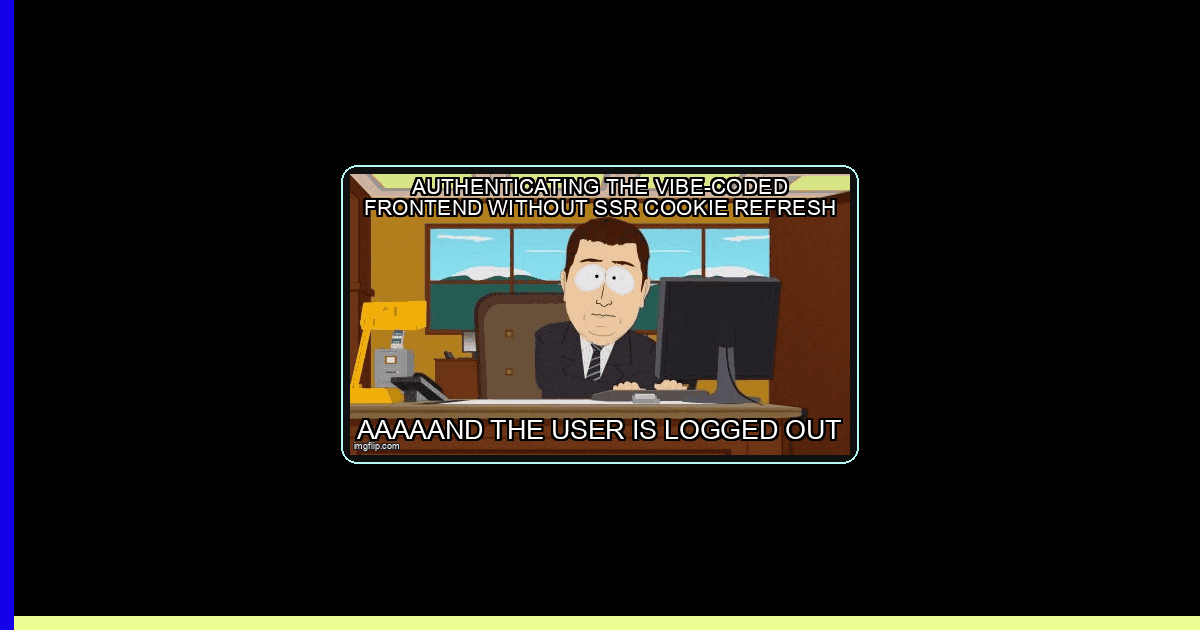
The first hour with an AI UI builder feels illegal. You describe a dashboard, Tempo gives you polished React, and suddenly your weekend idea has tabs, empty states, and a settings screen. Then authentication arrives. The generated avatar expects a user object, the server expects a signed cookie, Supabase returns a nullable session, and TypeScript starts highlighting the exact parts of your architecture you were hoping to vibe past.
Good. That friction is useful. Auth is where a visual prototype becomes a system with trust boundaries. The goal is not to slow Tempo down; it is to give generated UI one narrow, typed lane into Supabase. Tempo announced its Supabase integration with project connection, environment syncing, and generated SQL, API, React, and data-type code in its official integration overview. That is a strong accelerator, but generated code still needs an owner—and for auth, that owner is your server boundary.
This workflow assumes Next.js App Router, TypeScript, @supabase/supabase-js, and @supabase/ssr. Tempo remains the UI workbench; Supabase owns identity, cookies, database authorization, and generated schema types.
How do you sync Tempo UI with Supabase Auth?
Sync Tempo’s generated React UI to one typed Supabase client layer, then let server cookies—not component state—own the auth session.
The core move is architectural: do not sprinkle createClient() across generated components. Create one browser factory, one server factory, and one request-level refresh path. Tempo components receive small props such as displayName, avatarUrl, and onSignOut; they do not decide whether a token is valid.
- Tempo designs and edits presentational React components.
- The browser Supabase client handles interactive sign-in and auth events.
- The server Supabase client reads request cookies and performs trusted data access.
- Next.js Proxy refreshes tokens and copies new cookies onto the response.
- Generated database types keep UI queries aligned with the actual schema.
- Row Level Security remains the final authorization layer, even when the TypeScript build is green.
This is not ceremony for ceremony’s sake. GitHub’s 2025 Octoverse reported more than 2.6 million TypeScript contributors and growth above 67% year over year. The same report counted 5,394,256 TypeScript repositories created from September 2024 through August 2025. Types are now normal infrastructure for fast web work, not an enterprise tax you pay after product-market fit.
The contract: generated UI may render identity, not establish it
Tempo can generate a beautiful account menu in seconds. Keep it beautiful—and intentionally boring about security. A component should render an already-decided auth state. It should not read raw cookies, decode JWTs, store access tokens in local storage, or treat a client-side isLoggedIn boolean as proof.
| Concern | Fragile generated pattern | Production contract | What breaks otherwise |
|---|---|---|---|
| Identity | Context boolean | Verified server claims | Protected UI flashes or exposes data paths |
| Session refresh | Component effect | Request Proxy + cookie copy | Random-looking logout after token expiry |
| Database shape | Handwritten interface | CLI-generated Database type | Renamed columns fail only at runtime |
| Authorization | Hidden button | RLS policy using auth.uid() | Direct API calls bypass the UI restriction |
Example 1: build typed browser and server clients once
First generate types from the deployed schema, and repeat after every migration. Supabase documents the command as supabase gen types typescript --project-id .... Commit the output so schema drift becomes a visible code review diff. Then create environment-checked factories. The checks below deliberately fail early when a Tempo preview or deployment is missing configuration—the edge case that otherwise becomes an opaque “Failed to fetch.”
// Generate first:
// npx supabase gen types typescript --project-id "$SUPABASE_PROJECT_ID" > src/types/database.ts

// src/lib/supabase/client.ts
import { createBrowserClient } from '@supabase/ssr'
import type { SupabaseClient } from '@supabase/supabase-js'
import type { Database } from '@/types/database'

let browserClient: SupabaseClient<Database> | undefined

function publicEnv() {
  const url = process.env.NEXT_PUBLIC_SUPABASE_URL
  const key = process.env.NEXT_PUBLIC_SUPABASE_PUBLISHABLE_KEY

  if (!url || !key) {
    throw new Error(
      'Supabase public environment is missing. Check the Tempo preview and deployment settings.'
    )
  }

  try {
    new URL(url)
  } catch {
    throw new Error('NEXT_PUBLIC_SUPABASE_URL must be an absolute URL.')
  }

  return { url, key }
}

export function getBrowserSupabase(): SupabaseClient<Database> {
  if (typeof window === 'undefined') {
    throw new Error('getBrowserSupabase cannot run in a Server Component.')
  }

  if (!browserClient) {
    const { url, key } = publicEnv()
    browserClient = createBrowserClient<Database>(url, key)
  }

  return browserClient
}

// src/lib/supabase/server.ts
import { createServerClient } from '@supabase/ssr'
import { cookies } from 'next/headers'
import type { Database } from '@/types/database'

export async function getServerSupabase() {
  const store = await cookies()
  const url = process.env.NEXT_PUBLIC_SUPABASE_URL
  const key = process.env.NEXT_PUBLIC_SUPABASE_PUBLISHABLE_KEY

  if (!url || !key) {
    throw new Error('Supabase server environment is not configured.')
  }

  return createServerClient<Database>(url, key, {
    cookies: {
      getAll: () => store.getAll(),
      setAll(values) {
        try {
          values.forEach(({ name, value, options }) =>
            store.set(name, value, options)
          )
        } catch (error) {
          // Server Components cannot always write cookies. Proxy owns refresh.
          if (process.env.NODE_ENV !== 'production') {
            console.warn('Cookie write deferred to Proxy.', error)
          }
        }
      },
    },
  })
}
Why a singleton in the browser but not on the server? Browser auth state belongs to one tab lifecycle, so recreating clients adds duplicate listeners. Server state belongs to one request and its cookie store, so sharing a global server client risks crossing request boundaries. Also notice what is absent: the Supabase secret or service-role key. A publishable key is expected in browser code; a privileged key is not.
Example 2: refresh cookies without losing the response
Supabase SSR uses PKCE and cookie-backed session storage. Access tokens expire; a request may therefore trigger a refresh that writes replacement cookies. If your Proxy creates a fresh NextResponse afterward and forgets those cookies, browser and server disagree. That is the classic “it worked, then I got logged out” bug.
// src/proxy.ts (Next.js 16+)
import { createServerClient } from '@supabase/ssr'
import { NextResponse, type NextRequest } from 'next/server'
import type { Database } from '@/types/database'

const PUBLIC_PATHS = ['/login', '/signup', '/auth/callback']

export async function proxy(request: NextRequest) {
  let response = NextResponse.next({ request })
  const url = process.env.NEXT_PUBLIC_SUPABASE_URL
  const key = process.env.NEXT_PUBLIC_SUPABASE_PUBLISHABLE_KEY

  if (!url || !key) {
    console.error('Supabase environment is missing in Proxy.')
    return new NextResponse('Authentication is unavailable.', { status: 503 })
  }

  const supabase = createServerClient<Database>(url, key, {
    cookies: {
      getAll: () => request.cookies.getAll(),
      setAll(cookiesToSet, headers) {
        cookiesToSet.forEach(({ name, value }) =>
          request.cookies.set(name, value)
        )
        response = NextResponse.next({ request })
        cookiesToSet.forEach(({ name, value, options }) =>
          response.cookies.set(name, value, options)
        )
        Object.entries(headers).forEach(([name, value]) =>
          response.headers.set(name, value)
        )
      },
    },
  })

  // Keep this immediately after client creation so refresh happens predictably.
  const { data, error } = await supabase.auth.getClaims()

  if (error) {
    console.warn('JWT validation failed:', error.code)
  }

  const pathname = request.nextUrl.pathname
  const isPublic = PUBLIC_PATHS.some(
    (path) => pathname === path || pathname.startsWith(path + '/')
  )

  function redirectWithRefreshedCookies(url: URL) {
    const redirectResponse = NextResponse.redirect(url)
    response.cookies.getAll().forEach((cookie) =>
      redirectResponse.cookies.set(cookie)
    )
    return redirectResponse
  }

  if (!data?.claims && !isPublic) {
    const login = request.nextUrl.clone()
    login.pathname = '/login'
    // Edge case: preserve only an internal path, never an attacker-controlled URL.
    login.searchParams.set('next', pathname.startsWith('/') ? pathname : '/')
    return redirectWithRefreshedCookies(login)
  }

  if (data?.claims && (pathname === '/login' || pathname === '/signup')) {
    const dashboard = request.nextUrl.clone()
    dashboard.pathname = '/dashboard'
    dashboard.search = ''
    return redirectWithRefreshedCookies(dashboard)
  }

  return response
}

export const config = {
  matcher: [
    '/((?!_next/static|_next/image|favicon.ico|.*\\.(?:svg|png|jpg|jpeg|gif|webp)$).*)',
  ],
}
Supabase’s current examples favor getClaims() for route protection because it validates the JWT signature, normally using locally cached asymmetric signing keys. By contrast, getSession() reads storage but does not itself validate the JWT. Use getUser() when you specifically need the canonical Auth server record, accepting the network round trip. See the official Next.js SSR guide when upgrading, because cookie APIs and framework file conventions evolve.
How do you keep vibe-coded auth type-safe?
Generate database types after every migration, keep auth on the server boundary, and make Tempo consume narrow, typed component contracts.
Type safety needs an owner and a refresh loop. A handwritten Profile interface is a promise you make to yourself; a generated Database type is a contract derived from Postgres. After Tempo proposes a table or SQL migration, apply the migration, regenerate types, run tsc --noEmit, and only then repair components. This order makes the database the source of truth instead of whichever AI-generated file was edited last.
The Stack Overflow 2024 Developer Survey found that 37% of respondents using online learning resources used AI to learn, while 90% of respondents answering its documentation-source question chose API and SDK documentation. That pairing is the practical vibe-coding posture: use AI for momentum, then anchor decisions in the platform contract.
Example 3: a server action that treats input as hostile
Tempo will happily wire a form to an event handler. Replace any optimistic “set authenticated to true” code with a server action that validates input, delegates credentials to Supabase, and returns a small serializable state. The redirect happens only after success and outside a catch block because Next.js implements redirect() by throwing a framework-handled control-flow exception.
// src/app/login/actions.ts
'use server'

import { redirect } from 'next/navigation'
import { getServerSupabase } from '@/lib/supabase/server'

export type LoginState = {
  ok: boolean
  message: string
  field?: 'email' | 'password'
}

function safeNext(value: FormDataEntryValue | null) {
  const next = typeof value === 'string' ? value : ''
  // Reject protocol-relative URLs, backslashes, and auth loops.
  if (
    !next.startsWith('/') ||
    next.startsWith('//') ||
    next.includes('\\') ||
    next.startsWith('/login')
  ) {
    return '/dashboard'
  }
  return next
}

export async function signIn(
  _previous: LoginState,
  formData: FormData
): Promise<LoginState> {
  const email = String(formData.get('email') ?? '').trim().toLowerCase()
  const password = String(formData.get('password') ?? '')
  const destination = safeNext(formData.get('next'))

  if (!/^\S+@\S+\.\S+$/.test(email)) {
    return { ok: false, message: 'Enter a valid email address.', field: 'email' }
  }
  if (password.length < 8 || password.length > 256) {
    return {
      ok: false,
      message: 'Password must contain 8 to 256 characters.',
      field: 'password',
    }
  }

  let supabase
  try {
    supabase = await getServerSupabase()
  } catch (error) {
    console.error('Could not create the auth client.', error)
    return { ok: false, message: 'Sign-in is temporarily unavailable.' }
  }

  const { error } = await supabase.auth.signInWithPassword({ email, password })

  if (error) {
    // Do not reveal whether the email exists.
    console.warn('Supabase sign-in rejected:', error.code)
    return { ok: false, message: 'Email or password is incorrect.' }
  }

  redirect(destination)
}
This action covers three easy-to-miss edges: duplicate casing in email input, absurdly large password payloads, and open redirects through a next parameter. Your Tempo form can call it with useActionState and render the returned message. The component remains pleasant to iterate on because its contract is tiny.
Example 4: load a typed profile without pretending it exists
New users frequently have an Auth record before they have a corresponding profiles row: a trigger failed, an OAuth callback raced a background job, or an older account predates the table. A production dashboard must model that missing row instead of scattering non-null assertions through generated UI.
// src/app/dashboard/page.tsx
import { redirect } from 'next/navigation'
import { getServerSupabase } from '@/lib/supabase/server'
import DashboardShell from '@/components/dashboard-shell'

export default async function DashboardPage() {
  const supabase = await getServerSupabase()
  const { data: auth, error: authError } = await supabase.auth.getClaims()

  if (authError || typeof auth?.claims?.sub !== 'string') {
    console.warn('Dashboard auth failed:', authError?.code ?? 'missing-sub')
    redirect('/login')
  }

  const userId = auth.claims.sub
  const { data: profile, error: profileError } = await supabase
    .from('profiles')
    .select('display_name, avatar_url, onboarding_complete')
    .eq('id', userId)
    .maybeSingle()

  if (profileError) {
    console.error('Profile query failed:', {
      code: profileError.code,
      hint: profileError.hint,
    })
    throw new Error('We could not load your dashboard.')
  }

  if (!profile) {
    // Edge case: auth user exists but profile provisioning did not finish.
    redirect('/onboarding?reason=profile-missing')
  }

  return (
    <DashboardShell
      user={{
        displayName: profile.display_name ?? 'New maker',
        avatarUrl: profile.avatar_url,
      }}
      needsOnboarding={!profile.onboarding_complete}
    />
  )
}
Because Database parameterizes the server client, the selected columns and nullable values flow into the page automatically. If Tempo later renames display_name to full_name through a migration, regeneration makes this page fail at build time—exactly when you want it to fail.
RLS is the security boundary TypeScript cannot provide
Types answer “is this query shaped correctly?” RLS answers “may this authenticated caller touch this row?” A hidden button is not authorization because anyone can call the Supabase REST endpoint directly with their own valid token. Enable RLS on every user-owned table and express ownership in Postgres.
-- supabase/migrations/20260730090000_profiles_rls.sql
begin;

-- Fail loudly if this migration runs before the profiles table exists.
do $$
begin
  if to_regclass('public.profiles') is null then
    raise exception 'public.profiles must exist before installing RLS policies';
  end if;
end
$$;

alter table public.profiles enable row level security;

drop policy if exists "Users read their own profile" on public.profiles;
create policy "Users read their own profile"
on public.profiles for select
to authenticated
using ((select auth.uid()) = id);

drop policy if exists "Users update their own profile" on public.profiles;
create policy "Users update their own profile"
on public.profiles for update
to authenticated
using ((select auth.uid()) = id)
with check ((select auth.uid()) = id);

-- Fail closed for rows without an owner: auth.uid() is null when unauthenticated,
-- and null never equals a real UUID. Test both authenticated and anonymous roles.
commit;
Never expose a service-role or secret key to make an RLS error disappear. That key bypasses the policies you just wrote. Debug the user JWT, ownership column, and policy expression instead. For a broader path from prototype to guarded release, see our vibe-coding testing-debt guide, then add an automated authenticated flow from the end-to-end testing guide.
Understand the three clocks that can drift
“Connected” does not mean every layer updates atomically. Your Supabase schema changes when a migration is applied. Your local TypeScript contract changes when you regenerate database.ts. Your Tempo UI changes when generated code is accepted into the branch. Those are three separate clocks, and most integration bugs are simply one clock running ahead of the others.
Imagine Tempo proposes a non-null plan column and immediately renders a billing badge. If the UI lands before the migration, the API rejects the select. If the migration lands but types are stale, your editor cannot guide the repair. If the database allows null for existing rows while the component assumes a string, the build may pass after an unsafe assertion and the render still fails. The safe sequence is migration, seed or backfill, type generation, component integration, then tests.
Keep that sequence in one pull request when practical. Reviewers can then see the SQL contract, generated type diff, server query, and Tempo component together. If deployment must be split, make the database change backward-compatible first: add nullable data, backfill it, deploy readers, and only then tighten constraints. Speed survives because each step is small; reliability survives because no step depends on wishful synchronization.
The repeatable Tempo-to-Supabase workflow
Treat each generated feature as a short contract loop. This keeps the energy of prompting while stopping the codebase from accumulating five competing ideas of what a user looks like.
- Prompt the visual state first. Ask Tempo for signed-out, loading, signed-in, expired-session, and missing-profile states. UI is easier to stabilize before wiring network behavior.
- Connect the Supabase project. Verify preview and production environment variables separately. A working local file says nothing about a hosted preview.
- Review proposed SQL. Add primary keys, foreign keys, nullability, indexes, and RLS before applying migrations. Generated SQL is a draft with database privileges.
- Regenerate types. Run the CLI after the migration, commit the diff, and let
tsc --noEmitidentify every stale assumption. - Wire narrow props. Map server data into UI-specific contracts. Do not pass a giant Supabase user or client object through the component tree.
- Exercise auth transitions. Test sign-up confirmation, sign-in, refresh, sign-out, OAuth callback, password recovery, and opening a protected URL in a new tab.
Troubleshooting: diagnose the boundary, not the button
Auth bugs feel random when logs mix UI state, token state, and database authorization. Debug them in that order: request, cookie, claims, query, policy, render. Do not start by rewriting the Tempo component.
Symptom: the login succeeds, then the next page returns to /login.
- Inspect the sign-in response for
Set-Cookie. - Inspect the redirected request for the matching cookie.
- Confirm Proxy returns the response whose cookies were updated.
- Check that preview and production use the same Supabase project you expect.
Symptom: OAuth works locally but fails on the hosted Tempo preview.
- Add the exact preview callback URL to Supabase’s allowed redirect URLs.
- Confirm the callback exchanges the PKCE code once; retries can reuse an already-consumed code.
- Do not derive the origin from an untrusted forwarded header without an allowlist.
- Check cookie
Secure, domain, and same-site behavior in the browser’s storage panel.
Symptom: the query returns an empty array with no error.
- That is often RLS doing its job, not a broken fetch.
- Log the validated claim subject, never the token itself.
- Compare it with the row’s owner UUID and test the policy as the authenticated role.
- Use
maybeSingle()when zero rows is a modeled state; usesingle()when it is corruption.
Symptom: TypeScript says a column does not exist after Tempo changed the schema.
- Confirm the migration actually reached the project targeted by your CLI.
- Regenerate
database.ts; do not patch the generated type by hand. - Search for duplicate handwritten interfaces that mask the generated contract.
- Restart the Next.js type server only after verifying the generated file changed.
Gotchas that appear after the happy path
- Email confirmation changes the first-session flow. Depending on project settings, sign-up may return a user without an active session. Render “check your inbox” instead of navigating to a protected dashboard.
- Password recovery is not normal sign-in. Handle its auth event and route explicitly; do not let a generic signed-in redirect skip the password update screen.
- Multiple tabs race auth events. Keep one browser client per tab and make sign-out UI idempotent. Another tab may already have cleared the session.
- Server Components cannot always set cookies. Reading is fine; request Proxy is the dependable refresh writer. A swallowed write warning is acceptable only when Proxy is correctly installed.
- Admin operations need isolation. If a server-only route requires a secret key, create a separate admin client, validate authorization first, and never pass it into a Tempo component.
- Preview URLs are disposable. Prefer an allowlisted preview domain pattern or a stable staging domain for OAuth; do not manually accumulate forgotten callback URLs forever.
Ship the vibe, keep the boundary
The professional version of vibe coding is not “AI writes everything.” It is “AI moves quickly inside constraints you understand.” Tempo is excellent at compressing the distance between an idea and a convincing interface. Supabase is excellent at giving that interface identity, persistence, and database-level authorization. TypeScript makes their handshake reviewable.
So keep the division of labor sharp: generate the states, derive types from Postgres, validate claims at the request boundary, preserve refreshed cookies, and let RLS distrust every client equally. You still get the dopamine hit of watching a product appear in an afternoon. You just do not wake up a month later to discover that the account menu was also your security model.
Ready to ship your next project faster?
Desplega.ai helps indie hackers and solopreneurs build and ship faster with practical AI-assisted workflows, reliable testing, and production-ready engineering.
Get StartedFrequently Asked Questions
Can Tempo connect directly to an existing Supabase project?
Yes. Tempo can connect to a Supabase project and generate UI and data code, but review migrations, regenerate database types, and test RLS before treating generated output as production-ready.
Should a Tempo component call Supabase Auth directly?
Only interactive client flows should use the browser client. Route protection, cookie refresh, and privileged reads belong on the server so a component cannot become your security boundary.
Why does Supabase Auth work locally but log users out in production?
The usual cause is a refreshed cookie being lost in Proxy, a mismatched site URL, or an incorrect OAuth redirect. Inspect Set-Cookie headers and preserve the Supabase response object.
Do generated TypeScript types replace Supabase Row Level Security?
No. Types prevent invalid code at build time; RLS controls which rows a real request may read or change. Production Supabase apps need both because browser code is never trusted.
Related Posts
When I Reject v0 Code: Pattern-Matching Rules for Safer UI Generation
A practical v0 review gate for safer generated React UI: AST checks, Playwright smoke tests, accessibility rules, and rejection signals.
Cody's Repository Indexing: Does Cognitive Offloading Create Knowledge Gaps in Large Codebases? | Desplega AI
A practical deep dive into Cody repository indexing, context retrieval, and how indie hackers avoid AI-created knowledge gaps.
Hot Module Replacement: Why Your Dev Server Restarts Are Killing Your Flow State | desplega.ai
Stop losing 2-3 hours daily to dev server restarts. Master HMR configuration in Vite and Next.js to maintain flow state, preserve component state, and boost coding velocity by 80%.