
Promoting Tests to Production
By promoting your tests to a different environment, you can run them in production or other environments, and integrate them into your CI/CD pipeline.
Select Tests to Promote
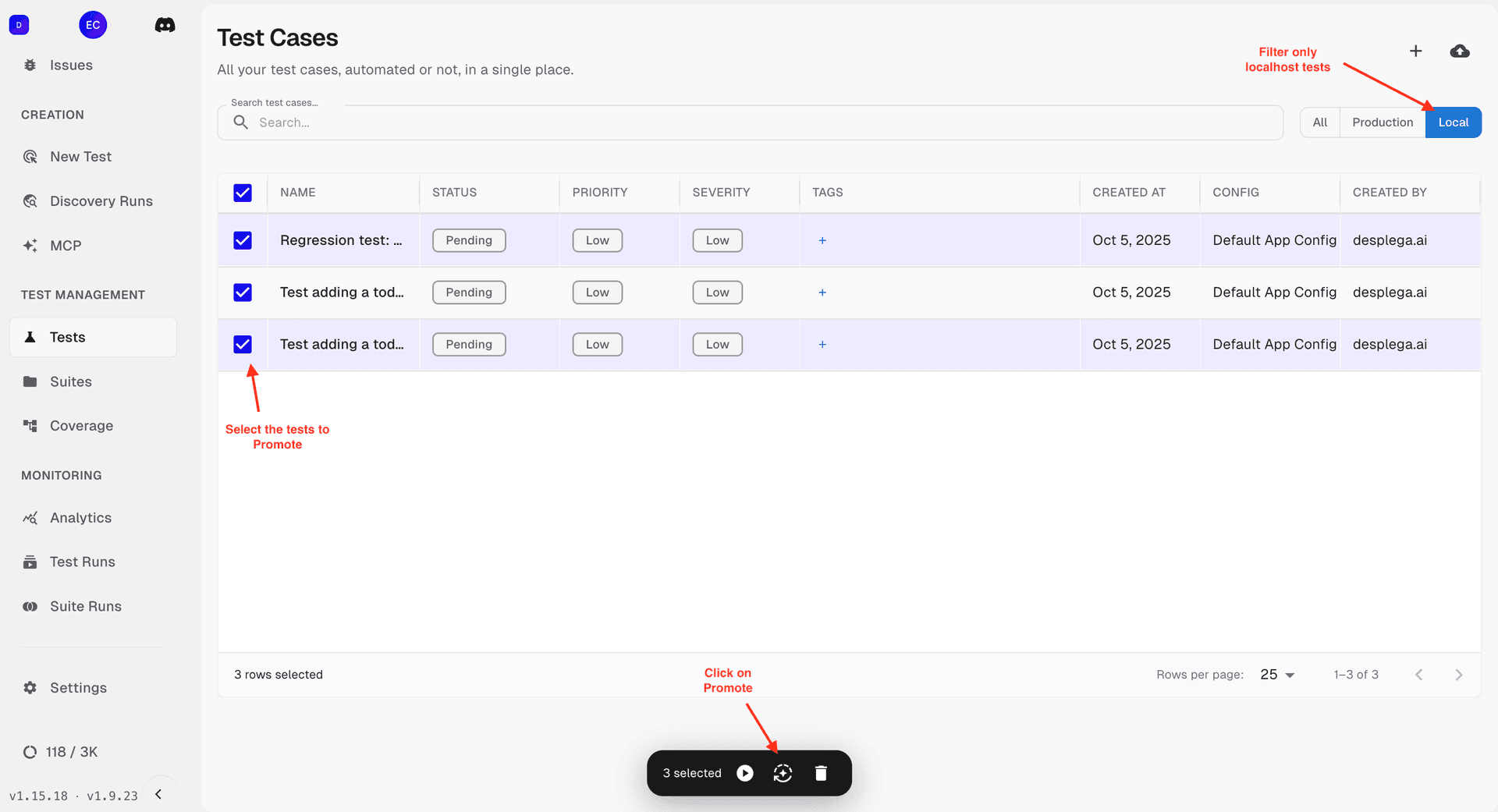
First, select the local filter, then choose the tests you want to promote, and click the "Promote" button.
Select Target Configuration
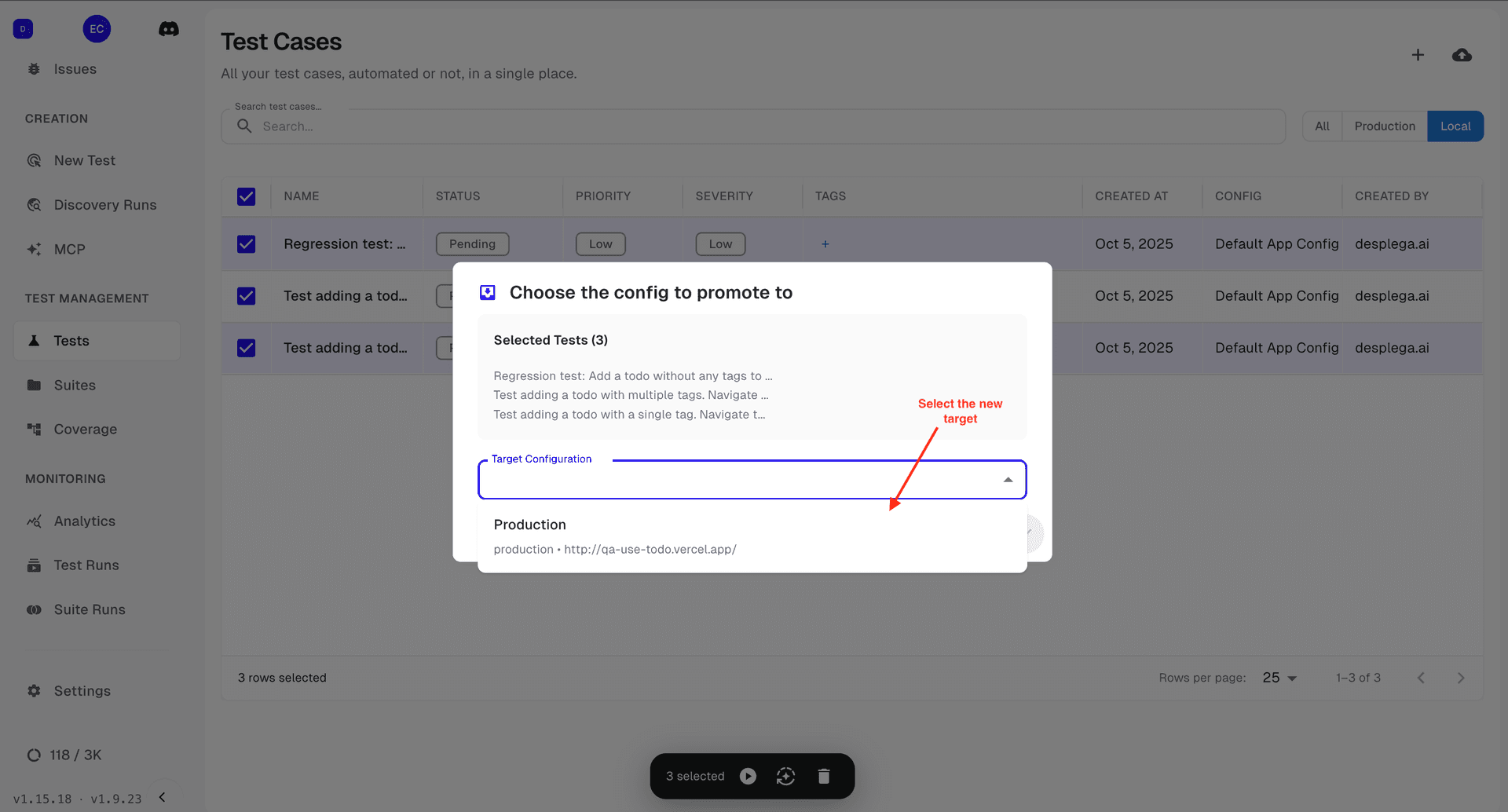
Choose the configuration where you want to deploy your tests. Once selected, simply click continue.
Benefits of Production Deployment
CI/CD Integration
Automatically run tests in your deployment pipeline
Scalable Testing
Run tests at scale across multiple environments
Quality Assurance
Ensure production readiness with automated validation
Team Collaboration
Share and collaborate on test suites across teams
Related Guides
MCP Server Guide
Power your code generation setup with efficient QA testing. The Desplega.ai MCP Server integrates AI-powered browser automation and QA testing directly into your development environment.
Cursor MCP Setup Guide
Step-by-step guide to add the desplega.ai Playwright MCP server to Cursor with mcp.json, QA_USE_API_KEY setup, restart checks, and troubleshooting.
MCP Workflows
Design and implement efficient testing workflows using the MCP server. Learn how to create scalable and maintainable test automation pipelines.