
Why Your Selectors Are Slow: Selenium vs. Playwright DOM Traversal Explained
Your selectors are not slow because of CSS or XPath — they are slow because of where, and how often, the lookup actually happens.
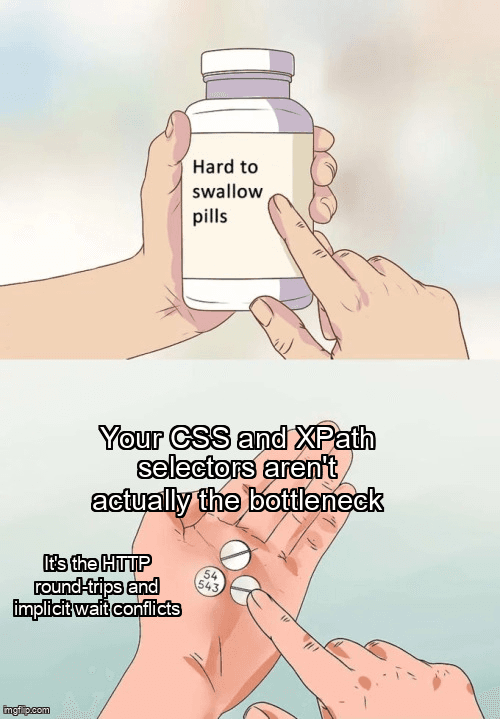
It usually starts with a complaint in standup: “the regression suite takes 40 minutes now.” You open the slowest spec, and the timeline is full of selector calls that each eat a few hundred milliseconds. The instinct is to blame the selectors themselves — maybe the XPath is too deep, maybe the CSS is too generic. So the team rewrites locators, swaps XPath for CSS, adds IDs everywhere, and the suite barely moves.
That is because the selector string is rarely the bottleneck. The real cost is where the DOM lookup runs, how many times it crosses a process boundary, and what your waiting strategy does while it waits. Selenium and Playwright answer those three questions in fundamentally different ways, and once you understand the architecture, the “slow selector” problem usually turns into a fixable design problem. This post walks through both engines, with production-shaped code you can lift into a real suite.
Why Are My Selenium Selectors Slow?
Selenium selectors are slow because each findElement call is a separate HTTP round-trip to the browser driver — not the DOM query itself.
Selenium speaks the W3C WebDriver protocol, which became a W3C Recommendation in 2018. WebDriver is a REST-style protocol: your test process sends a JSON command over HTTP to a driver process (chromedriver, geckodriver), and the driver translates that into a browser-internal instruction. When you call driver.find_element(By.CSS_SELECTOR, ".row"), the following happens:
- Your client serializes a
POST /session/:id/elementrequest. - The request travels over a local TCP socket to the driver.
- The driver executes the actual DOM query inside the browser and gets back a match.
- The driver returns an opaque element reference (a UUID-like handle), not the element itself.
- Every subsequent action —
.click(),.text,.get_attribute()— is another round-trip that passes that handle back.
The browser-side DOM query is microseconds. The serialization, the socket hop, and the driver's own bookkeeping are what add up. A single “locate then click then read text” interaction is three round-trips. Multiply that by every step in a 200-line test and the protocol overhead, not the CSS engine, dominates.
It gets worse when waiting enters the picture. Consider this realistic dashboard test — a login flow that then reads a data grid. It contains the single most common Selenium performance bug we see in audits:
# scenario: a dashboard test logs in, then reads the first data-grid row
from selenium import webdriver
from selenium.webdriver.common.by import By
from selenium.webdriver.support.ui import WebDriverWait
from selenium.webdriver.support import expected_conditions as EC
from selenium.common.exceptions import (
    StaleElementReferenceException,
    TimeoutException,
)

driver = webdriver.Chrome()

# ANTI-PATTERN: a global implicit wait.
# Every *failed* lookup now silently blocks for up to 10 seconds.
driver.implicitly_wait(10)

def open_dashboard(driver):
    driver.get("https://app.example.com/login")
    driver.find_element(By.ID, "email").send_keys("qa@example.com")
    driver.find_element(By.ID, "password").send_keys("secret")
    driver.find_element(By.CSS_SELECTOR, "button[type=submit]").click()

def read_first_row(driver, attempts=3):
    # The explicit wait STACKS on top of the 10s implicit wait:
    # each poll where the element is missing pays the implicit timeout.
    wait = WebDriverWait(driver, 15, poll_frequency=0.5)
    for attempt in range(attempts):
        try:
            wait.until(
                EC.presence_of_element_located(
                    (By.CSS_SELECTOR, "table.grid tbody tr")
                )
            )
            row = driver.find_element(
                By.CSS_SELECTOR, "table.grid tbody tr:first-child"
            )
            # EDGE CASE: the grid may re-render between locate and read,
            # invalidating the reference we just obtained.
            return row.text
        except StaleElementReferenceException:
            if attempt == attempts - 1:
                raise
            continue  # re-locate on the next iteration
        except TimeoutException:
            raise AssertionError("data grid never rendered a row")

try:
    open_dashboard(driver)
    print(read_first_row(driver))
finally:
    driver.quit()
The Selenium documentation explicitly warns against mixing implicit and explicit waits, and this example shows why. The implicit wait tells the driver “retry any failed lookup for up to 10 seconds.” The explicit WebDriverWait also polls. When the grid is not yet present, each poll inside the explicit wait triggers a lookup that the implicit wait holds open for its full window. The two waiting mechanisms compound, so a wait you sized at 15 seconds can take far longer in practice, and the timing becomes non-deterministic. The fix is to set implicitly_wait(0) and rely solely on explicit waits with a clear condition.
How Playwright Resolves a Selector Differently
Playwright does not speak WebDriver. It drives Chromium over the Chrome DevTools Protocol (CDP) and uses equivalent low-level protocols for Firefox and WebKit. More importantly, Playwright ships its own selector engine — a bundle of JavaScript injected into the page. When you write page.locator(".row"), two things are true that are not true in Selenium:
- A locator is lazy. It is a description of how to find an element, not a resolved reference. Nothing is queried until an action or assertion runs.
- Resolution happens in-page. When an action runs, Playwright re-runs the query right before it acts, inside the page's own JavaScript context, as part of a single coordinated command.
Because the locator re-resolves on every use, the stale-element class of bugs mostly disappears: there is no cached handle to go stale. And because Playwright bundles auto-waiting — it waits for the element to be attached, visible, stable, and able to receive events before acting — you do not write manual polling loops. The waiting is part of the action, executed close to the DOM, not orchestrated across an HTTP boundary. Here is the same dashboard test, written the Playwright way:
// scenario: same dashboard grid, Playwright locator-based
import { test, expect, type Locator, type Page } from '@playwright/test';

async function readFirstRow(page: Page): Promise<string> {
  // A locator is lazy: NOT resolved until an action/assertion runs.
  const rows: Locator = page.locator('table.grid tbody tr');

  // Auto-waiting: Playwright polls until the first row is attached,
  // visible and stable before resolving. No manual sleep, no implicit wait.
  await expect(rows.first()).toBeVisible({ timeout: 15_000 });

  // EDGE CASE: strict mode. Calling .textContent() on a locator that
  // matches MULTIPLE elements throws a strict-mode violation. Scope it.
  return (await rows.first().textContent()) ?? '';
}

test('dashboard grid renders data', async ({ page }) => {
  await page.goto('https://app.example.com/login');
  await page.getByLabel('Email').fill('qa@example.com');
  await page.getByLabel('Password').fill('secret');
  await page.getByRole('button', { name: 'Sign in' }).click();

  try {
    const firstRow = await readFirstRow(page);
    expect(firstRow.trim().length).toBeGreaterThan(0);
  } catch (error) {
    // Attach a diagnostic before re-throwing so the trace is actionable.
    const count = await page.locator('table.grid tbody tr').count();
    throw new Error(
      'grid read failed; visible row count was ' + count +
        ' (original: ' + (error as Error).message + ')',
    );
  }
});
Notice what is absent: no implicitly_wait, no manual retry loop for staleness, no sleep. The expect(...).toBeVisible() assertion retries internally until the condition holds or the timeout fires. The cost model shifts from “N round-trips per interaction” to “one coordinated command that resolves and acts.” If you want to go deeper on diagnosing flake once you adopt this model, see our deep dive on flaky test root causes.
Does CSS or XPath Matter for Selector Speed?
For modern engines the CSS-vs-XPath gap is tiny; round-trips, retries, and waiting strategy dominate selector latency far more than the syntax itself.
Browsers evaluate document.querySelectorAll and document.evaluate (XPath) in highly optimized native code. For a typical page, the difference between a CSS selector and an equivalent XPath is measured in microseconds — invisible next to a multi-millisecond protocol round-trip. The reason XPath sometimes feels slow is indirect: deep, positional XPath like //div[3]/div/span[2] is brittle, so it fails to match more often, and a failed match is the expensive path. It triggers the full wait window before raising.
So the performance lever is not syntax — it is stability. A selector that matches on the first attempt costs one resolution. A selector that misses costs one resolution plus the entire timeout budget plus, often, a retry. Choose selectors for resilience (test IDs, roles, accessible names) and the speed follows. Here is a diagnostic harness that makes the real cost visible — wrap your driver and measure where the wall-clock time actually goes:
# diagnostic: measure how much wall-clock time selector resolution
# actually costs, and how often lookups miss (the expensive case).
import time
from selenium import webdriver
from selenium.webdriver.common.by import By
from selenium.common.exceptions import (
    NoSuchElementException,
    WebDriverException,
)

class TimedDriver:
    def __init__(self, driver):
        self._driver = driver
        self.calls = 0
        self.failures = 0
        self.total_seconds = 0.0

    def find(self, by, value):
        self.calls += 1
        start = time.perf_counter()
        try:
            return self._driver.find_element(by, value)
        except NoSuchElementException:
            # A MISS is the expensive case: it blocks for the full
            # implicit-wait window before this exception is raised.
            self.failures += 1
            raise
        except WebDriverException as exc:
            # Session lost / driver crash: surface it, never swallow it.
            raise RuntimeError("driver round-trip failed: " + str(exc))
        finally:
            self.total_seconds += time.perf_counter() - start

    def report(self):
        avg = (self.total_seconds / self.calls) if self.calls else 0.0
        return {
            "calls": self.calls,
            "failures": self.failures,
            "total_seconds": round(self.total_seconds, 3),
            "avg_ms_per_call": round(avg * 1000, 1),
        }

timed = TimedDriver(webdriver.Chrome())
try:
    timed._driver.get("https://app.example.com")
    timed.find(By.ID, "search")
    timed.find(By.CSS_SELECTOR, ".result-card")
finally:
    print(timed.report())
    timed._driver.quit()
Run this against a real spec and the report() output usually surprises people: the avg_ms_per_call is small for hits and huge for the runs with non-zero failures. That is the data you need to stop guessing and start fixing.
Selenium vs. Playwright: Selector Resolution Side by Side
| Aspect | Selenium (WebDriver) | Playwright |
|---|---|---|
| Transport | HTTP/JSON to a driver process (W3C WebDriver) | CDP / WebKit / Firefox protocols, persistent connection |
| Where the query runs | Driver issues a one-shot DOM query, returns a handle | In-page selector engine, re-evaluated on every action |
| Waiting model | Manual: implicit and/or explicit waits you write | Built-in auto-waiting and actionability checks |
| Multiple matches | find_element silently returns the first | Strict mode throws unless you scope (.first()) |
| Stale references | Common: handle invalidated on re-render | Rare: locators re-resolve, nothing is cached |
| Round-trips per interaction | Several (locate, then each action) | One coordinated command (resolve + act + wait) |
Troubleshooting Slow and Flaky Selectors
When a suite is slow, resist the urge to bump timeouts — that hides the symptom and makes the next failure slower. Diagnose the failure mode instead:
- Suite is slow but green. Suspect the implicit-plus-explicit wait conflict shown earlier, or fixed
sleep()calls. Grep the codebase forimplicitly_waitandtime.sleep; in Playwright, grep forwaitForTimeout. Each hit is a candidate to delete. - Intermittent timeouts on one element. The selector probably matches a hidden or not-yet-attached node. In Playwright, a
toBeVisibletimeout wherecount()is greater than zero means the element exists but is hidden — check CSSdisplay, an overlay, or an animation still running. - “strict mode violation: resolved to 2 elements”. Your locator is ambiguous. This is a feature, not a bug: Selenium would have silently clicked the wrong element. Scope with
.first(),getByRole, or a parent locator. StaleElementReferenceExceptionin Selenium. You cached aWebElementacross a re-render. Re-locate immediately before use, or wrap the read in the retry loop from the first example.- Selector works manually, fails in CI. Almost always a timing or viewport difference. Capture a Playwright trace or Selenium screenshot on failure — our guide to reading Playwright traces covers this end to end.
For the slow-but-green case, the diagnostic harness above is your friend. Sort your specs by total_seconds and attack the top of the list. In our experience, a small number of specs — the ones that mix waiting strategies or sleep through animations — account for the bulk of a bloated suite's runtime, and fixing those few recovers most of the time without touching a single CSS selector.
Edge Cases and Gotchas
A few traversal-specific cases break naive assumptions in both tools:
- Shadow DOM. A standard CSS selector cannot pierce a closed shadow root. Playwright's CSS engine pierces open shadow roots automatically; Selenium needs
get_shadow_root()and then a scoped query. Closed shadow roots are off-limits to both — you must test through the component's public surface. - Iframes. Selectors do not cross frame boundaries. In Selenium you
switch_to.frame()first; in Playwright you usepage.frameLocator(). A selector that “cannot find” a visible element is very often an un-entered iframe. - Detached but visible. During a re-render an element can be painted on screen while its old node is already detached. Selenium hands you the stale node; Playwright's stability check waits out the re-render. This is the single biggest source of cross-tool behavior differences.
- Virtualized lists. Grids that only render visible rows will never match a selector for row 5,000 — the node does not exist until you scroll. Scroll into view first, then query.
The Takeaway
“Slow selectors” is almost always a misdiagnosis. The browser's DOM query is fast in both Selenium and Playwright. What differs is architecture: Selenium pays an HTTP round-trip per interaction and leaves waiting entirely to you, which is where conflicting wait strategies and stale references quietly inflate runtime. Playwright resolves selectors in-page, re-evaluates them on every action, and bundles auto-waiting, so the same logical test does less protocol work and fewer wasted retries.
Whichever tool you use, the optimization order is the same: measure first, kill mixed waits and fixed sleeps, choose selectors for stability over cleverness, and only then worry about CSS versus XPath — a contest that, by then, will not matter. Profile the suite, fix the waiting strategy, and the selectors stop being slow.
Ready to strengthen your test automation?
Desplega.ai helps QA teams build robust test automation frameworks that stay fast and stable as the application grows.
Get StartedFrequently Asked Questions
Is Playwright always faster than Selenium?
Not universally, but Playwright's in-process selector engine and auto-waiting usually cut wall-clock time by avoiding per-call HTTP round-trips and manual sleeps that inflate Selenium suites.
Why does my Selenium test throw StaleElementReferenceException?
You resolved an element, then the DOM re-rendered before you used the cached reference. Re-locate the element inside a short retry loop instead of holding the WebElement across actions.
Do IDs make my selectors faster?
IDs help the browser's selector engine resolve matches quickly, but the bigger win is stability: a stable ID avoids the retries and re-queries that cost far more than raw matching time.
Should I migrate from Selenium to Playwright for speed alone?
Speed alone rarely justifies a migration. Weigh auto-waiting, tracing, and parallelism together; if your suite is mostly flaky waits, fixing strategy may recover most of the lost time first.
Related Posts
Hot Module Replacement: Why Your Dev Server Restarts Are Killing Your Flow State | desplega.ai
Stop losing 2-3 hours daily to dev server restarts. Master HMR configuration in Vite and Next.js to maintain flow state, preserve component state, and boost coding velocity by 80%.
The Flaky Test Tax: Why Your Engineering Team is Secretly Burning Cash | desplega.ai
Discover how flaky tests create a hidden operational tax that costs CTOs millions in wasted compute, developer time, and delayed releases. Calculate your flakiness cost today.
The QA Death Spiral: When Your Test Suite Becomes Your Product | desplega.ai
An executive guide to recognizing when quality initiatives consume engineering capacity. Learn to identify test suite bloat, balance coverage vs velocity, and implement pragmatic quality gates.