
1
Understanding Your Results
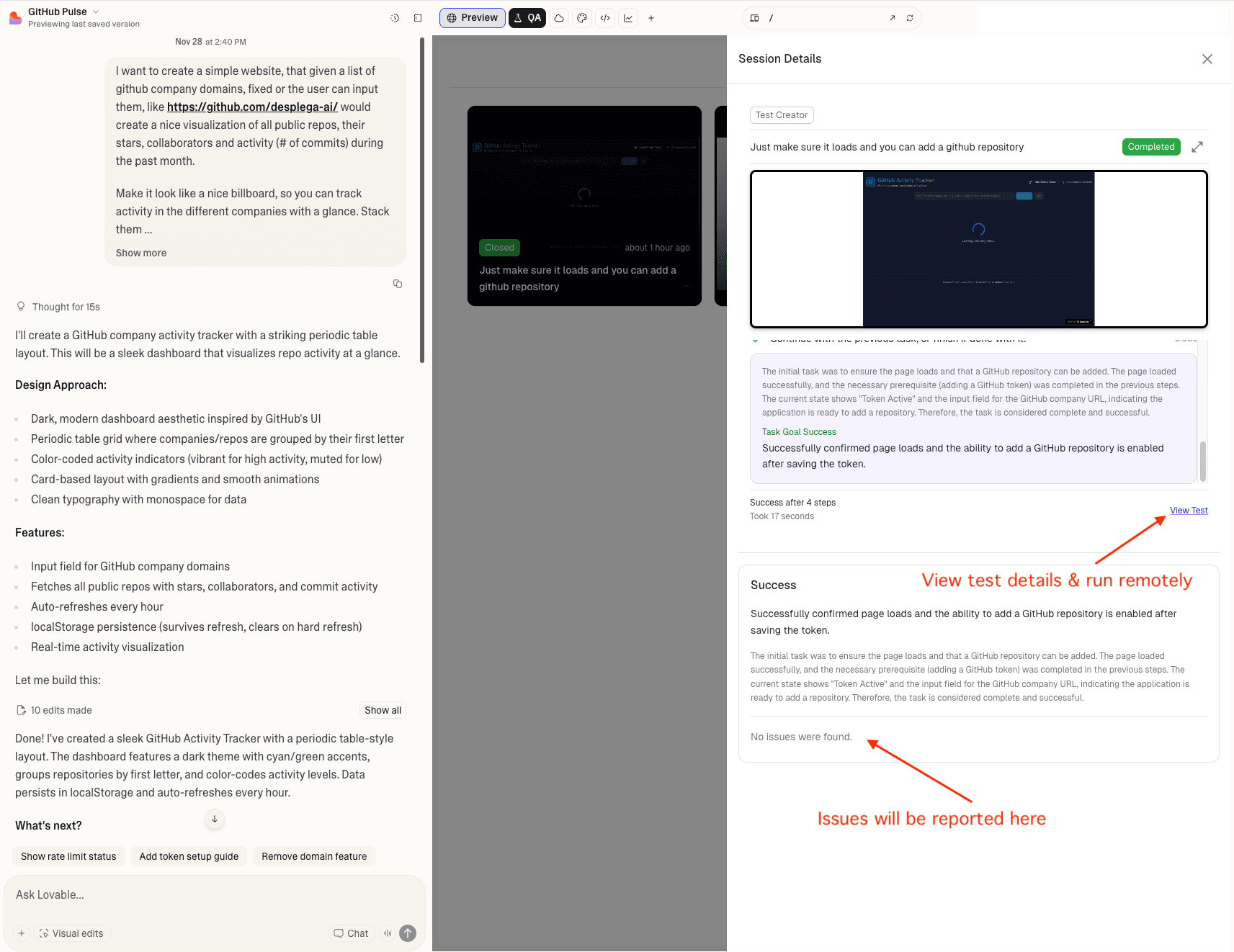
Once complete, you'll see:
- Overall Status: Status badge like Passed or Failed
- Execution Time: How long it took
- Step Details: Each step with status badges
- Screenshots & Videos: Visual evidence of test execution
- Copy Issue for LLM: If the test fails, click the "Copy issue for LLM" button to get a formatted issue report ready to paste directly into Lovable.dev
Advanced Debugging on desplega.ai
For comprehensive debugging information, navigate to desplega.ai to access detailed debugging tools including:
- Browser Console Logs: View all console output from your test execution
- Network Requests: Inspect all HTTP requests and responses
- DOM Snapshots: See the exact state of the DOM at each step
- Performance Metrics: Analyze test execution performance
- Full Test History: Access all your test runs and their detailed results
Learn more about debugging tools in our Debug Test Runs guide.
Status Badges:
PassedTest step completed successfullyFailedTest step encountered an errorRunningTest step is currently executingPendingTest step is waiting to run
Related Guides
Vibe QA Extension
Power your vibe coding workflow with AI-powered QA testing. The Desplega.ai Vibe QA Extension integrates seamlessly with Lovable, bringing enterprise-grade testing directly into your development workflow.
Vibe QA Installation
Step-by-step guide to install the Vibe QA Extension in Chrome. Configure your API key and start testing your Lovable projects with AI-powered QA automation.
Watch the Magic
Watch as Vibe QA attempts to execute your test autonomously. Understand how the agent interacts with your application in real-time.