
Supervise Your Test Agent
The AI agent starts testing immediately! You'll see:
- Browser Launch: A browser instance starts
- Test Steps: Each step executes in real-time
- Status Updates: Status badges like Passed Failed Running Pending
- Screenshots & Videos: Visual confirmation of each step
This usually takes 10-30 seconds.
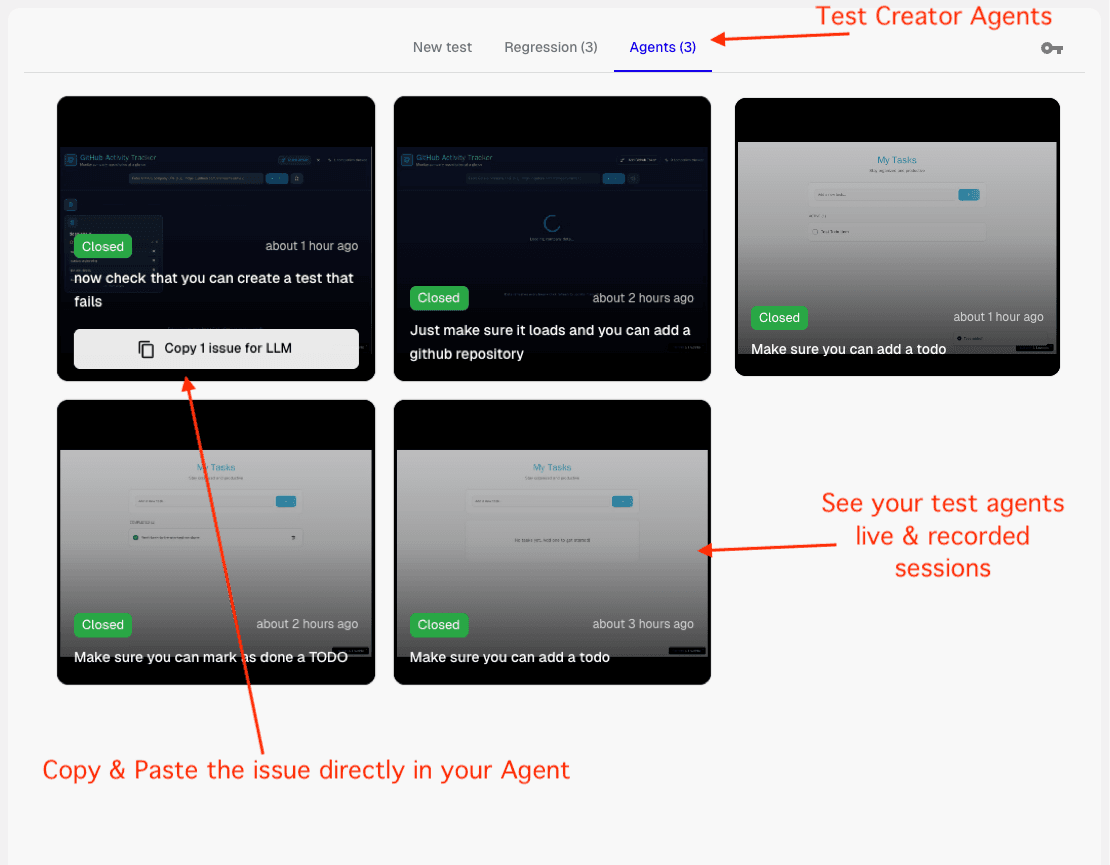
Viewing All Your Agents: You can view all your test agents—both currently running and past sessions—in the agents overview section. This gives you a complete picture of all your test activity.
Interacting with Your Agent
While your test is running, you can:
- Monitor Progress: Watch each step execute in real-time with live status updates
- View Screenshots: See exactly what the agent sees at each step
- Check Status Badges: Quickly identify which steps passed, failed, or are still running
- Review Videos: Watch recordings of the entire test execution for better understanding
- Pause if Needed: You can pause the agent and interact with it directly if you need to intervene or provide additional guidance
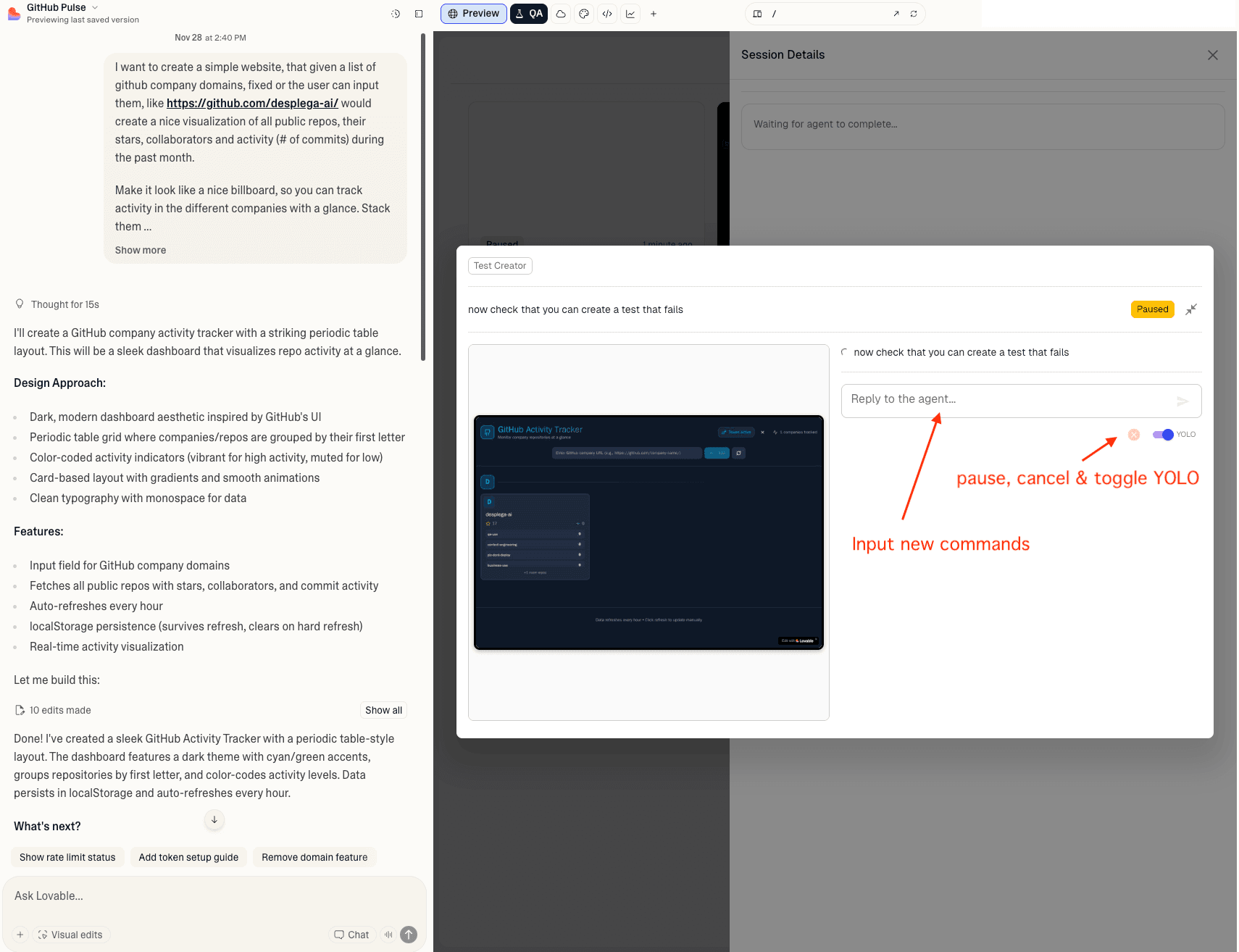
Status Badges Reference:
Related Guides
Vibe QA Extension
Power your vibe coding workflow with AI-powered QA testing. The Desplega.ai Vibe QA Extension integrates seamlessly with Lovable, bringing enterprise-grade testing directly into your development workflow.
Vibe QA Installation
Step-by-step guide to install the Vibe QA Extension in Chrome. Configure your API key and start testing your Lovable projects with AI-powered QA automation.
Your First Test
Create and configure your first test with Vibe QA. Learn how to write effective test descriptions and start your first testing session.